English
Private Share is a secure and convenient app designed to ensure the safety of your data when sharing files. With it, you have complete control over who can access your files. You can easily revoke permission at any time, giving you peace of mind. The app allows you to share files privately, preventing recipients from resharing them and even setting expiration dates for added security. Anonymity is guaranteed as there is no need for an account. Plus, once the recipient receives the file, it is automatically deleted from the server. With its user-friendly interface, it is the perfect solution for sharing sensitive files with confidence.
Private and Secure File Sharing:
Private Share allows you to share files privately, ensuring that only designated recipients can access them. This ensures the privacy and security of your sensitive data.
Revocable Permissions:
With it, you have the power to revoke the permission to open a file at any time. This gives you complete control over who can access your shared files, even after they have been sent.
Prevent Resharing:
By using it, you can prevent recipients from resharing the files you send them. This protects your files from being shared with unintended parties without your knowledge or consent.
Expiration Dates:
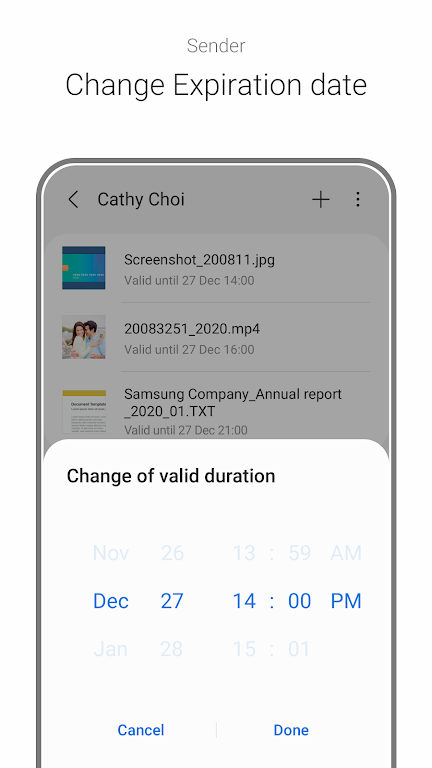
You can set expiration dates for the files you share. This allows you to customize the reading period from as short as 1 minute to as long as 180 days. After the expiration date, the recipient will no longer be able to view the file.
How do I use it?
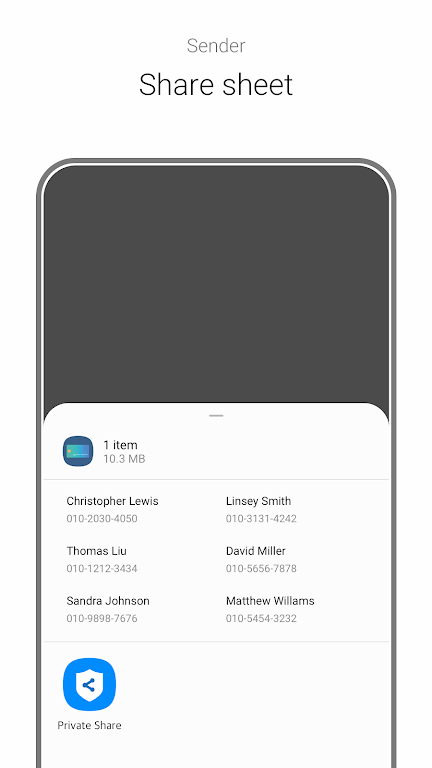
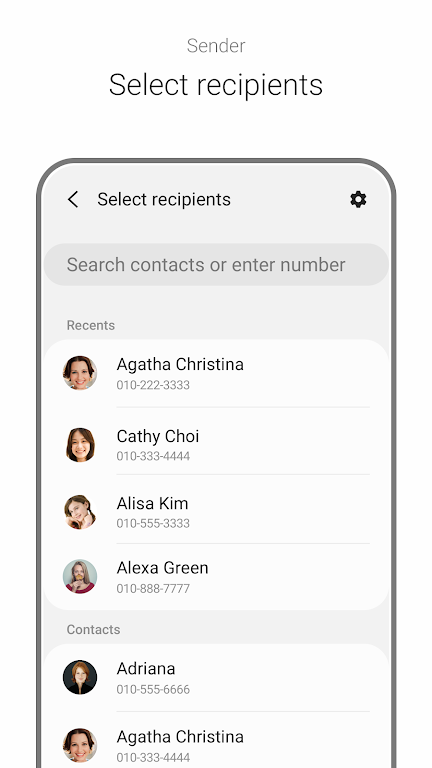
To use it, you can either go to Settings, Biometrics and Security. Private Share and select a recipient from your contact list, or you can open the Gallery app or My Files app, select a file, tap Share, and then tap it.
How many people can I send files to using it?
You can select up to 5 recipients when using it. Additionally, you can send up to 10 files at once, with a total file size limit of 20MB.
Can I change the expiration date of a shared file?
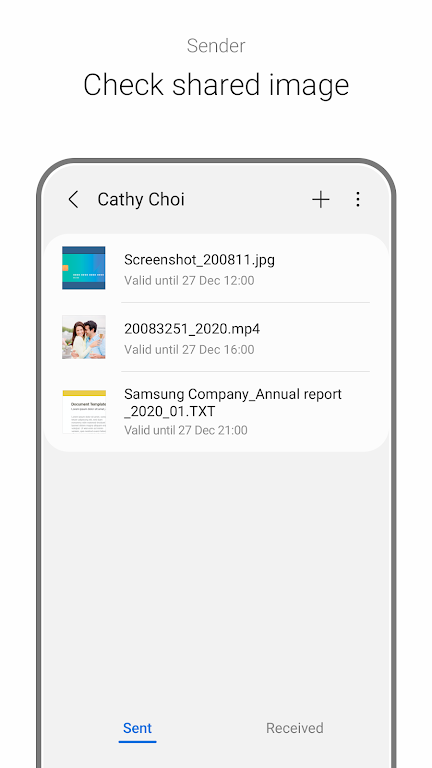
Yes, you can change the expiration date of a shared file both before and after sending it. Before sending the file, you can go to it settings to adjust the expiration date. After sending the file, you can select the recipient in the Sent tab of the it app, choose the file, tap More, and then tap Change expiration date.
With Private Share's revocable permissions, prevention of resharing, and customizable expiration dates, you can have peace of mind knowing that your files are protected. Whether you're sharing photos, videos, recordings, or text files, it ensures that only the intended recipients can access them. Don't compromise on your data's security - download it now and experience the convenience and confidentiality of secure file sharing.
CarNote
Size:14.59M LifestyleThe Road
Size:74.10M Lifestyleeyedish
Size:36.67M LifestyleSpendLite
Size:31.30M LifestyleTiki Bar
Size:39.00M LifestylePNOE Longevity Lab
Size:72.00M LifestyleTiny Quest
Size:31.00M LifestyleWheel of Inspiration
Size:228.29M LifestyleKaranno Dinanno
Size:45.00M Lifestyleバランス日記
Size:43.00M LifestyleSageBuyers
Size:47.88M LifestyleFeastMode
Size:102.22M LifestyleApril 2024 Clash of Clans Update: Unveiling a Fresh Companion, Enhanced Levels, Chat Tagging, and Be
2024-04-16Arrival of Genshin Impact 4.6 Update: 'Embers of Two Realms, Twilight of Crimson'
2024-04-16V2.2 of the Farlight 84 update introduces an overhauled Season structure, fresh in-game currency, an
2024-04-16Monster Never Cry is now accessible on both Android and iOS mobile devices.
2024-04-18PUBG Mobile Teams Up with Bentley Motors: Luxury Cars, Exclusive Collectibles, and Beyond
2024-04-18March 2024 Free Redemption Codes for Honkai: Star Rail
2024-04-18