
English
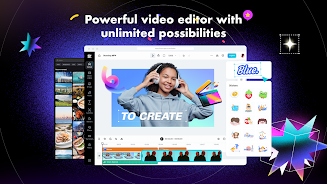
CapCut is a top-rated video editing application that offers a wide range of features to create visually stunning videos. Whether you are a beginner or a seasoned editor, CapCut has everything you need to produce professional-quality videos. With its easy-to-use interface and advanced editing tools, CapCut allows users to unleash their creativity and bring their ideas to life. From basic editing functions to advanced features like keyframe animation and smart stabilization, CapCut has it all. Download CapCut now and start creating amazing videos to share on all your favorite social media platforms!
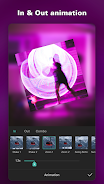
**Basic Video Editing**: CapCut allows users to easily trim, split, and merge videos. You can also control video speed, play in reverse, and add dynamic transitions and effects to bring your videos to life.
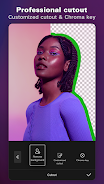
**Advanced Video Editing**: With CapCut, you can animate videos using keyframe animation, create smooth slow-motion effects, use Chroma key for color elimination, and layer videos with Picture-in-Picture (PIP) functionality.
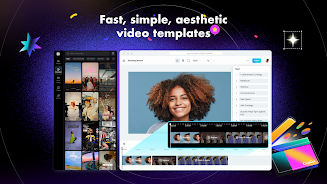
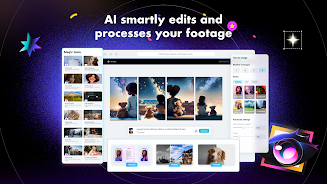
**Special Features**: CapCut offers auto captions for automated subtitles and background removal to exclude people from videos. Choose from thousands of templates for quick video output.
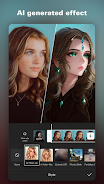
**Trending Effects & Filters**: Apply hundreds of effects like Glitch, Blur, and 3D to enhance your videos. You can also use cinematic filters and adjust colors for a polished look.
**Music & Sound Effects**: Enrich your videos with a vast library of music clips and sound effects. Sync your favorite TikTok music and extract audio from video clips.
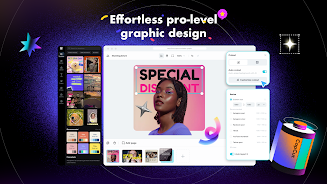
**Graphic Design Tool**: CapCut is not just for videos - it also offers tools for editing business visuals, commercial graphics, and social media thumbnails. Use pro-level templates and AI-powered features for graphic design.
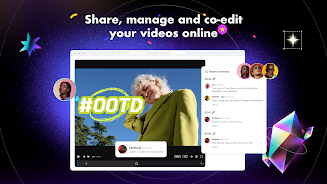
**Effortless Sharing & Collaboration**: CapCut allows Chromebook users to edit videos seamlessly online or on the app. Export custom resolution videos and adjust the format for easy sharing on various platforms.
**Cloud Storage**: CapCut provides easy backup and storage for various video and audio formats. Upgrade your plan for additional storage space as needed.
> Experiment with different effects and filters to give your videos a unique look that stands out on social media platforms.
> Take advantage of the auto captions feature to make your videos more accessible to a wider audience.
> Collaborate with friends or colleagues using the multi-member editing function for a seamless video production experience.
> Use the graphic design tools to create eye-catching visuals for your social media posts and promotional materials.
With its range of features for basic and advanced video editing, as well as tools for graphic design, CapCut is a versatile app that caters to a variety of video production needs. Whether you're a beginner looking to create fun videos or a professional in need of advanced editing options, CapCut has something for everyone. Download CapCut now and start creating stunning videos that will impress your audience on social media platforms.





VOIXMED
Size:51.00M Media & VideoRádio Modão Sertanejo
Size:12.00M Media & VideoWeezer Player-PureListening
Size:51.00M Media & VideoGo Beat - Music & Beat Maker
Size:1024.00M Media & VideoBR Player
Size:72.60M Media & VideoJotta
Size:51.26M Media & VideoRythm
Size:63.90M Media & VideoRadio Exitosa en vivo
Size:28.00M Media & VideoLive Cricket TV HD
Size:8.53M Media & VideoBCB Studio
Size:85.00M Media & VideoMetronome: Beatrom Wood
Size:3.00M Media & VideoMana Tv Network
Size:25.00M Media & VideoApril 2024 Clash of Clans Update: Unveiling a Fresh Companion, Enhanced Levels, Chat Tagging, and Be
2024-04-16Arrival of Genshin Impact 4.6 Update: 'Embers of Two Realms, Twilight of Crimson'
2024-04-16V2.2 of the Farlight 84 update introduces an overhauled Season structure, fresh in-game currency, an
2024-04-16Monster Never Cry is now accessible on both Android and iOS mobile devices.
2024-04-18PUBG Mobile Teams Up with Bentley Motors: Luxury Cars, Exclusive Collectibles, and Beyond
2024-04-18March 2024 Free Redemption Codes for Honkai: Star Rail
2024-04-18



















Comment
Aopor Kanthang
Its good and all but here's an issue. Even though I red-downloaded it 2 times the security notice still says "The current version of the app is not secure. Download the latest version in the official app store" and yes I did download it on this app so I don't know if this is a bug or not but fix this as it has made me mad, confused and hitting my phone screen but not too hard.
Feb 17, 2025 07:05:40
Tsu The frog :3
It's very nice when it works, but it's very buggy. I'm getting my sounds duplicated throughout my videos and my longer music audios dissapearing so I can't edit them even though I can still hear them in my video. I've tried updating and restarting the app but it hasnt fixed anything. As a pro user I really hope this gets fixed soon so I can give a proper rating.
Feb 17, 2025 00:16:03
100k subscribers without any video Challenge
This is one of the easiest ways to edit for a beginner! I love this app but one thing which I face alot is that if you delete the picture which you used for an edit will disappear. This was really sad since I made edits and videos which I liked alot but of course I accidentally deleted it. I don't think I have faced this problem in another editing app (not sure). If it had a saving feature for pictures or videos that would be so nice! Especially if it was one picture at a time.
Feb 16, 2025 20:28:52
Diteboho Lisenyane
I like the effects and everything but on my phone it keeps slowing down and my phone doesn't usually do that and sometimes the app just restarts it's self. It is too slow and it's not helping at all if it's going to lag if the creators fix the problem I most definitely change this review to 5 stars or maybe if you tell me what's the problem and what do I have to do.
Feb 16, 2025 00:42:37
Alexia Orlean C. Jimenez
Great app, Easy editing. I've been using capcut since 2021 and I've been satisfied with the results ever since. Only problem is the compressing stuff, it takes so long to do so and i do not like it, yes. I know it may be a part of the update yet it takes very long to load even though the video is not in a high resolution.
Feb 15, 2025 19:39:58
Rev. J.L. Haddan
I have two video editing programs on my laptop but Capcut on my phone does just about everything they do and a few key things they don't. In some ways, the mobil version is superior in my opinion or at the very least, much easier to use with much more intuitive functionality. Yes there are a few inevitable drawbacks (like features only on the mobil version that aren't on the PC(?!) and the mobil and PC versions not being connected at all say like Google Docs is, but overall, I still give it a 5
Feb 15, 2025 05:36:13