English
Samsung Kumandam is a sleek remote-control app that transforms your Android device into a versatile controller for TVs, set-top boxes, and smart appliances. It combines infrared and network control with a clean interface so you can manage entertainment and home devices from one place with minimal setup.
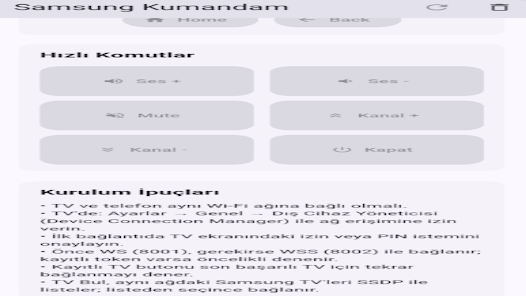
Samsung Kumandam centralizes device control into a single application, supporting both IR blasters and Wi‑Fi-connected hardware. The app recognizes common brands, stores favorites, and provides quick access to power, volume, channel switching, and input selection. It’s designed for users who want fewer remote clutter and faster access to everyday functions.
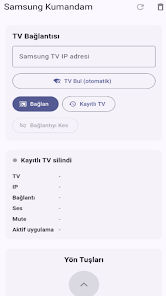
After installing Samsung Kumandam, the app guides you through detecting devices. For infrared-capable phones, it pairs directly with hardware by sending test signals. For Wi‑Fi devices, the app scans your network to identify supported smart TVs or set-top boxes and uses their APIs or standard network protocols to communicate. The interface provides immediate feedback so you know when a command has been received.
Users can redesign control panels to match personal preferences. Samsung Kumandam lets you drag-and-drop buttons, change sizes, and label functions. You can also build custom macros—combine powering on a TV, switching HDMI input, and launching an app with one tap. Profiles allow different configurations per household member or room.
The layout prioritizes clarity: large, responsive buttons, clear icons, and simple text labels. Commands are executed with minimal delay when using IR hardware; network commands depend on device responsiveness and local Wi‑Fi quality. Battery impact is modest because the app mainly sends short control signals rather than running continuous background services.
Samsung Kumandam keeps common tasks in reach. Users appreciate the gesture shortcuts for volume control and the ability to pin favorite controls to the home screen. Occasional compatibility gaps can appear with niche devices, but the profile editor allows manual tuning to bridge those gaps. Regular updates add new device codes and refine network behavior.
Installation is straightforward: download, allow required permissions (IR access or local network), and follow the in-app setup wizard. Add each device one at a time, test basic functions, and then arrange your layout. Samsung Kumandam supports creating backups of your profiles so you can restore settings after reinstalling or switching phones.
People pick Samsung Kumandam when they want one dependable control surface that replaces multiple remotes. Its combination of universal control, layout flexibility, and macro capability delivers practical convenience. Frequent updates and an approachable design make it a solid option for users who want to streamline their home entertainment and device management without a steep learning curve.
Colorize it
Size:36.00M ToolsUbikiTouch
Size:5.22M ToolsIXO RPAS
Size:3.90M ToolsJota
Size:19.82M ToolsCapacity Info: Battery Health
Size:6.07M ToolsStatus Bar Mini Pro
Size:3.22M ToolstinyCam PRO
Size:93.20M ToolsBlock-Spam
Size:10.16M ToolsWiFi Monitor Pro
Size:4.12M ToolsAR Measure Tape: SmartRuler
Size:52.15M ToolsInSave
Size:14.29M ToolsTalker ACR
Size:16.98M ToolsApril 2024 Clash of Clans Update: Unveiling a Fresh Companion, Enhanced Levels, Chat Tagging, and Be
2024-04-16Arrival of Genshin Impact 4.6 Update: 'Embers of Two Realms, Twilight of Crimson'
2024-04-16V2.2 of the Farlight 84 update introduces an overhauled Season structure, fresh in-game currency, an
2024-04-16Monster Never Cry is now accessible on both Android and iOS mobile devices.
2024-04-18PUBG Mobile Teams Up with Bentley Motors: Luxury Cars, Exclusive Collectibles, and Beyond
2024-04-18March 2024 Free Redemption Codes for Honkai: Star Rail
2024-04-18