English
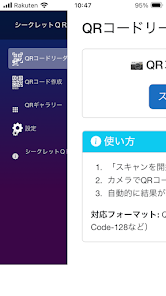
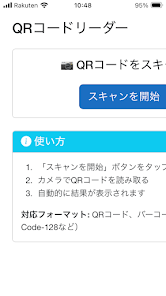
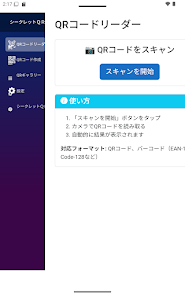
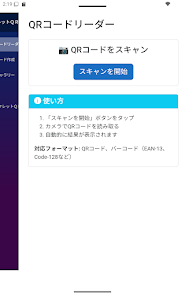
SercretQR is a compact QR code utility that combines scanning, secure storage, and quick sharing in one lightweight package. Designed for everyday users and professionals alike, SercretQR streamlines creating, reading, and managing codes while prioritizing privacy, speed, and a clutter-free interface for fast on-the-go operations.
SercretQR focuses on core QR workflows without overwhelming users with unnecessary bells and whistles. The app reads a wide range of barcode formats, generates customizable codes, and stores recent scans in an encrypted history. It aims to be the single point of access for both casual barcode tasks and light business use.
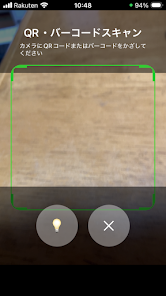
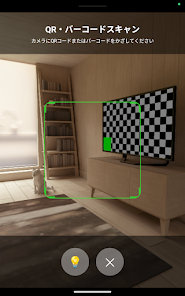
The feature set balances simplicity and functionality. Automated detection lets the app recognize codes as soon as the camera points at them. Built-in validation flags suspicious or malformed links before you open them. A batch mode handles multiple codes in succession, which is useful for inventory or event check-ins.
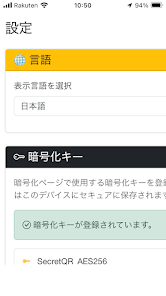
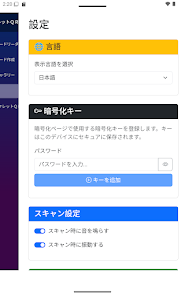
Privacy-conscious users will appreciate SercretQR’s optional encryption for saved entries and a PIN or biometric lock to prevent unauthorized access. The app keeps local copies of important codes without sending them to external servers unless the user explicitly chooses to share.
Design is minimal but practical. Buttons and controls are large enough for one-handed use, and the camera view adapts to different lighting conditions. The app loads quickly and rarely stutters, even on mid-range devices. Animations are subtle to avoid distraction during rapid scanning sessions.
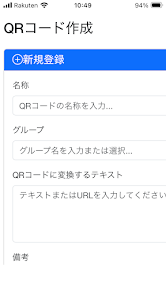
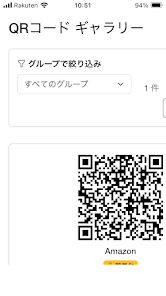
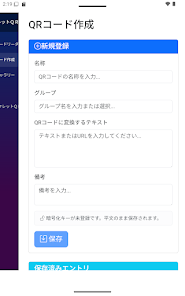
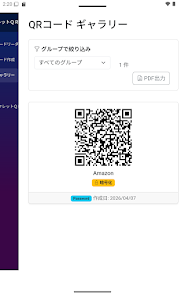
When generating codes, you can select size, error correction level, and color schemes. For business users, SercretQR supports exporting code batches as PNG or SVG files for printing and marketing materials. Saved codes can be tagged, renamed, or grouped into collections for organized storage.
Use SercretQR to speed common routines: instant check-ins at events, quick Wi-Fi sharing with guests, or adding contact details without manual typing. The app integrates with the Android share sheet so scanned data can be forwarded into other apps without copying and pasting.
SercretQR runs well on a wide range of Android devices and keeps the app size small to conserve storage. It supports both rear and front cameras and adapts resolution settings to improve scan reliability on older phones.
Frequent updates address scanner accuracy and broaden format support. The in-app help section walks users through advanced features like batch exports and color customization. Community feedback drives small iterative improvements rather than disruptive redesigns.
Users praise SercretQR for its speed, intuitive layout, and privacy controls. The balance of utility and simplicity makes it suitable for tech-savvy users who need reliable performance and for newcomers who want something that just works. Practical export features also make it useful for small businesses and event organizers.
If you need a focused QR utility without clutter, SercretQR offers a polished package for scanning, creating, and managing codes with sensible privacy defaults and efficient tools for daily use.
Colorize it
Size:36.00M ToolsUbikiTouch
Size:5.22M ToolsIXO RPAS
Size:3.90M ToolsJota
Size:19.82M ToolsCapacity Info: Battery Health
Size:6.07M ToolsStatus Bar Mini Pro
Size:3.22M ToolstinyCam PRO
Size:93.20M ToolsBlock-Spam
Size:10.16M ToolsWiFi Monitor Pro
Size:4.12M ToolsAR Measure Tape: SmartRuler
Size:52.15M ToolsInSave
Size:14.29M ToolsTalker ACR
Size:16.98M ToolsApril 2024 Clash of Clans Update: Unveiling a Fresh Companion, Enhanced Levels, Chat Tagging, and Be
2024-04-16Arrival of Genshin Impact 4.6 Update: 'Embers of Two Realms, Twilight of Crimson'
2024-04-16V2.2 of the Farlight 84 update introduces an overhauled Season structure, fresh in-game currency, an
2024-04-16Monster Never Cry is now accessible on both Android and iOS mobile devices.
2024-04-18PUBG Mobile Teams Up with Bentley Motors: Luxury Cars, Exclusive Collectibles, and Beyond
2024-04-18March 2024 Free Redemption Codes for Honkai: Star Rail
2024-04-18