English
Samkhya Academy App is a single, easy-to-access mobile gateway for school communication, academic tools and routine administration. The Samkhya Academy App places messages, circulars, homework and attendance updates in one reliable interface so parents, teachers and students can find daily items without switching between multiple systems. Built for straightforward use on phones and tablets, the app delivers notifications and document access, supports online classroom links, shows exam timetables and provides fee payment and progress report details in a unified view.
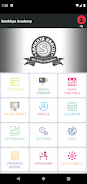
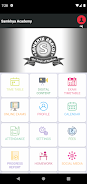
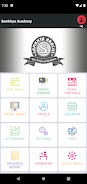
The app organizes core school activities into clear sections: an announcements feed for circulars and instant messages, an assignments area where homework can be viewed and uploaded, an online class join option that opens school-provided meeting links, and a timetable display for upcoming tests and exams. Notifications are configurable so families receive only the categories they need, and receipt confirmations or read markers help teachers track whether important circulars were reviewed. Payment screens integrate standard online payment methods to record tuition and other fees, and a documents area stores report cards and permission slips for later download. These components are linked by consistent navigation and predictable in-app flows to reduce confusion for new users.
The user interface focuses on clear controls and minimal steps: a bottom or side navigation with labeled tabs, tappable cards to open detailed views, and in-place actions such as upload buttons for assignments or one-tap joins for live classes. Parents can switch profiles between multiple children without re-signing in, teachers have dedicated posting tools and students see their calendar and pending tasks on the home screen. Form input fields are optimized for mobile keyboards and file pickers, and common actions use confirmations to prevent accidental submissions. These interaction choices help the app feel familiar to users who already use messaging or calendar apps while keeping the learning curve short.
The Samkhya Academy App supports academic progression tracking by collecting attendance data, assignment completion status and term report summaries that schools upload. Progress reports summarize grades and teacher comments so families can follow subject-level performance over time, and a history view allows parents to compare term-by-term trends. For routine assessments, teachers can publish evaluated homework results and short formative feedback that students and parents can view alongside due dates, which creates a simple progression system: assigned work, submission, evaluation and archived results that contribute to a student’s ongoing record.
Visual design is kept functional and readable, with clear typography, distinct color cues for alerts and soft backgrounds to reduce visual clutter. Schools can apply their logo and color palette to give the app a familiar look, while users can set notification preferences, time zone information and choose between compact or expanded list views for timetables and assignments. Profile photos, student nicknames and per-class labels help families and staff scan information quickly, improving day-to-day usability without requiring complex configuration.
The app mirrors the academic structure of grades and classes so content is organized by year group, subject and term. Because assignments, circulars and lesson links are stored, the app has built-in replay value: past lessons and uploaded materials remain accessible for revision, and archived exam timetables and report cards form a reference library. Regular use becomes habitual as families rely on the app for attendance alerts, fee notices and homework reminders, which encourages consistent engagement over the school year.
Accessibility features include readable text sizes, alternative text for uploaded images when provided, and clear focus indicators for navigational controls. The app supports limited offline access by caching recent messages, timetables and downloaded assignment attachments so users can view essential content without a constant connection; however, actions like submitting homework or joining live classes require internet access. It is designed to run on a broad range of Android devices and to perform acceptably on lower-end hardware by deferring heavy data transfers to Wi‑Fi or background syncs.
Schools must enable and configure their account on the Samkhya Academy App for full functionality; until a school sets up modules such as fee management, online class links or progress reports, some parts of the app will remain inactive for its users. Notification behavior and certain permissions are governed by school policy and individual device settings, and a stable internet connection is necessary for live sessions, payments and real-time updates. The app is intended to reduce paperwork and improve communication when adopted across a school community, but features vary based on how each institution configures its deployment.







Samkhya Academy App
Size:6.40M PuzzleHamochi
Size:23.69M PuzzleDollars Jam
Size:91.73M PuzzleBau Cua 3D Tet
Size:43.64M PuzzleEcole Journalisme
Size:17.45M PuzzleJigSlide Puzzle: Art Game
Size:112.61M PuzzleFurry FlipFun Games
Size:41.15M PuzzlePlink0 Filter
Size:18.00M PuzzleIce Fishing
Size:16.00M PuzzleAkshardhaam High School
Size:10.10M Puzzlelove merge
Size:73.57M PuzzleMr Bet
Size:12.00M PuzzleApril 2024 Clash of Clans Update: Unveiling a Fresh Companion, Enhanced Levels, Chat Tagging, and Be
2024-04-16Arrival of Genshin Impact 4.6 Update: 'Embers of Two Realms, Twilight of Crimson'
2024-04-16V2.2 of the Farlight 84 update introduces an overhauled Season structure, fresh in-game currency, an
2024-04-16Monster Never Cry is now accessible on both Android and iOS mobile devices.
2024-04-18PUBG Mobile Teams Up with Bentley Motors: Luxury Cars, Exclusive Collectibles, and Beyond
2024-04-18March 2024 Free Redemption Codes for Honkai: Star Rail
2024-04-18