English
Snapshot: Naughty Nightmares Demo places you in a dark, horror-tinged version of Tokyo where survival depends on an uncanny camera and patient observation. This playable sample of the spinoff offers a focused look at how a spectral viewfinder changes investigation and encounter design, letting players photograph unusual apparitions and document clues while the experience leans toward mature, atmospheric dread rather than cheap jump scares. Snapshot: Naughty Nightmares Demo is presented here as a Windows-optimized demo that can be run on Android devices through compatible emulation, giving a practical preview of the full title's tone, systems, and pacing.
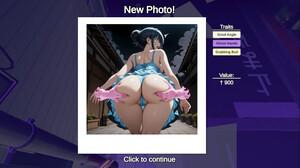
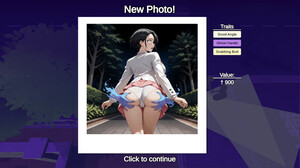
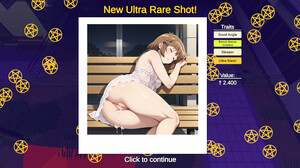
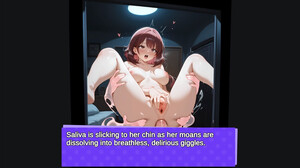
Snapshot: Naughty Nightmares Demo emphasizes photographic gameplay and slow-burn tension. The core mechanic is camera-driven: framing, shutter timing, and a spectral lens reveal layers of the environment that ordinary vision cannot perceive. The demo blends investigative objectives with stealth and avoidance rather than frequent combat, and it includes mature visual elements consistent with adult horror themes. Multiple language options and subtitle toggles make the sample accessible to a broader audience, while the contained scope showcases how clues and images affect narrative progression without committing to the full campaign.
The demo concentrates on exploration and close-range photographic investigation. Players move through interconnected urban zones, switching between normal sight and the spectral viewfinder to expose hidden traces, hostile phenomena, and evidence fragments. Taking a photograph is both a means of cataloguing discoveries and a mechanical tool: captured images can clarify contextual details, reveal safe routes, or temporarily influence certain encounters. Gameplay rewards careful observation, timing, and pattern recognition rather than pure speed, creating a deliberate rhythm that encourages note-taking, revisiting areas, and experimenting with different photographic approaches.
On Windows the demo is controlled with standard keyboard and mouse inputs for movement, camera aim, and shutter activation, with zoom and viewfinder adjustments mapped to intuitive keys or the mouse wheel. When running the demo in an Android-compatible emulator, typical controller buttons or touch mappings can be assigned by the emulator software—players should consult their emulator's input configuration to map shutter, zoom, and viewfinder toggle to preferred keys or buttons. Because the demo is not built for native mobile touch controls, some input tuning in the emulator may be required for the most comfortable experience.
Progression within the demo is narrative-driven and investigation-led. Unlocking new scenes depends on photographing key supernatural cues and resolving compact investigative puzzles that open narrative beats and access to new zones. The playable content is intentionally limited compared to the full Snapshot experience so the demo can highlight how photographic evidence and environmental clues gate progression and motivate exploration. These short sequences demonstrate the interplay of discovery, documentation, and cautious navigation that supports later, longer chapters in the full game.
The aesthetic adopts a shadowy, neon-tinged urban palette that distorts familiar Tokyo landmarks into claustrophobic, uncanny spaces. Levels are arranged as a chain of connected locations—alleys, narrow apartments, and abandoned interiors—each designed to reward careful scanning and to conceal environmental storytelling. Lighting and audio design work together to build sustained atmosphere: instead of relying on sudden noises or jump scares, the demo uses subtle sound cues, music, and directional lighting to raise tension and encourage players to look for visual anomalies with the camera.
Although focused on core mechanics, the demo provides options that help tailor the experience, including language selection, subtitle toggles, and basic audio controls. The camera-based systems encourage experimentation; revisiting areas with a different framing, exposure, or timing can reveal missed details and alternate narrative fragments, adding modest replay value for players who enjoy methodical exploration. The pacing is accommodating to players who prefer observation over twitch reflexes, and offline play on a local Windows PC or within an emulator means there are no online requirements or connectivity barriers for trying the demo.
This build is supplied as a Windows-optimized demo and is intended to be run in its native environment or through compatible Android emulators for those testing on mobile hardware. Mobile-native controls are not part of this demo, so expect to configure input mappings in your chosen emulator. Content includes mature themes and graphic horror elements that may not be suitable for all players; the demo purposely limits progression compared with the full game to present a concise, representative slice of the mechanics, atmosphere, and investigative design that define the complete Snapshot experience.

Cum in Out
Size:99.19M Casual2jbet Game
Size:12.94M CasualAlabell
Size:2016.37M CasualTrick or Ahri
Size:93.31M CasualRed snow
Size:216.55M CasualSumod.beta
Size:5.08M CasualTwo Weeks On
Size:123.18M CasualTightfault Revamp Edit
Size:1.14M CasualXSerum
Size:950.87M CasualDouble Homework - Remaster
Size:1310.88M CasualDevious Work : Demo
Size:92.25M CasualKnödel TD
Size:74.40M CasualApril 2024 Clash of Clans Update: Unveiling a Fresh Companion, Enhanced Levels, Chat Tagging, and Be
2024-04-16Arrival of Genshin Impact 4.6 Update: 'Embers of Two Realms, Twilight of Crimson'
2024-04-16V2.2 of the Farlight 84 update introduces an overhauled Season structure, fresh in-game currency, an
2024-04-16Monster Never Cry is now accessible on both Android and iOS mobile devices.
2024-04-18PUBG Mobile Teams Up with Bentley Motors: Luxury Cars, Exclusive Collectibles, and Beyond
2024-04-18March 2024 Free Redemption Codes for Honkai: Star Rail
2024-04-18