English
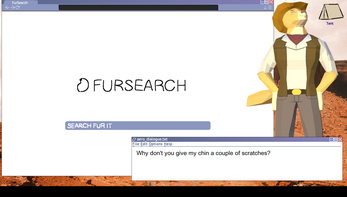
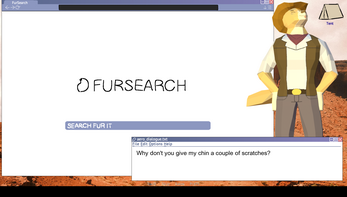
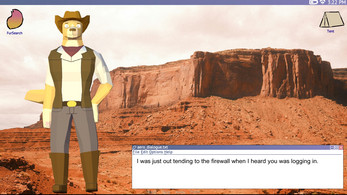
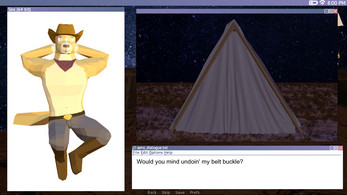
Desktop Cowboy Assistant brings a western-themed productivity companion to your Android device, combining task management, quick shortcuts, and desktop-style widgets into a single lightweight utility. It streamlines routine actions, surfaces important reminders, and integrates with your calendar and cloud storage for a tidy, hands-on desktop experience.
Desktop Cowboy Assistant is designed to make common workflows faster and more visible without cluttering your home screen. It creates resizable widgets that mimic desktop panels, offers one-tap launchers for frequently used apps, and presents a focused quick-actions hub for email, messages, and voice notes. Notifications are grouped intelligently so you can prioritize what matters and dismiss noise with a swipe.
The app includes a compact suite of tools aimed at everyday productivity: a task list with due-date reminders, a smart clipboard manager, customizable quick-dial contacts, and a mini-calendar widget that shows upcoming events at a glance. A built-in note capture utility supports text, voice, and image attachments, while cloud sync ensures your notes and tasks are accessible across devices. Desktop Cowboy Assistant also supports configurable hotkeys and persistent shortcuts that behave like a lightweight desktop dock.
Interface design focuses on clarity and speed. Panels can be stacked or collapsed, and the primary dashboard is reachable from a persistent floating icon or a lock-screen shortcut depending on your preferences. Visual cues and subtle animations provide feedback without slowing down navigation. Settings are grouped into categories so you can tune appearance, privacy, and background behavior with minimal taps.
Personalization is a strong point in Desktop Cowboy Assistant. Choose from a selection of themes that range from classic western motifs to modern minimalist skins. Widgets are fully resizable and modular: rearrange blocks, toggle information density, or swap icons to match your workflow. You can also create multiple dashboards for work, home, or travel, each with its own set of tools and shortcuts.
Integration with common services makes the assistant useful across daily tasks. Connect your preferred calendar and email account, and let the app surface important meetings and messages. File attachments and notes can be saved directly to popular cloud providers, enabling quick sharing or long-term archiving. Shortcut automation allows chaining actions — for example, a single tap can create a note, take a photo, and upload it to a specified folder.
Desktop Cowboy Assistant is built to be lightweight and battery-friendly. Background processes are limited and optimized to reduce CPU usage while still delivering timely reminders. Privacy controls let you manage which data is shared with external services and whether sensitive content appears on the lock screen. The app supports a wide range of Android versions and adapts to different screen sizes, making it suitable for phones and tablets alike.
Setting up Desktop Cowboy Assistant takes only a few minutes. After installation, grant any optional permissions needed for calendars or cloud sync, then pick a theme and add your first widgets. The onboarding tour highlights key gestures and shows how to create custom shortcuts. For advanced users, an automation panel exposes conditional triggers and integrations for a more tailored experience.
Keep widgets focused on one purpose to avoid information overload. Use multiple dashboards to separate contexts — for example, a commute dashboard can include navigation and music controls while a work dashboard focuses on email and tasks. Regularly prune old notes and archived tasks to maintain fast search and tidy storage.
Desktop Cowboy Assistant offers a balance of visual clarity and functional flexibility, turning your Android device into a personalized, action-oriented workspace. With thoughtful customization, responsive performance, and practical integrations, it helps reduce friction in everyday routines while keeping important items within easy reach.
Cum in Out
Size:99.19M Casual2jbet Game
Size:12.94M CasualAlabell
Size:2016.37M CasualTrick or Ahri
Size:93.31M CasualRed snow
Size:216.55M CasualSumod.beta
Size:5.08M CasualTwo Weeks On
Size:123.18M CasualTightfault Revamp Edit
Size:1.14M CasualXSerum
Size:950.87M CasualDouble Homework - Remaster
Size:1310.88M CasualDevious Work : Demo
Size:92.25M CasualKnödel TD
Size:74.40M CasualApril 2024 Clash of Clans Update: Unveiling a Fresh Companion, Enhanced Levels, Chat Tagging, and Be
2024-04-16Arrival of Genshin Impact 4.6 Update: 'Embers of Two Realms, Twilight of Crimson'
2024-04-16V2.2 of the Farlight 84 update introduces an overhauled Season structure, fresh in-game currency, an
2024-04-16Monster Never Cry is now accessible on both Android and iOS mobile devices.
2024-04-18PUBG Mobile Teams Up with Bentley Motors: Luxury Cars, Exclusive Collectibles, and Beyond
2024-04-18March 2024 Free Redemption Codes for Honkai: Star Rail
2024-04-18