English
Waifu Select places a virtual companion at the center of a simple, daily routine: morning greetings, supportive check-ins through the day, and evening goodnights. This editor summary describes how Waifu Select balances light interactions, personalization, and clear user controls so you can decide whether the app fits your daily habits. The description focuses on mechanics, interface, progression, customization, and practical details without overstating features.
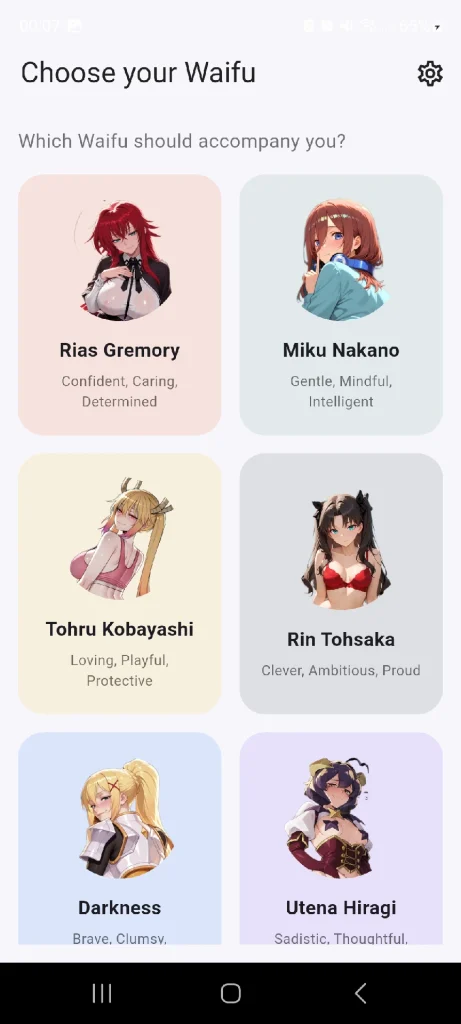
The app centers on a low-pressure interaction loop: pick a companion, receive timed messages, respond to short prompts, and watch a small affinity meter change over time. Characters are written to emphasize distinct personalities rather than complex gameplay, and each companion offers a mix of scripted lines and semi-randomized messages to keep interactions varied. A free demo character is included so you can evaluate pacing and tone before expanding the roster with optional purchases. Mature themes are available only behind explicit consent settings and are never required to use the app.
Waifu Select intentionally avoids reflex-based or score-oriented challenges. Instead, gameplay is about routine and narrative flavor: daily scripted events, occasional decision points, and personality-driven responses determine how a relationship progresses. Decision points are brief choices that influence tone and unlock occasional personalized messages; they are designed to be lightweight and reversible, not to penalize casual use. This makes the app suitable for players who prefer character interaction over competitive systems.
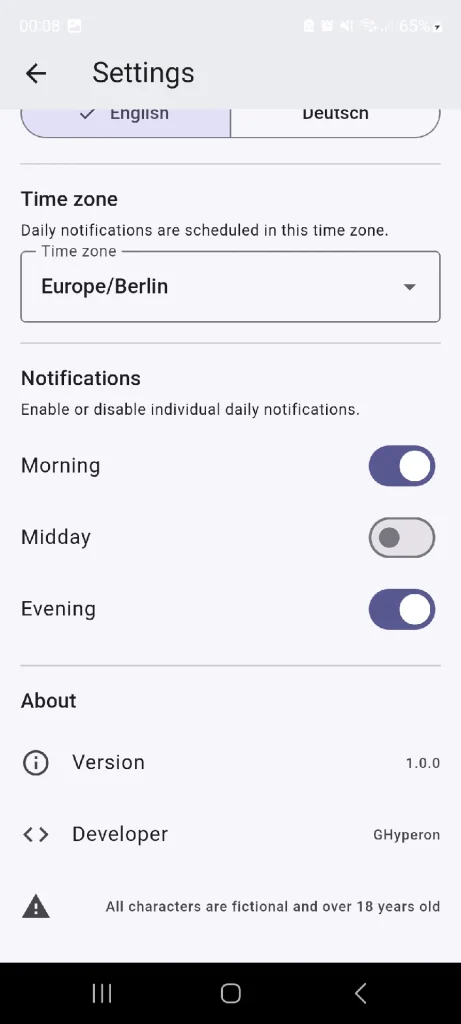
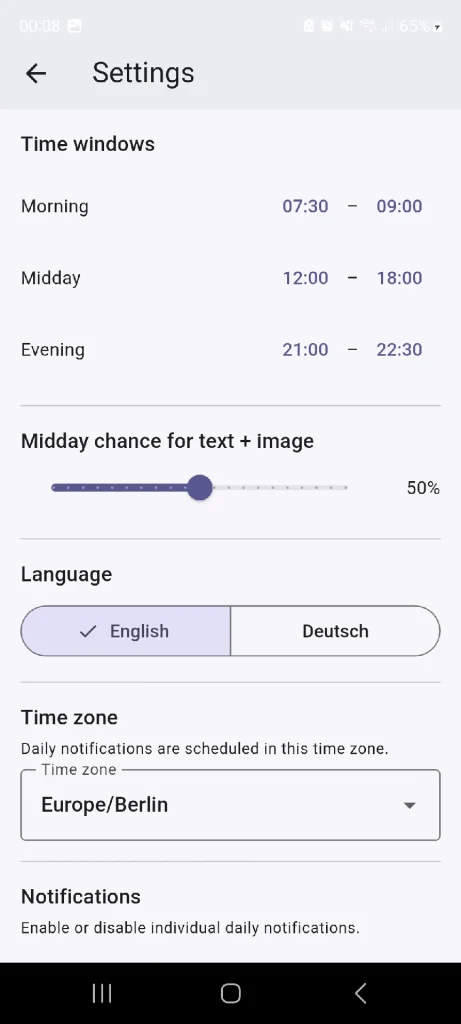
Controls are optimized for one-handed touch use: tap to open messages, swipe to browse recent exchanges, and use toggle switches to adjust message frequency and content filters. The notification scheduler lets you set active windows for incoming messages or mute them temporarily. Settings separate general preferences from explicit-content controls so you can quickly manage what the companion sends and when. Tooltips and inline explanations help new users understand each option without digging through menus.
Progression is reputation-based and intentionally subtle. Regular interactions raise an affinity indicator that unlocks more personalized messages, scripted personality moments, and small visual flourishes in the companion portrait. Rather than traditional levels, progression is expressed through milestones on a relationship screen that logs recent exchanges and affinity achievements. These milestones reward consistent engagement and encourage trying different companions to see alternate writing and message libraries.
The customization suite focuses on interaction tone and delivery rather than character model editing. You can set message tone (casual, formal, encouraging), choose notification windows, and toggle optional imagery and mature-theme filters. All potentially sensitive material is behind explicit consent and separate purchase flows. Local preferences ensure that content filters persist on your device and that privacy settings remain under your control.
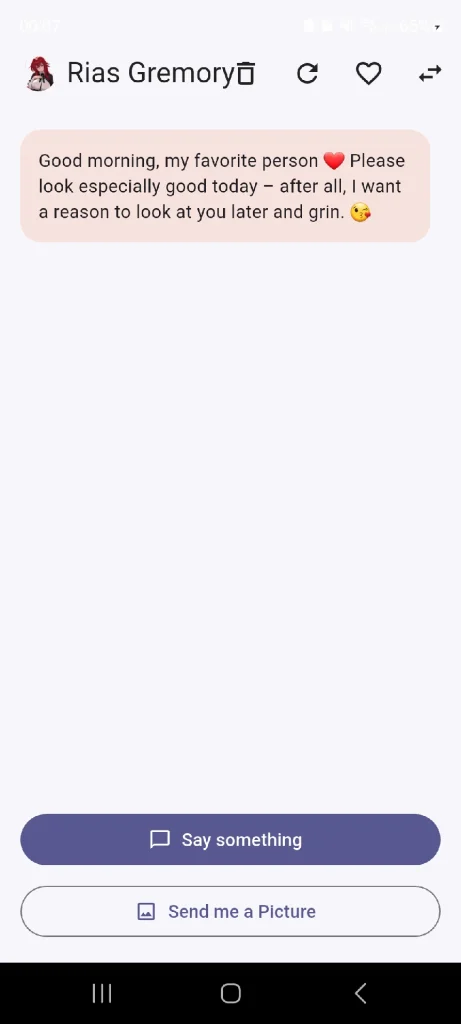
Visual design emphasizes readable message cards, clear dialogue flow, and character portraits that support personality cues without dominating the interface. Artwork is stylized to keep attention on written interaction; optional imagery is presented discreetly and only when enabled. UI elements are scaled for comfortable reading on typical phone screens, and contrast and spacing choices are intended to reduce eye strain during daily check-ins.
Replayability comes from exploring different companions and seeing how varied personalities answer the same prompts. The free demo helps you sample pace and tone while the paid roster expands message libraries with unique scripting and writing styles. The developer, GHyperon Games, is actively iterating based on user feedback and plans staged updates that refine interaction flows and add new companions and message sets over time.
Waifu Select supports adjustable text sizes, predictable touch interactions, and a straightforward settings hierarchy to aid accessibility. Core features, message history, and local progression work offline so daily interactions continue without continuous network access; optional downloads and purchases require connectivity. The app stores progress locally, gives clear opt-in choices for mature material, and includes simple controls for muting notifications or pausing interaction so it fits comfortably into real-world routines.

Cum in Out
Size:99.19M Casual2jbet Game
Size:12.94M CasualAlabell
Size:2016.37M CasualTrick or Ahri
Size:93.31M CasualRed snow
Size:216.55M CasualSumod.beta
Size:5.08M CasualTwo Weeks On
Size:123.18M CasualTightfault Revamp Edit
Size:1.14M CasualXSerum
Size:950.87M CasualDouble Homework - Remaster
Size:1310.88M CasualDevious Work : Demo
Size:92.25M CasualKnödel TD
Size:74.40M CasualApril 2024 Clash of Clans Update: Unveiling a Fresh Companion, Enhanced Levels, Chat Tagging, and Be
2024-04-16Arrival of Genshin Impact 4.6 Update: 'Embers of Two Realms, Twilight of Crimson'
2024-04-16V2.2 of the Farlight 84 update introduces an overhauled Season structure, fresh in-game currency, an
2024-04-16Monster Never Cry is now accessible on both Android and iOS mobile devices.
2024-04-18PUBG Mobile Teams Up with Bentley Motors: Luxury Cars, Exclusive Collectibles, and Beyond
2024-04-18March 2024 Free Redemption Codes for Honkai: Star Rail
2024-04-18