English
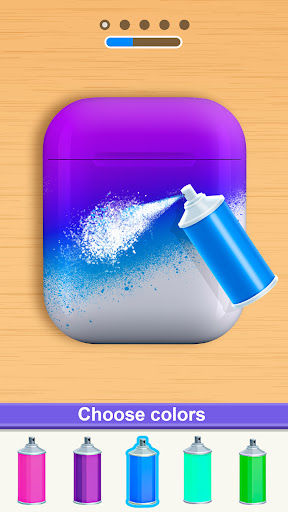
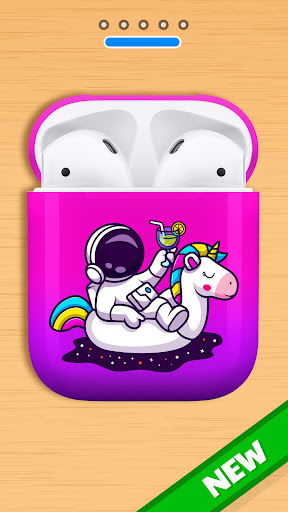
Phone Case DIY is a mobile design studio that lets users create custom phone covers with an intuitive, drag-and-drop editor and realistic previews. Designed for hobbyists and small businesses, it combines template libraries, material simulations, and export tools so you can design, share, and produce protective cases quickly from your Android device.
Phone Case DIY targets anyone who wants a personalized phone case without advanced design software. It simplifies the creative process by offering premade templates, sticker packs, and adjustable layouts. You can approach the app as a casual creator, a social-media-ready designer, or a small seller preparing print-ready artwork for production.
The toolset emphasizes accessibility while keeping useful design controls. Important components include:
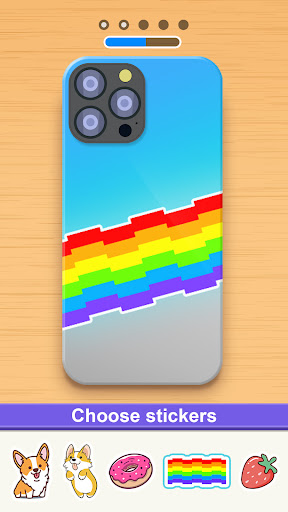
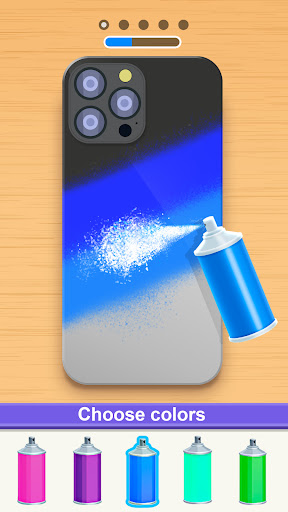
Designing starts by selecting your phone model and a base template. From there, you import images from your gallery, use built-in stickers, or apply patterns created inside the app. Layers are managed through a simple sidebar, making it easy to reorder elements. The real-time 3D preview gives a realistic sense of how textures and colors wrap around edges and camera holes.
Phone Case DIY balances presets with manual adjustments. Color pickers support hex input for precise matching. You can clip artwork to specific zones, apply gradient overlays, and fine-tune shadow depth for embossed looks. For more advanced users, the app supports alignment guides, grid snapping, and a layer opacity slider to blend elements subtly.
The interface focuses on touch-friendly controls and quick responsiveness. Menus are grouped by workflow — create, adjust, preview, export — which reduces friction when switching tasks. Phone Case DIY runs smoothly on mid-range devices, though very large image files may cause slower renders; the app recommends downscaling imports while maintaining sufficient resolution for print.
Export formats are designed with production in mind. The app can output PNGs with transparent backgrounds or PDFs that include cut lines and bleed margins. If you sell cases, you can share direct links to your designs or batch-export files for a print partner. Cloud backup and local storage options help protect your work across devices.
Start by choosing the correct phone model to avoid alignment issues. Use high-resolution images (300 DPI when possible) and export with bleed to prevent trimming artifacts. Keep important design elements away from edges and camera areas. Experiment with material previews to check how colors shift under different finishes.
If you plan to sell designs, create mockups using the 3D preview and export both product images and print files. Maintain a consistent margin and color profile across listings. Phone Case DIY’s batch export and template cloning features speed up creating multiple variations for seasonal collections.
Installation is straightforward from the Android marketplace. On first launch, allow storage permissions to import photos and enable offline mode if you need access without internet. The onboarding tutorial walks through basic tools, and sample templates provide a quick way to test features before starting a full project.
Phone Case DIY is a practical choice for anyone wanting to turn creative ideas into tangible accessories. With layered editing, material simulations, and print-ready exports, it covers the workflow from concept to production in a compact, mobile-friendly package.
Little Big City
Size:13.92M SimulationZoochosis
Size:60.10M SimulationFarm Town: Merge Cozy Village
Size:177.00M SimulationSpeed Moto Dash:Real Simulator
Size:255.00M SimulationMA 2
Size:85.22M SimulationStates Builder: Trade Empire
Size:105.18M SimulationLEGO® Juniors Create & Cruise
Size:72.90M SimulationParadise Lust 3
Size:2178.00M SimulationJoy Pony
Size:20.40M SimulationStuck with My Ex’s Family and Zombies!?
Size:270.00M SimulationFreshman
Size:177.00M SimulationHomo Evolution
Size:48.00M SimulationApril 2024 Clash of Clans Update: Unveiling a Fresh Companion, Enhanced Levels, Chat Tagging, and Be
2024-04-16Arrival of Genshin Impact 4.6 Update: 'Embers of Two Realms, Twilight of Crimson'
2024-04-16V2.2 of the Farlight 84 update introduces an overhauled Season structure, fresh in-game currency, an
2024-04-16Monster Never Cry is now accessible on both Android and iOS mobile devices.
2024-04-18PUBG Mobile Teams Up with Bentley Motors: Luxury Cars, Exclusive Collectibles, and Beyond
2024-04-18March 2024 Free Redemption Codes for Honkai: Star Rail
2024-04-18