English
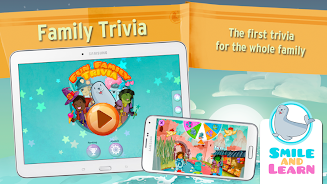
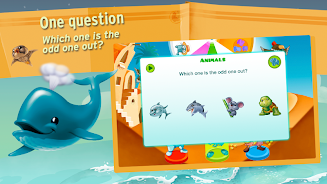
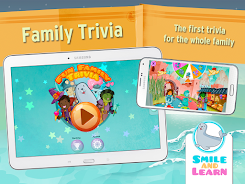
Family Trivia brings fast-paced, multi-player quiz action to phones and tablets, designed for players of all ages. Quick rounds, themed question packs, and team-based play create lively gatherings, while adaptive difficulty keeps challenges fresh. The experience balances friendly competition with accessible rules for casual and dedicated trivia fans.
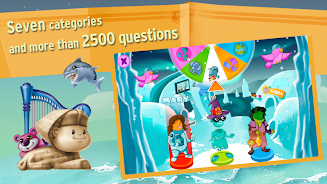
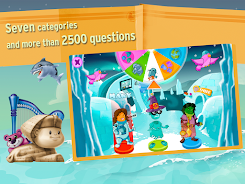
At its core, Family Trivia is built around short, engaging quiz rounds that fit into family nights, classroom settings, or casual meetups. Questions span categories such as history, pop culture, science, and kid-friendly topics. The app emphasizes smooth matchmaking, local pass-and-play, and cooperative modes so different groups can find the right pace and tone.
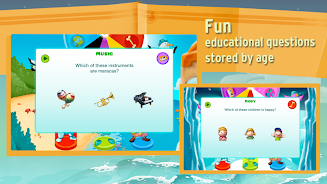
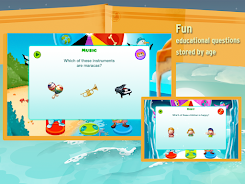
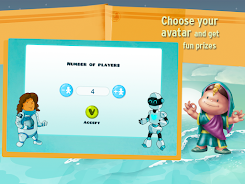
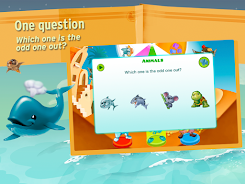
Each session in Family Trivia starts with a quick setup where players choose categories and decide on round length. Rounds consist of multiple-choice or true/false questions with a visible timer. Correct answers earn points, with bonus points for streaks and near-perfect responses. Between rounds the app shows a clear leaderboard, and game settings are easy to tweak mid-session.
Smart play is about pacing and category selection. New players should begin with mixed packs to learn the app’s tempo and question variety. As familiarity grows, focus on specialized packs to boost scores. The progression system rewards consistency: daily challenges, streak rewards, and unlockable question sets encourage repeat play without heavy monetization tactics.
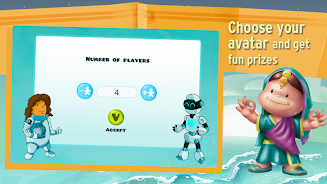
Customization is deliberate and user-friendly. You can import or create question packs, set time limits by round, and change scoring rules. These options extend replay value and let hosts tailor sessions for birthdays, classrooms, or casual hangouts.
The user interface favors clarity: large buttons, readable fonts, and color-coded categories. Visual feedback for correct and incorrect answers is immediate, helping the group stay engaged. Performance is optimized for a broad range of devices so older tablets still run rounds smoothly while newer phones benefit from sharper art and animations.
Family Trivia appeals because it blends simple mechanics with meaningful variety. It supports social interaction, encourages friendly rivalry, and works as a light learning tool. The mix of cooperative and competitive options means everyone can find a role, whether they prefer strategizing in teams or taking on rapid-fire solo challenges.
Download the app, grant basic permissions, and pick your first category pack. Setting up a local match takes moments, and online lobbies let you invite friends or join public games. For best results in group settings, connect a tablet to a speaker or TV for shared visibility and louder sound effects.
Family Trivia balances accessibility with depth, making it a practical choice for anyone seeking a lively quiz experience that works across ages and skill levels.
My Dream Store
Size:215.30M PuzzleFlying Rahul Gandhi
Size:4.95M PuzzleMerge Magic!
Size:42.97M PuzzleClockmaker
Size:150.52M PuzzleWhere's My Perry?
Size:41.60M PuzzleMonument Valley 2
Size:282.69M PuzzleMerge Neon Car
Size:136.75M PuzzleCubeX - Solver, Timer, 3D Cube
Size:16.87M PuzzleMatch Factory
Size:228.55M PuzzleAntistress - relaxation toys Mod
Size:122.55M PuzzleMergic: Merge & Magic
Size:150.68M PuzzleMerge Mystery : Resort
Size:169.60M PuzzleApril 2024 Clash of Clans Update: Unveiling a Fresh Companion, Enhanced Levels, Chat Tagging, and Be
2024-04-16Arrival of Genshin Impact 4.6 Update: 'Embers of Two Realms, Twilight of Crimson'
2024-04-16V2.2 of the Farlight 84 update introduces an overhauled Season structure, fresh in-game currency, an
2024-04-16Monster Never Cry is now accessible on both Android and iOS mobile devices.
2024-04-18PUBG Mobile Teams Up with Bentley Motors: Luxury Cars, Exclusive Collectibles, and Beyond
2024-04-18March 2024 Free Redemption Codes for Honkai: Star Rail
2024-04-18