English
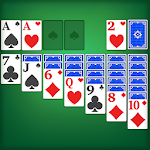
Solitaire Classic brings the timeless Klondike card game to Android with clean visuals, responsive controls, and a focused single-player experience that suits short breaks or extended practice. Solitaire Classic places emphasis on readable card faces, smooth animations, and configurable rules so you can match the game to your skill level—from relaxed sessions with unlimited undos to strict tournament-style play. The introduction guide here covers how the game plays, which options matter most, and how to get the most out of each deal.
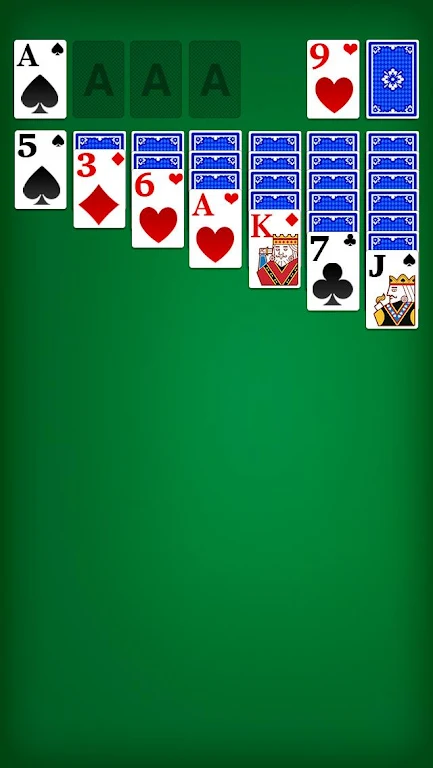
The core gameplay follows traditional Klondike: build four foundation piles by suit from Ace through King while rearranging tableau stacks to uncover face-down cards. You can choose draw-one or draw-three variants to change the game's rhythm, and the app adjusts scoring and available moves accordingly. Undo and hint features are available to help you learn sequences, while an optional strict mode disables them for a purist challenge. Hands can be solved with strategy rather than luck, and the game encourages efficient play by tracking time and move counts for every win.
Controls are optimized for touchscreens with both tap-to-move and drag-and-drop supported. A single tap will auto-move a card to a valid foundation when appropriate, while precise placements are handled by dragging cards or whole stacks. Small interaction aids such as snap-to-slot, card shadows, and optional placement confirmation reduce misclicks on small screens. Animation speeds are adjustable so players who prefer instant responses can minimize motion, while those who enjoy visual feedback can select smoother transitions.
Progression is tracked through daily challenges, win streaks, and personal statistics rather than map levels. Daily challenges offer short, focused puzzles that test specific skills, while win streaks reward consistency and provide motivation to return. A statistics dashboard records wins, fastest times, best scores, and detailed session history so you can measure improvement over weeks or months. Seasonal content such as themed card backs and limited-time challenges keep replay value high without altering core rules.
Personalization options let you tailor the look and feel of play. Choose between classic, modern, and minimal card designs and switch backgrounds to improve contrast or reduce distraction. Sound effects and haptics are optional, and animation and auto-complete settings allow for faster finishes on solved hands. For competitive practice, enable strict rules that remove hints and undos; if you prefer a casual experience, casual mode expands assistance settings and offers unlimited undos and an autocomplete finish option.
The interface focuses on clarity and accessibility: high-contrast card faces, large touch targets, and selectable color palettes support comfortable play for users with varying vision and device sizes. Accessibility options include adjustable card size and simplified animations to reduce visual clutter. The app is optimized for efficient battery and memory use, keeping load times short and frame rates steady even on older hardware. Offline play is fully supported so you can enjoy deals and puzzles without a network connection, while optional cloud backup preserves stats and settings across devices.
Beyond the main solitaire table, the app offers a statistics panel, customizable scoring rules, a slow-play training mode for focused practice, and a timed challenge for speed runs. Achievements mark milestones such as consecutive wins or clearing a difficult daily puzzle, and leaderboards let you compare personal bests against past performance. Regular updates introduce new card backs and challenge packs, ensuring a steady stream of fresh content without changing the core Klondike rules you rely on.
Prioritize uncovering face-down cards early: exposing hidden cards increases available moves and reduces blocked sequences. Avoid moving cards to the foundation too quickly if doing so prevents uncovering a helpful tableau card; leaving some cards in play can open new cascades. Use undo and hint tools as learning aids, then try turning them off to reinforce planning and memory. Experiment with draw settings—switching between draw-one and draw-three changes the decision space and helps you develop different strategic habits.
To begin, download Solitaire Classic, pick a card theme and draw rule that fit your comfort level, and try a few daily challenges to get acquainted with pacing and scoring. Start in casual mode to explore controls and settings, then enable stricter rules or timed play as you gain confidence. Regular, focused practice with the app's challenges and statistics tracking helps you refine strategy, reduce move counts, and enjoy a steady sense of progress over time.
SL777 v10.6
Size:43.20M Card7svip v2.1.8
Size:25.80M CardBig Winner v2.1.6
Size:24.78M Card567Luck v1.0.3
Size:43.40M Card33ZK v9.8
Size:26.30M CardRejeki Hub v1.0.1
Size:48.96M CardBrowin88 v9.8
Size:27.10M CardHokiTime v9.8
Size:43.20M CardGacor Max v1.0.3
Size:46.43M CardQT777 v2.1.6
Size:26.40M CardC8VIP v9.8
Size:26.30M CardDAN777 v10.6
Size:34.60M CardApril 2024 Clash of Clans Update: Unveiling a Fresh Companion, Enhanced Levels, Chat Tagging, and Be
2024-04-16Arrival of Genshin Impact 4.6 Update: 'Embers of Two Realms, Twilight of Crimson'
2024-04-16V2.2 of the Farlight 84 update introduces an overhauled Season structure, fresh in-game currency, an
2024-04-16Monster Never Cry is now accessible on both Android and iOS mobile devices.
2024-04-18PUBG Mobile Teams Up with Bentley Motors: Luxury Cars, Exclusive Collectibles, and Beyond
2024-04-18March 2024 Free Redemption Codes for Honkai: Star Rail
2024-04-18