English
Where is my Train helps travelers track live train movement, plan journeys, and receive timely station alerts even when network conditions are variable. The app combines a compact interface with useful notifications, route details, and offline tracking tools so commuters and long-distance travelers can make informed decisions on the go.
Designed as a travel utility, Where is my Train focuses on real-time running status, arrival and departure predictions, and simple journey management. The layout prioritizes essential information: train names, numbers, estimated delay, and next-station timing. It is especially useful for daily commuters and occasional passengers who need a lightweight, reliable way to follow trains.
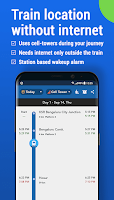
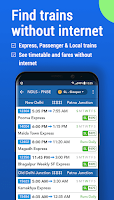
Where is my Train lets you search for trains by number or station name and save frequently used routes. After selecting a train, the timeline view displays upcoming stops and the estimated time of arrival. Notifications can be set for a specific station so you won’t miss your stop, and a quick access screen summarizes all active alerts.
The interface favors clarity over bells and whistles. Bold text highlights train identifiers while smaller lines show delays and platform notes. The simple color-coding helps identify on-time versus delayed services at a glance. Performance is optimized for older devices: the app loads quickly, uses modest storage, and minimizes background data usage.
Built-in tools support pre-trip planning and live adjustments. Use the route map to visualize stops, enable reminders for boarding or alighting, and pin favorite trains for one-tap access. For commuters, the history feature logs recent searches so habitual routes are easier to reselect.
Users often highlight the app’s speed, low storage footprint, and straightforward notifications. Where is my Train reduces the anxiety of uncertain schedules by presenting concise, actionable information. Commuters value the alarm-style alerts that prevent missed stations, while occasional travelers find the station search and route view helpful for planning connections.
Settings allow fine-tuning of notifications, the frequency of updates, and units for time displays. You can mute specific alerts, change the theme between light and dark modes, and clear saved searches to manage privacy. These options let the app blend into varied commuting patterns without overwhelming the user with noise.
Begin by entering your home station and the trains you use most. Grant optional notification permissions to receive real-time alerts and adjust the update interval to balance accuracy with battery life. Regularly clear outdated routes and keep the app updated to benefit from incremental improvements and bug fixes.
Whether you need a compact assistant for daily commutes or a dependable tracker for occasional journeys, Where is my Train focuses on practical features that keep you informed without complexity. Its emphasis on performance and clear alerts makes it a solid companion for anyone traveling by rail.

SL777 v10.6
Size:43.20M Card7svip v2.1.8
Size:25.80M CardBig Winner v2.1.6
Size:24.78M Card567Luck v1.0.3
Size:43.40M Card33ZK v9.8
Size:26.30M CardRejeki Hub v1.0.1
Size:48.96M CardBrowin88 v9.8
Size:27.10M CardHokiTime v9.8
Size:43.20M CardGacor Max v1.0.3
Size:46.43M CardQT777 v2.1.6
Size:26.40M CardC8VIP v9.8
Size:26.30M CardDAN777 v10.6
Size:34.60M CardApril 2024 Clash of Clans Update: Unveiling a Fresh Companion, Enhanced Levels, Chat Tagging, and Be
2024-04-16Arrival of Genshin Impact 4.6 Update: 'Embers of Two Realms, Twilight of Crimson'
2024-04-16V2.2 of the Farlight 84 update introduces an overhauled Season structure, fresh in-game currency, an
2024-04-16Monster Never Cry is now accessible on both Android and iOS mobile devices.
2024-04-18PUBG Mobile Teams Up with Bentley Motors: Luxury Cars, Exclusive Collectibles, and Beyond
2024-04-18March 2024 Free Redemption Codes for Honkai: Star Rail
2024-04-18