English
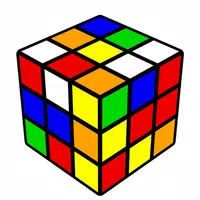
Rubics's Cube brings the familiar 3D color-matching puzzle to your phone, creating a compact and approachable way to practice solving techniques wherever you are. Rubics's Cube reproduces the look and core mechanics of the classic physical puzzle while offering an onscreen interface that lets you rotate the entire cube, twist individual faces, and scrub through moves to refine your approach. Whether you are learning basic layer-by-layer methods or rehearsing specific algorithms, the app is intended for commuters, students, and hobbyists who want reliable single-player practice without needing to carry a physical cube.
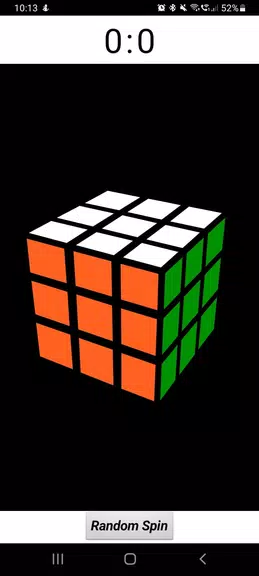
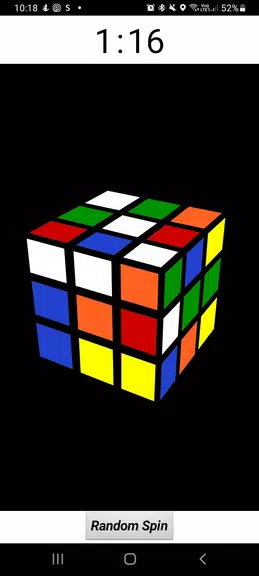
The gameplay centers on a single, interactive 3D cube that responds to common touch gestures: swipe to twist faces, drag to orbit the camera, and pinch to zoom. Rubics's Cube emphasizes intuitive controls with adjustable sensitivity so players can tune rotation speed and camera responsiveness to match their preferences. Visual move highlights and optional preview indicators help beginners see which slices will turn before they commit, and an undo feature lets you step back through recent moves to test alternative sequences. Smooth animations and frame-consistent interactions make practicing turns and finger tricks comfortable on a variety of screen sizes.
The app supports a flexible practice workflow rather than a rigid level ladder. You can generate randomized scrambles to practice full solves, set up specific starting positions to drill particular algorithms, or use shorter, focused exercises that emphasize corner orientation, edge pieces, or last-layer techniques. A built-in timer and move counter track each attempt so you can measure improvements in speed and efficiency across sessions. Progress is saved locally so you can review recent solves, compare move counts, and repeat drills to build muscle memory and pattern recognition at your own pace.
Replay value comes from an open-ended challenge system: every scramble presents a new permutation, and the combination of move limits, timed attempts, and custom starting positions offers varied ways to practice. For casual sessions you can work through simple scrambles that take only a few minutes, while focused practice sets allow for repeated algorithm drilling until the sequence becomes automatic. Because the app operates fully offline, you can pick it up for a short commute or longer study sessions without relying on a network connection.
The presentation favors clear, distraction-free visuals designed to make sticker colors and cube orientation easy to read on small screens. Adjustable viewing options include camera angle presets and zoom levels so you can emphasize the face you are working on or take a wider view of the whole cube. Color palette alternatives and high-contrast schemes accommodate visibility preferences, and simple interface controls keep the screen uncluttered during solves. These visual adjustments help the app feel like a helpful practice tool rather than a flashy game.
Rubics's Cube aims to be approachable for new solvers while offering useful tools for more experienced practitioners. The interface includes step-by-step visual hints to guide beginners through common solution stages, and settings let you slow down animation speed or increase touch targets for more comfortable interaction. Short, focused sessions are supported by quick-save scrambles and an easy resume function so practice can fit into brief breaks. The app keeps learning resources and practice tools local and simple, prioritizing clarity over complex menus.
While Rubics's Cube reproduces the logical challenge of a physical puzzle, it does not substitute for the tactile feedback and mechanical feel of a real cube, which some speed solvers prefer. Precision can also be influenced by screen size and touch sensitivity, so mobile practice emphasizes algorithm recognition and planning more than fingertip speed. Despite these constraints, the app is a convenient complement to hands-on solving, offering a portable way to maintain and develop solving skills between sessions with a real cube.
My Dream Store
Size:215.30M PuzzleFlying Rahul Gandhi
Size:4.95M PuzzleMerge Magic!
Size:42.97M PuzzleClockmaker
Size:150.52M PuzzleWhere's My Perry?
Size:41.60M PuzzleMonument Valley 2
Size:282.69M PuzzleMerge Neon Car
Size:136.75M PuzzleCubeX - Solver, Timer, 3D Cube
Size:16.87M PuzzleMatch Factory
Size:228.55M PuzzleAntistress - relaxation toys Mod
Size:122.55M PuzzleMergic: Merge & Magic
Size:150.68M PuzzleMerge Mystery : Resort
Size:169.60M PuzzleApril 2024 Clash of Clans Update: Unveiling a Fresh Companion, Enhanced Levels, Chat Tagging, and Be
2024-04-16Arrival of Genshin Impact 4.6 Update: 'Embers of Two Realms, Twilight of Crimson'
2024-04-16V2.2 of the Farlight 84 update introduces an overhauled Season structure, fresh in-game currency, an
2024-04-16Monster Never Cry is now accessible on both Android and iOS mobile devices.
2024-04-18PUBG Mobile Teams Up with Bentley Motors: Luxury Cars, Exclusive Collectibles, and Beyond
2024-04-18March 2024 Free Redemption Codes for Honkai: Star Rail
2024-04-18