English
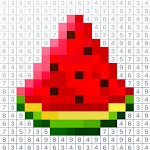
Pixel Art: Color by Number transforms idle moments into creative sessions. This relaxing coloring game offers numbered pixel grids that reveal detailed artworks as you fill tiles by color codes, blending simplicity and variety for players of all ages seeking low-pressure creativity and quick, satisfying completion of pixel pictures.
At its core, Pixel Art: Color by Number presents a straightforward premise: pick a numbered palette, follow the grid, and watch an image emerge. The app combines casual gaming loops with artistic gratification. Sessions are short but rewarding, which makes the title ideal for commutes, short breaks, or unwinding at the end of the day.
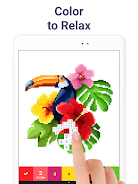
Unlike freehand coloring tools, the color-by-number structure removes decision fatigue and lets players concentrate on execution. Each file gradually unlocks as you complete sections, offering a steady sense of progress. The library spans themes from nature and animals to pop culture-inspired illustrations, ensuring visual variety and fresh goals.
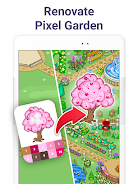
Gameplay revolves around selecting a picture, viewing its legend, and filling areas by matching numbers. Complexity ranges from tiny 16x16 images to intricate 100x100 grids for players seeking a longer challenge. Some levels incorporate shading and color gradients, which add depth and realism to finished pieces. Completion rewards include unlocking related artworks and themed packs.
Pixel Art: Color by Number includes tools designed to streamline the creative workflow. A zoom slider and pan controls provide precision when working on fine details. The app offers a color blind mode with high-contrast palettes and a fill-all feature that automatically paints all tiles of a selected number. Users can also bookmark favorite images and create playlists of works to tackle later.
Graphics are crisp and optimized for a range of devices. The tile-based rendering keeps performance smooth even on older phones, and transitions are snappy. Images render cleanly at higher resolutions, making completed art suitable for saving to your gallery or sharing on social media. Memory use is moderate, and the app keeps background processes minimal to preserve battery life.
While primarily a solo pastime, the app supports sharing finished pieces to social feeds and exporting high-quality PNGs. Users can follow trending galleries and participate in seasonal challenges that encourage returning regularly. Personalized collections let you organize images into categories like favorites, gifts, and practice pieces.
Download, grant basic storage permissions, and open the gallery to begin. The onboarding tutorial demonstrates tap-to-fill and zoom gestures, so new players can be productive in minutes. Regular updates add content and refine performance, making it straightforward to keep the library expanding without re-learning mechanics.
Pixel Art: Color by Number delivers a focused, accessible approach to digital coloring. With thoughtful interface design, a wide image selection, and features that support both casual and committed users, it’s a dependable choice for anyone looking to relax while producing polished pixel artwork.

My Dream Store
Size:215.30M PuzzleFlying Rahul Gandhi
Size:4.95M PuzzleMerge Magic!
Size:42.97M PuzzleClockmaker
Size:150.52M PuzzleWhere's My Perry?
Size:41.60M PuzzleMonument Valley 2
Size:282.69M PuzzleMerge Neon Car
Size:136.75M PuzzleCubeX - Solver, Timer, 3D Cube
Size:16.87M PuzzleMatch Factory
Size:228.55M PuzzleAntistress - relaxation toys Mod
Size:122.55M PuzzleMergic: Merge & Magic
Size:150.68M PuzzleMerge Mystery : Resort
Size:169.60M PuzzleApril 2024 Clash of Clans Update: Unveiling a Fresh Companion, Enhanced Levels, Chat Tagging, and Be
2024-04-16Arrival of Genshin Impact 4.6 Update: 'Embers of Two Realms, Twilight of Crimson'
2024-04-16V2.2 of the Farlight 84 update introduces an overhauled Season structure, fresh in-game currency, an
2024-04-16Monster Never Cry is now accessible on both Android and iOS mobile devices.
2024-04-18PUBG Mobile Teams Up with Bentley Motors: Luxury Cars, Exclusive Collectibles, and Beyond
2024-04-18March 2024 Free Redemption Codes for Honkai: Star Rail
2024-04-18