English
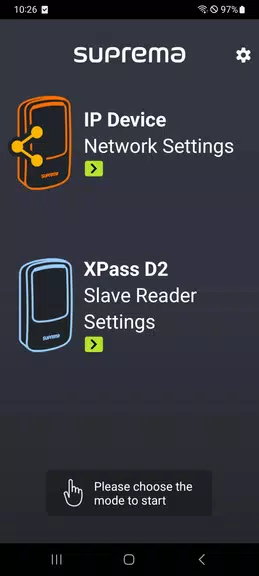
The Suprema Device Manager app revolutionizes device configuration for Suprema XPass D2 devices. With direct BLE communication, users can easily set up multiple XPass D2 devices with 3rd party controllers, saving valuable installation time. The app allows customization of RS485 address & baudrate, Wiegand output format, LED & Buzzer settings, Smart card key options, PIN input mode, and firmware upgrades. Compatible with specific XPass D2 models, this app streamlines the setup process, making it a must-have tool for efficient and effective device management. Say goodbye to time-consuming configurations and hello to a hassle-free experience with the app.
> Ease of Use: Suprema Device Manager offers a user-friendly interface, making device configuration quick and straightforward. With direct BLE communication and template management, users can save time and effort during installation.
> Customization: Users can easily configure various settings such as RS485 address, Wiegand output format, LED, buzzer, smart card key, and PIN input mode according to their specific needs. This level of customization ensures that the devices work seamlessly with 3rd party controllers.
> Compatibility: Designed to work with Suprema XPass D2 devices with FW version 1.1.0 or above, Suprema Device Manager ensures compatibility and seamless integration with the latest technology.
> Familiarize Yourself with the Interface: Take some time to explore the app's interface and menu options. Understanding where to find specific settings will help you configure the devices efficiently.
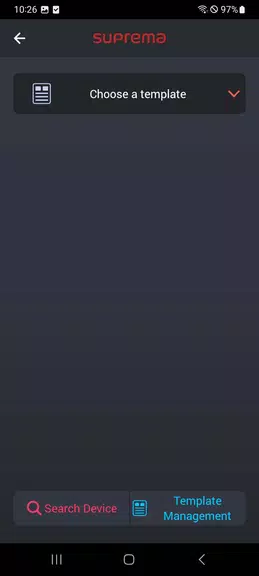
> Utilize Template Management: Save time by creating templates for device configurations that can be easily applied to multiple XPass D2 devices. This feature is especially useful for installations with a large number of devices.
> Stay Updated: Make sure to keep your Suprema XPass D2 devices up to date with the latest firmware upgrades available through the app. This will ensure optimal performance and security.
Suprema Device Manager stands out for its ease of use, customization options, and compatibility with Suprema XPass D2 devices. By utilizing the app's features effectively and staying updated on firmware upgrades, users can streamline device configuration and enhance the overall performance of their security systems. Download today to experience efficient device management like never before.
Car Horn
Size:8.82M ToolsAirFinder USB
Size:67.00M ToolsSystem Information Monitor
Size:9.48M ToolsAll Video Downloader
Size:6.13M ToolsQR Code Generator & Scanner
Size:26.70M ToolsAi NovaMind-gpt5.4 Gemini 3pro
Size:68.30M ToolsPower Clean - Files Cleaner
Size:23.00M ToolsX Videos - Video Downloader
Size:31.00M ToolsWiFi Connect Hub
Size:37.24M ToolsHermandades de Guadix
Size:20.82M ToolsSoliest VPN
Size:28.00M ToolsWalking Tracker
Size:32.30M ToolsApril 2024 Clash of Clans Update: Unveiling a Fresh Companion, Enhanced Levels, Chat Tagging, and Be
2024-04-16Arrival of Genshin Impact 4.6 Update: 'Embers of Two Realms, Twilight of Crimson'
2024-04-16V2.2 of the Farlight 84 update introduces an overhauled Season structure, fresh in-game currency, an
2024-04-16Monster Never Cry is now accessible on both Android and iOS mobile devices.
2024-04-18PUBG Mobile Teams Up with Bentley Motors: Luxury Cars, Exclusive Collectibles, and Beyond
2024-04-18March 2024 Free Redemption Codes for Honkai: Star Rail
2024-04-18