
English
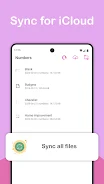
Discover a seamless way to access and manage your iDrive files and iPhotos on your Android device with SyncCloud. Simply log in with your Apple credentials to securely view and upload/download content with support from 2 factor authentication and Secure Remote Password. Enjoy features like browsing your photo gallery, transferring files in the background, and dynamic theme options. Connect directly to Apple servers for privacy and encryption, eliminating the need for third party servers. Experience hassle-free file sharing from other apps and stay informed about privacy practices on our website. SyncCloud for iPhotos & iDrive is your go-to for effortless file management across platforms.
Seamless Integration
Access and manage your iDrive files and iPhotos directly from your Android device without any hassle. SyncCloud connects directly to Apple servers, ensuring a smooth and secure experience.
Multi-Functionality
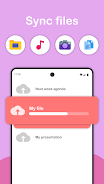
Easily upload and download multiple files and photos at once, all while the app runs in the background. This allows you to complete other tasks on your device without interruptions.
Enhanced Security Features
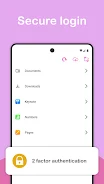
With support for 2 factor authentication and HTTPS encryption, your login and file transfer processes are safe and protected. SyncCloud prioritizes your privacy and security.
Is my login information safe?
SyncCloud uses Secure Remote Password (SRP) protocol and connects directly to Apple servers, ensuring that your data is encrypted and secure at all times.
Can I upload files from other apps?
Yes, you can easily share files from other apps directly to SyncCloud for quick and convenient uploading.
Are there any storage limitations?
SyncCloud provides access to your iDrive files and photos without any storage limitations, allowing you to manage your data freely.
With SyncCloud, managing your iDrive files and iPhotos on your Android device has never been easier. Stay organized, secure, and efficient with seamless integration and advanced security features. Download SyncCloud for iPhotos & iDrive now to experience the ultimate convenience in file management.

Car Horn
Size:8.82M ToolsAirFinder USB
Size:67.00M ToolsSystem Information Monitor
Size:9.48M ToolsAll Video Downloader
Size:6.13M ToolsQR Code Generator & Scanner
Size:26.70M ToolsAi NovaMind-gpt5.4 Gemini 3pro
Size:68.30M ToolsPower Clean - Files Cleaner
Size:23.00M ToolsX Videos - Video Downloader
Size:31.00M ToolsWiFi Connect Hub
Size:37.24M ToolsHermandades de Guadix
Size:20.82M ToolsSoliest VPN
Size:28.00M ToolsWalking Tracker
Size:32.30M ToolsApril 2024 Clash of Clans Update: Unveiling a Fresh Companion, Enhanced Levels, Chat Tagging, and Be
2024-04-16Arrival of Genshin Impact 4.6 Update: 'Embers of Two Realms, Twilight of Crimson'
2024-04-16V2.2 of the Farlight 84 update introduces an overhauled Season structure, fresh in-game currency, an
2024-04-16Monster Never Cry is now accessible on both Android and iOS mobile devices.
2024-04-18PUBG Mobile Teams Up with Bentley Motors: Luxury Cars, Exclusive Collectibles, and Beyond
2024-04-18March 2024 Free Redemption Codes for Honkai: Star Rail
2024-04-18















Comment
Christopher Anderson
Useless. Can't even log into my iCloud account. Keeps saying "Incorrect 2 factor authentication code"
Jan 29, 2025 02:21:16
yahaya musa wali
Note book should be added to to complete
Jan 27, 2025 11:55:28
Julian Hubbard
Side loaded on Kindle Fire HD and so far seems like it is going to work for the purposes for which I downloaded it, to transfer files from my iCloud storage, which will greatly increase the utility of the Kindle as a tablet. My plans are to use the tablet for its relatively lightweight display for maps in my D&D game, many of which are digital from a source which has no easy way to download high numbers of files on a Kindle. This app enables me to upload to iCloud archives of the files which have been downloaded through a program on my desktop computer which is the easiest way to download and keep current files totaling 60 GB. The app would be much better if it had the ability to download entire directory trees, I don't know yet how well the Kindle Fire HD will handle a 55 gig zip file but I wouldn't have the ability to find out without this app because the tablet doesn't have enough internal memory for the file and attempts to transfer the files via USB have all failed so far. Thank you for this app, aside from the suggestion I made earlier, or complaint regarding the lack of the ability to transfer entire directory trees I can't think of any improvement it really needs.
Jan 26, 2025 23:43:03
sheronda Hunt
Great things to use if you transfer your information from apple to android.
Jan 26, 2025 15:28:28
Alexander Schroeder
I cannot log in. I put in my Apple ID and two-factor authentication generated password to login to the app and it doesn't do anything I've tried 14 times already and it does the same thing every time, it acts like it's about to load a new page then it just reloads the same login page, over and over again. Please fix this issue ASAP and I'll change my rating since I really want to know the capabilities of this app. Thanks
Jan 25, 2025 14:23:39
david barajas
App didn't let me pass de 2 steps authentication. It said was incorrect code tried several times. Now I'm worried about security since I already give you my I cloud pass.
Jan 25, 2025 07:05:55