English
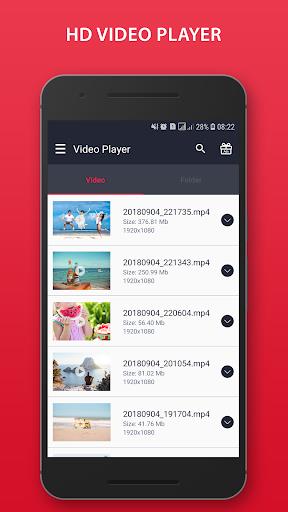
Video Player is a sleek HD media player for Android that loads quickly and plays virtually any local video file with a clean, easy-to-navigate interface. From single-tap playback to a full library view, Video Player places common controls where you expect them and keeps advanced options available without cluttering the screen. The app scans internal storage and SD cards automatically so your movies and clips appear in organized categories, and it remembers where you left off so you can resume playback instantly.
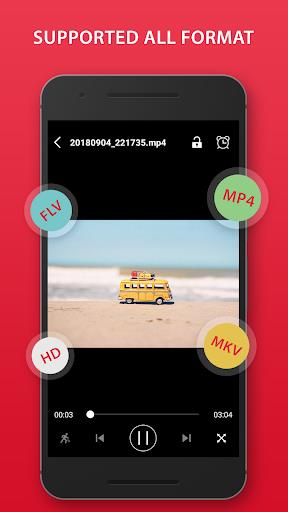
Broad codec support is one of the strengths of this app: files in MP4, MKV, AVI, FLV and other common containers, including 4K and Ultra HD content, are handled without manual conversion. Hardware-accelerated decoding is used when available to reduce CPU load and provide smoother playback for high-resolution files. The player also includes basic error handling for damaged or unusually encoded files, attempting to play what it can while reporting problems so you know which titles may require repair or re-encoding.
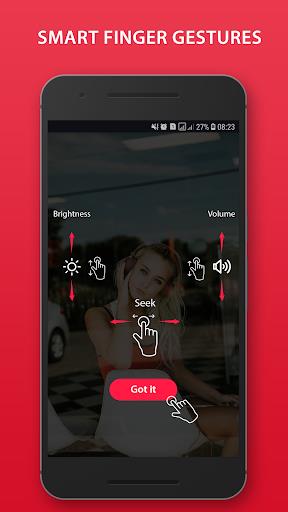
On-screen controls are designed for quick access: play, pause, seek and sleep timer are where you expect them, while intuitive gesture controls let you swipe vertically to change brightness or volume and swipe horizontally to seek within a video. Playback speed adjustment, aspect ratio options and a night mode provide additional flexibility for different viewing conditions. Subtitles and audio track selection are available for files that include them, and thumbnail previews appear during timeline scrubbing to help you find specific scenes faster.
The app organizes content into folders and collections based on storage location and file metadata, so your videos can be browsed by date, folder, or manually created playlists. Progress tracking works across the library: items you start will retain resume points and can be marked as favorites for easy access later. Playlists provide a lightweight progression system for watching series, courses or curated sequences of clips without relying on an internet connection.
Customizable playback options include equalizer presets, a simple virtualizer and audio profile adjustments to tailor the sound to your headphones or speakers. A built-in ringtone cutter lets you trim audio from videos to create short clips for personal use, and audio track switching gives you control when files contain multiple language tracks. Visual themes are unobtrusive and focused on readability, with a dark theme suitable for low-light viewing and clean typography for comfortable long sessions.
All functionality is centered on locally stored content; the player does not require an account or continuous internet access to manage and play your videos. A video locker is included to hide and protect sensitive files with a passcode, keeping private clips separate from the main library. Because the app emphasizes offline playback, it is well suited for flights, commutes and locations without reliable data coverage.
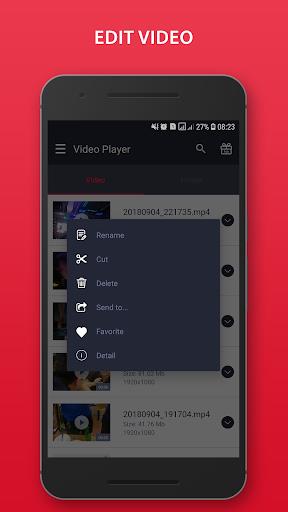
Accessibility features are considered in the interface design with large touch targets, adjustable subtitle size and clear contrast for buttons and icons. Users who rely on screen readers should find the main playback controls and library navigation straightforward, and gesture shortcuts reduce the need for precise taps. The app also supports multi-select operations for batch sharing or deletion, which streamlines library maintenance without forcing repetitive single-item actions.
Replay value comes from dependable local playback, playlists and the ability to create short ringtones or clips from longer files. While the player covers a wide range of formats and resolutions, some files with rare encodings or heavy corruption may fail to play perfectly; the app reports such problems rather than silently crashing. Network streaming and advanced subtitle authoring are not the focus here, so users who need deep online streaming or professional subtitle tools may look elsewhere.
If you want a straightforward, capable local media app that handles diverse file types, remembers your watch positions and offers practical extras like a locker and ringtone cutter, Video Player delivers a balanced mix of performance and usability. It is particularly suitable for users who prioritize offline playback, quick library navigation and simple but effective playback controls on Android devices.
Video Player
Size:116.48M LifestyleNo Limits Fit
Size:85.86M Lifestyle77 Transporte - Motorista
Size:40.05M LifestyleLove & Honey Fried Chicken
Size:79.00M LifestyleQueMop Cliente
Size:112.00M LifestyleFruitHabit
Size:53.33M LifestyleTraZaqui motoboy
Size:40.06M LifestyleProvidence
Size:39.94M LifestylePHASE FIT
Size:68.81M LifestyleParking Check-In
Size:15.84M LifestyleMITCARRO - Motorista
Size:39.87M LifestyleEmbrace
Size:27.60M LifestyleApril 2024 Clash of Clans Update: Unveiling a Fresh Companion, Enhanced Levels, Chat Tagging, and Be
2024-04-16Arrival of Genshin Impact 4.6 Update: 'Embers of Two Realms, Twilight of Crimson'
2024-04-16V2.2 of the Farlight 84 update introduces an overhauled Season structure, fresh in-game currency, an
2024-04-16Monster Never Cry is now accessible on both Android and iOS mobile devices.
2024-04-18PUBG Mobile Teams Up with Bentley Motors: Luxury Cars, Exclusive Collectibles, and Beyond
2024-04-18March 2024 Free Redemption Codes for Honkai: Star Rail
2024-04-18