English
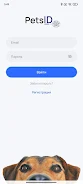
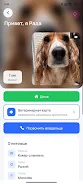
PetsID is a compact utility designed to help finders reconnect lost animals with their owners quickly and safely. PetsID places the core task up front: scan a pet's microchip, tag, or QR-ID and present the recorded owner contact so someone who finds a stray can act immediately. The app's straightforward approach reduces steps and distraction, which is important when time matters and a nervous animal is involved.
PetsID supports common identification methods including NFC microchips (subject to phone hardware compatibility), printed or engraved ID tags, and QR-ID codes that embed an identifier or contact. When a scanned identifier contains owner details directly, the app displays them instantly on screen. When the identifier points to a registry, PetsID will fetch the registered contact if network access is available. The design emphasizes speed: minimal dialogs, a prominent scan button, and an immediate call or message option so finders can reach owners with a single tap.
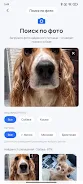
The app workflow is intentionally linear to reduce confusion in urgent situations. Open the app, select the scan mode if necessary (NFC for microchips, camera for QR codes, or tag reading), perform the scan, and view the result. For microchips the app uses the device NFC reader where supported; some chip frequencies or older phones may require an external reader, which PetsID will indicate. For QR and tag scans the camera or image recognition is used to read the identifier. If the identifier resolves to a registry entry, PetsID will display the owner contact and any short notes provided by the registry once connectivity is confirmed.
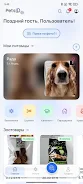
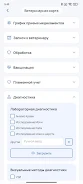
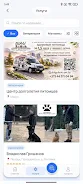
PetsID favors a clean, high-contrast interface with large action buttons and clear labels so users can operate it while holding a pet or working outdoors. Controls are limited to essential actions—scan, view details, call or message owner, and optionally save a scan to a local history—so the interface stays uncluttered. The visual language uses neutral colors and legible typography to make contact information readable in varied lighting conditions. Icons are simple and accompanied by text to avoid ambiguity for new users or those who prefer explicit labels.
Rather than traditional game-like progression, PetsID provides a predictable sequence of steps that encourage reliable repeat use: scan, confirm, contact. Customization focuses on usability preferences such as toggling confirmation prompts, adjusting text size, selecting a default contact method, and keeping an optional local scan log for record-keeping. The app’s replay value comes from its practical utility; each successful reunion reinforces the habit of carrying or installing the tool, and shelters and clinics will find repeated daily utility in a compact scanner app.
Accessibility features include adjustable font sizes and clear contrast modes to help users with visual impairments. PetsID is designed to do as much as possible offline: QR and tag scans that contain embedded contact details will display without a connection, and the app will cache recently accessed registry lookups for quicker access. However, retrieving owner details from external databases requires network access, and the app clearly indicates when online lookup is needed. Microchip reading depends on phone NFC capability; where device hardware limits reading, the app suggests compatible external readers and explains what to expect.
PetsID is purpose-built but has inherent limits: it only helps when an animal carries an identifiable tag, QR code, or a registered microchip. If contact information was never registered or the ID is missing, the app cannot create owner details from nothing. In low-signal areas network lookups may fail, in which case the app provides fallback instructions such as saving the scanned identifier, photographing the animal, or taking it to a nearby shelter or clinic. For microchips, older or nonstandard chip types may require specialized scanners; PetsID offers guidance on verifying chip standards and taking the next steps.
Shelters and veterinary clinics will appreciate a fast, predictable tool that helps front-desk staff identify owners and reduce intake time. Dog walkers, groomers and pet sitters can use PetsID to verify an animal’s identity during handoff or if a pet runs off. For pet owners the app is useful both as a finder-facing tool and as a reminder to keep microchip and tag registry entries up to date. Privacy is respected: owner details are shown only when they are stored in the scanned medium or returned by an authorized registry, and the app does not publish owner contact information publicly.
Pizzaria do Erick
Size:19.12M LifestyleMy Hurricane Tracker Pro
Size:4.73M LifestylePushscroll
Size:61.25M LifestyleSmartWOD Timer
Size:26.75M LifestyleMeteum Weather
Size:63.84M LifestyleBestifyMe
Size:13.80M LifestyleWeatherPro
Size:48.30M LifestyleEmpower You: Unlimited Audio
Size:80.20M LifestyleAdobe Express
Size:107.80M LifestyleGeoZilla
Size:63.92M LifestyleONEWallet - Cards Wallet
Size:15.00M LifestyleFloor Plan Creator Home Design
Size:40.91M LifestyleApril 2024 Clash of Clans Update: Unveiling a Fresh Companion, Enhanced Levels, Chat Tagging, and Be
2024-04-16Arrival of Genshin Impact 4.6 Update: 'Embers of Two Realms, Twilight of Crimson'
2024-04-16V2.2 of the Farlight 84 update introduces an overhauled Season structure, fresh in-game currency, an
2024-04-16Monster Never Cry is now accessible on both Android and iOS mobile devices.
2024-04-18PUBG Mobile Teams Up with Bentley Motors: Luxury Cars, Exclusive Collectibles, and Beyond
2024-04-18March 2024 Free Redemption Codes for Honkai: Star Rail
2024-04-18