English
TriviaMaker is a versatile quiz and game-show creation tool aimed at teachers, presenters, and event hosts who need a practical, polished way to build interactive trivia sessions for classrooms, meetings, or social nights. The app centralizes question editing, media attachments, and presentation controls in a cloud-linked workspace that runs on phones, tablets, and desktop browsers so you can prepare on one device and present from another. Designed to reduce setup time, TriviaMaker supports multiple show formats and a board-style presentation that keeps live audiences engaged without complicated hardware.
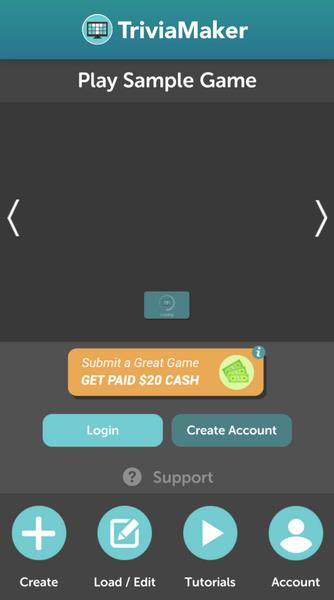
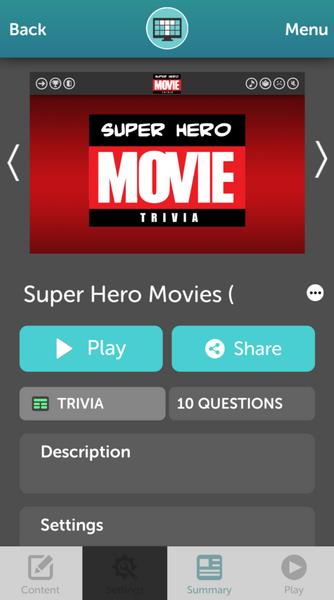
TriviaMaker supports three main presentation formats: a category grid for value-based boards, a survey/feud style for opinion-driven rounds, and classic multiple-choice trivia. Each format accepts photos and short videos embedded directly into questions and allows configurable answer options and point values. The app includes a built-in scoreboard, sound effects and theme music options, and the ability to duplicate and archive quizzes for reuse. Cloud storage keeps question banks synchronized between devices, while downloadable copies and printable answer keys make it possible to run a show if you need an offline fallback.
Creating a session is based on assembling rounds and question banks. Users enter questions, assign them to categories or difficulty tiers, and tag optional metadata such as time limits or custom scoring. During a live run, hosts advance through rounds manually or use auto-advance rules for timed play. Question order can be randomized or fixed per round, and survey-style rounds collect audience responses that are tallied and displayed in real time. Progression is handled at the session level: you build a sequence of rounds, control pacing with timers and transitions, and reuse existing question sets to create new shows quickly.
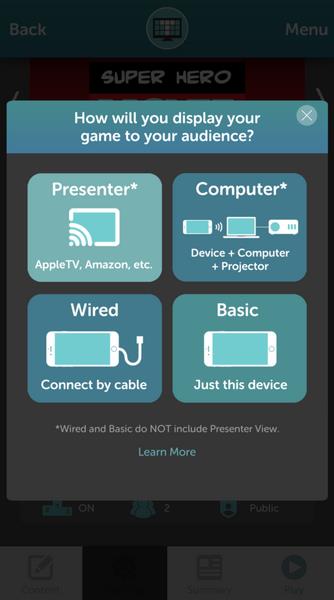
Presentation controls are designed for touchscreens and traditional input devices alike. Hosts can tap to reveal answers, use a keyboard or mouse to navigate slides, or operate a presenter view from a secondary device when streaming to a TV or browser-based presenter. TriviaMaker's web presenter mode streams a clean view for audiences while a private host view shows timers and notes. For larger venues you can mirror a device to a TV or projector; some setups will benefit from a separate buzzer app or external hardware if you require team-controlled buzzing.
The app offers deep visual customization so content matches your classroom, company or event branding. Change colors, fonts, and background imagery, and upload logos to the main board. Category tiles and question cards are adjustable so you can emphasize difficulty or theme, and the scoreboard display offers multiple layouts for different venue sizes. Simple animation and sound cues are available but configurable so you can keep presentations professional or playful depending on the audience and context.
Replay value comes from modular round construction and the ability to layer challenge systems: you can create escalating difficulty across rounds, apply time-based bonus points, or mix survey rounds to vary pace. Because question banks can be filtered by difficulty, topic, or tags, hosts can quickly assemble beginner-to-advanced shows or build themed series that progress across sessions. Reusable templates and duplication tools reduce prep time and encourage iterative improvements to content as you gather audience feedback.
TriviaMaker includes options that help with accessibility and practical use: adjustable text sizes, high-contrast color choices, and straightforward navigation for keyboard or touch operation. Media elements include captions or descriptive text where practical, and printable materials provide an alternative for low-visibility or low-connectivity situations. Note that while cloud syncing and cross-device presentation are core conveniences, those features require an internet connection to sync changes in real time; presenting from a cached copy is possible but syncing and collaborative editing will be limited without connectivity. TriviaMaker is an independent creation tool and is not endorsed by television shows that inspired certain board layouts.
Pizzaria do Erick
Size:19.12M LifestyleMy Hurricane Tracker Pro
Size:4.73M LifestylePushscroll
Size:61.25M LifestyleSmartWOD Timer
Size:26.75M LifestyleMeteum Weather
Size:63.84M LifestyleBestifyMe
Size:13.80M LifestyleWeatherPro
Size:48.30M LifestyleEmpower You: Unlimited Audio
Size:80.20M LifestyleAdobe Express
Size:107.80M LifestyleGeoZilla
Size:63.92M LifestyleONEWallet - Cards Wallet
Size:15.00M LifestyleFloor Plan Creator Home Design
Size:40.91M LifestyleApril 2024 Clash of Clans Update: Unveiling a Fresh Companion, Enhanced Levels, Chat Tagging, and Be
2024-04-16Arrival of Genshin Impact 4.6 Update: 'Embers of Two Realms, Twilight of Crimson'
2024-04-16V2.2 of the Farlight 84 update introduces an overhauled Season structure, fresh in-game currency, an
2024-04-16Monster Never Cry is now accessible on both Android and iOS mobile devices.
2024-04-18PUBG Mobile Teams Up with Bentley Motors: Luxury Cars, Exclusive Collectibles, and Beyond
2024-04-18March 2024 Free Redemption Codes for Honkai: Star Rail
2024-04-18