English
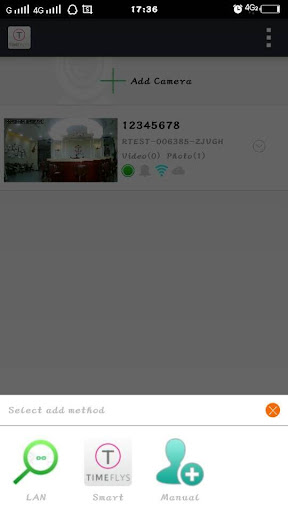
TimeFlys Home is a compact, mobile-first app that makes it fast to set up and manage a wireless surveillance camera from your phone or tablet. TimeFlys Home guides users through a quick installation and pairs the camera to your device in minutes using the companion app so you can begin live streaming and reviewing recorded clips right away. The description below explains how the app organizes live view and playback, what control and customization options you can expect, and the practical limits to keep in mind when using this solution for home or small business monitoring.
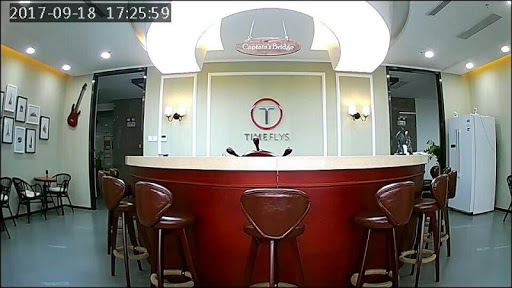
The app's primary purpose is straightforward monitoring: viewing live video and accessing stored clips without complex configuration. Installation follows a step-by-step pairing flow that walks you through network setup, camera discovery and linking to the mobile device. During normal use the interface groups live feed and playback tools in the same screen area so switching between watching a live scene and reviewing past footage requires only a few taps. The setup progression is designed to minimize technical hurdles, helping users move from unboxing to first view in minutes.
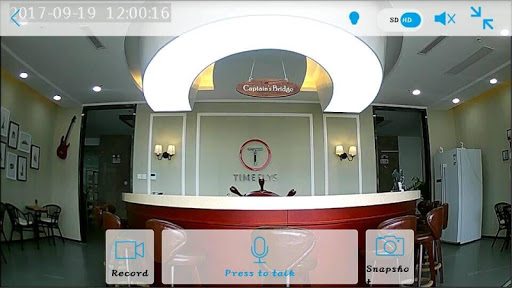
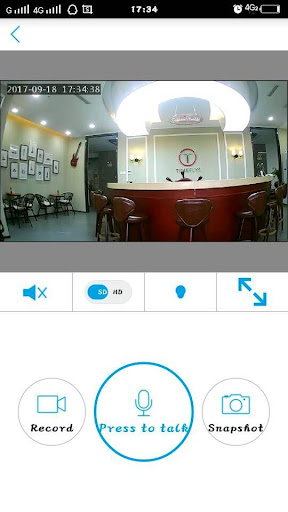
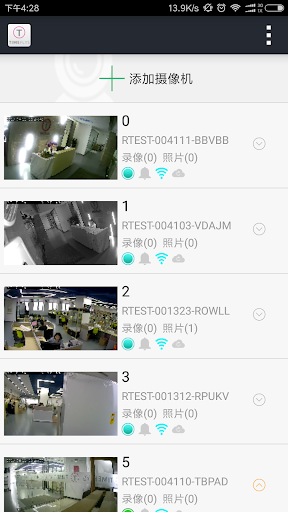
Controls are optimized for touch devices: live view supports intuitive gestures such as pan and zoom where the hardware allows, and playback uses a timeline with scrub and play/pause gestures for quick review. Camera selection and switching between multiple feeds is handled through a simple selector within the app so you can monitor several rooms or devices from one device. TimeFlys Home places emphasis on clarity of controls so routine tasks — checking a room, replaying a clip, or capturing a still image — are accessible without navigating deep menus.
Recorded video is accessible from the app's playback area and can be reviewed directly on your mobile device. The app supports playback of clips stored locally on the camera or on the paired device depending on how your setup records footage; this means you can review events without an active cloud subscription. If a camera or the mobile device is offline, previously downloaded clips remain available for viewing, while live streaming requires a stable local network or internet connection according to your configuration.
The visual design is utilitarian and mobile-focused: large thumbnails, a clear timeline, and readable labels help users find important moments quickly. Contrast, font sizes and button spacing are tuned for everyday use on phones and tablets to reduce mis-taps and improve readability. Accessibility considerations include support for screen magnification and standard platform assistive technologies so users with different needs can interact with live feeds and recorded clips with fewer barriers.
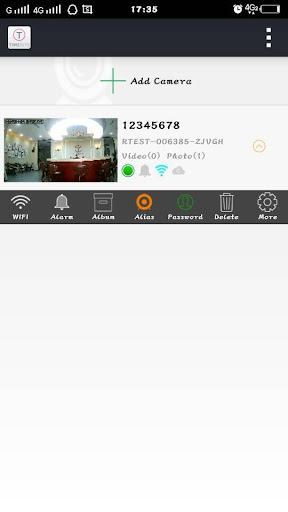
TimeFlys Home offers basic customization so the app fits your monitoring needs: you can group cameras by room, adjust motion sensitivity where supported by the hardware, and set simple notification preferences to be alerted to activity that matters. Grouping cameras into named locations streamlines navigation when you have several feeds, and notification controls let you decide how often and under what conditions you receive alerts. These options are designed to balance useful automation with straightforward control rather than introducing complex rule engines.
The ongoing experience is oriented around reliable review and routine checks rather than gamified progression. Replay value comes from organized archives and the ability to quickly jump to incidents in the timeline; regular firmware and companion-app updates keep compatibility current. Maintenance tasks are limited to occasional re-pairing if network settings change, managing local storage, and confirming the companion app remains installed and updated.
The app depends on the companion app and a compatible mobile device for setup and viewing, and it focuses on basic streaming and playback features. Advanced cloud storage, AI analytics or multi-user enterprise controls are not described here, so users who require those services should verify support before deploying a larger system. Network stability, camera hardware capabilities and local storage capacity affect performance and available features.
Overall, TimeFlys Home is intended for users who want a simple, mobile-centered way to monitor a home, children, pets or a small business without deep technical setup. The app keeps core monitoring tasks accessible from a single device while offering enough customization to adapt to common household and small office scenarios.
LazyBoard - Phrase Keyboard
Size:4.70M ProductivityDrops: Language Learning
Size:258.30M ProductivityzLibrary
Size:48.50M ProductivityGemmy AI: Chat & Assistant
Size:30.42M ProductivityiStoria
Size:27.15M ProductivityLifeUp: Gamified To Do List
Size:17.35M ProductivityVPN Proxy Speed
Size:53.00M ProductivityAI Logo Generator (LogoWiz)
Size:41.50M Productivity3D Logo Maker
Size:39.30M ProductivityAI Chat: Ask AI Chat Anything
Size:42.20M ProductivityStars and Planets
Size:116.42M ProductivityImageMeter
Size:119.22M ProductivityApril 2024 Clash of Clans Update: Unveiling a Fresh Companion, Enhanced Levels, Chat Tagging, and Be
2024-04-16Arrival of Genshin Impact 4.6 Update: 'Embers of Two Realms, Twilight of Crimson'
2024-04-16V2.2 of the Farlight 84 update introduces an overhauled Season structure, fresh in-game currency, an
2024-04-16Monster Never Cry is now accessible on both Android and iOS mobile devices.
2024-04-18PUBG Mobile Teams Up with Bentley Motors: Luxury Cars, Exclusive Collectibles, and Beyond
2024-04-18March 2024 Free Redemption Codes for Honkai: Star Rail
2024-04-18