
English
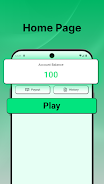
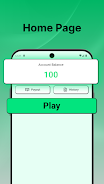
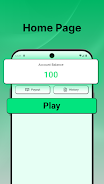
Captcha Job: Online Entry work is a lightweight Android utility that connects users with short microtasks focused on captcha recognition and simple data-entry work. The app places emphasis on a straightforward workflow, letting you discover tasks, edit responses, and submit results from a single interface without unnecessary complexity. This description outlines how Captcha Job: Online Entry work organizes tasks, what to expect from its controls and progression tools, and how its design supports reliable, repeatable microtasking on mobile devices.
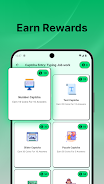
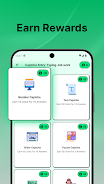
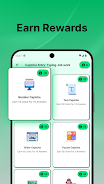
Tasks in Captcha Job: Online Entry work are presented as discrete assignments with clear instructions and estimated completion times so you can quickly decide what fits your available time. The typical workflow leads you from a task list to an in-app editor where you enter or verify text, then validate and submit. The task list groups similar items together and highlights basic complexity cues — for example, whether a task is a single-field transcription or a short multi-field verification — which helps you plan sessions and avoid unexpected task types.
The app’s controls are optimized for mobile touch input: form fields are sized for comfortable tapping, common actions are reachable with one hand, and there are integrated keyboard conveniences to reduce repetitive typing. The built-in editor supports quick corrections, simple undo actions, and basic validation checks before submission to reduce accidental errors. You can also adapt your input method by adjusting device keyboard settings and enabling auto-correction where appropriate to match your personal typing style.
Rather than a game-like leveling system, Captcha Job: Online Entry work focuses on transparent performance metrics: completion counts, accuracy rates and recent speed averages appear in your activity log so you can track improvement over time. The task-matching logic uses these metrics to refine which assignments are shown first, making it easier to access tasks that align with your demonstrated strengths. This progression model is practical and intended to reward careful, consistent work rather than to introduce competitive elements.
The visual style prioritizes legibility and low distraction: high-contrast text, clear field boundaries and a restrained palette reduce visual fatigue during extended sessions. Accessibility options include adjustable font sizes and touch targets sized for reliable selection. The app minimizes clutter and keeps navigation predictable, which supports users who depend on clearer layouts or assistive input methods.
Tasks are not levels in a traditional sense, but the app creates a steady, repeatable structure by offering short assignments that can be completed in spare moments. The built-in challenge comes from achieving steady accuracy and improving speed against the app’s estimated completion times. Because tasks are short and varied in small ways, the app has practical replay value for anyone who wants to use otherwise idle time productively.
Settings in Captcha Job: Online Entry work let you tailor notifications, background sync behavior and editor preferences. Notifications can be limited to high-priority task alerts, and background data sync is optional to conserve battery and mobile data. The overall experience keeps user choice central: you control frequency of alerts, how the editor behaves, and whether brief synchronization runs while the app is idle.
The app is engineered for low memory use so it runs smoothly on modern and older Android devices. While it expects periodic connectivity for submitting completed entries, Captcha Job: Online Entry work tolerates short interruptions by caching minimal task state so brief offline edits are preserved and synchronized once a connection returns. Network usage is optimized to avoid unnecessary transfers, and safeguards prevent accidental duplicate submissions during spotty connections.
Security practices include encrypted transmissions for task data and clear permission prompts for only the access the app needs. The privacy options are straightforward: you can limit optional sharing and review what the app stores in your activity log. Installation is simple from the Play Store or a trusted APK source; after account setup and any required verification steps, brief onboarding tips guide you through your first submissions so you can become effective quickly.
Regular updates address stability, broaden device compatibility and refine task-matching to help ensure consistent work quality. In-app support and help materials provide troubleshooting steps and practical advice for improving speed and accuracy. Captcha Job: Online Entry work aims to be a pragmatic tool for organized, on-the-go microtasking, balancing a minimal learning curve with useful controls and clear feedback so users can manage short tasks reliably and maintain control over device resources and privacy.




Pizzaria do Erick
Size:19.12M LifestyleMy Hurricane Tracker Pro
Size:4.73M LifestylePushscroll
Size:61.25M LifestyleSmartWOD Timer
Size:26.75M LifestyleMeteum Weather
Size:63.84M LifestyleBestifyMe
Size:13.80M LifestyleWeatherPro
Size:48.30M LifestyleEmpower You: Unlimited Audio
Size:80.20M LifestyleAdobe Express
Size:107.80M LifestyleGeoZilla
Size:63.92M LifestyleONEWallet - Cards Wallet
Size:15.00M LifestyleFloor Plan Creator Home Design
Size:40.91M LifestyleApril 2024 Clash of Clans Update: Unveiling a Fresh Companion, Enhanced Levels, Chat Tagging, and Be
2024-04-16Arrival of Genshin Impact 4.6 Update: 'Embers of Two Realms, Twilight of Crimson'
2024-04-16V2.2 of the Farlight 84 update introduces an overhauled Season structure, fresh in-game currency, an
2024-04-16Monster Never Cry is now accessible on both Android and iOS mobile devices.
2024-04-18PUBG Mobile Teams Up with Bentley Motors: Luxury Cars, Exclusive Collectibles, and Beyond
2024-04-18March 2024 Free Redemption Codes for Honkai: Star Rail
2024-04-18


















