English
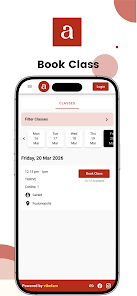
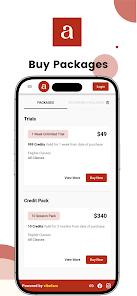
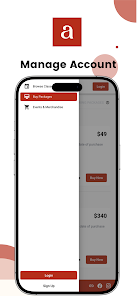
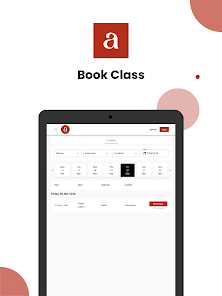
amber is a lightweight productivity app designed to centralize notes, tasks, and quick references in a single clean workspace. It blends minimal design with powerful organizational tools, making it easy to capture ideas, prioritize daily work, and sync across devices without clutter or steep learning curves.
amber acts as a compact hub for personal and professional organization. It combines note-taking, task management, and quick-access widgets so you can store meeting notes, build to-do lists, and save important links without jumping between multiple apps. The focus is on speed and simplicity while keeping advanced features available when you need them.
Start your day with amber by reviewing a compact dashboard that surfaces unfinished tasks and pinned notes. Adding content uses simple gestures: swipe to archive, long-press to label, and drag-and-drop to reorder items. Creating repetitive tasks or templates takes seconds, and scheduled reminders can nudge you at the right time. The app emphasizes short interactions to reduce context switching.
The interface favors whitespace, clear typography, and unobtrusive icons. amber loads quickly and maintains smooth scrolling even with long note histories. Settings let you adjust font size, theme, and compactness to match your preference. Background sync is optimized for minimal battery use, and animations are subtle to keep attention on content rather than flair.
amber integrates with calendars, email apps, and cloud storage services to reduce duplication. Import calendar events as tasks, attach emails to notes, or export project folders to third-party storage. For power users, the app exposes keyboard shortcuts and gesture customization so it fits into existing workflows instead of forcing a new one.
Users often praise amber for reducing friction when capturing ideas. Small conveniences — like copying a paragraph to multiple notes, merging similar items, or setting location-based reminders — compound into real time savings. The app balances between offering enough features for power users and keeping a gentle learning curve for newcomers.
Security is treated as standard: encrypted local storage and secure transmission during sync are included. amber's permission requests are minimal, focused on necessary access like microphone for voice notes and storage for attachments. The app provides options to lock sensitive sections with a PIN or biometric authentication for added peace of mind.
Professionals juggling meetings and deliverables, students organizing study materials, and creatives capturing fleeting ideas will find amber particularly useful. The app scales from a simple personal notepad to a lightweight project manager depending on how many features you enable.
Installation is straightforward from your device’s app store. After a quick setup that includes creating an account and setting sync preferences, amber walks you through a short tutorial highlighting capture, tagging, and reminders. The onboarding is concise so you can start organizing immediately.
Whether you need a minimal place to jot thoughts or a compact productivity suite to coordinate daily work, amber offers a balanced set of tools that emphasize speed, clarity, and practical integration into existing routines.
Pizzaria do Erick
Size:19.12M LifestyleMy Hurricane Tracker Pro
Size:4.73M LifestylePushscroll
Size:61.25M LifestyleSmartWOD Timer
Size:26.75M LifestyleMeteum Weather
Size:63.84M LifestyleBestifyMe
Size:13.80M LifestyleWeatherPro
Size:48.30M LifestyleEmpower You: Unlimited Audio
Size:80.20M LifestyleAdobe Express
Size:107.80M LifestyleGeoZilla
Size:63.92M LifestyleONEWallet - Cards Wallet
Size:15.00M LifestyleFloor Plan Creator Home Design
Size:40.91M LifestyleApril 2024 Clash of Clans Update: Unveiling a Fresh Companion, Enhanced Levels, Chat Tagging, and Be
2024-04-16Arrival of Genshin Impact 4.6 Update: 'Embers of Two Realms, Twilight of Crimson'
2024-04-16V2.2 of the Farlight 84 update introduces an overhauled Season structure, fresh in-game currency, an
2024-04-16Monster Never Cry is now accessible on both Android and iOS mobile devices.
2024-04-18PUBG Mobile Teams Up with Bentley Motors: Luxury Cars, Exclusive Collectibles, and Beyond
2024-04-18March 2024 Free Redemption Codes for Honkai: Star Rail
2024-04-18