English
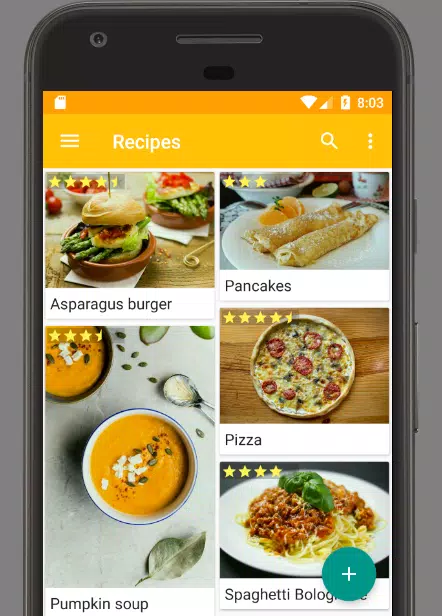
Pantlerius is a flexible recipe manager and shopping-list app designed to help you capture, organize and access favorite dishes from anywhere. Pantlerius combines a photo-based OCR scanner with voice input, editable recipe fields and cloud sync so you can save recipes from cookbooks, magazines and websites, turn ingredient lists into grocery items and keep your collection organized on your phone.
The core of Pantlerius is a photo OCR tool that extracts ingredient lines and basic instructions from a photographed page or screenshot and converts them into editable text. Photos, pasted text and spoken notes can all be turned into recipes you can tag, edit and search. Scanned entries remain fully editable so you can correct measurements, add preparation steps or change serving sizes before saving.
Capture recipes with the camera or paste copied text from a website, then review the OCR output and make quick edits. Use voice input to dictate notes or short ingredient lists while you cook. Recipes can be organized with custom tags and clear titles, and full-text search lets you find dishes by ingredient, cuisine or any phrase you remember. For accessibility, the app supports larger text and simple navigation so reading and editing are easier on a range of devices.
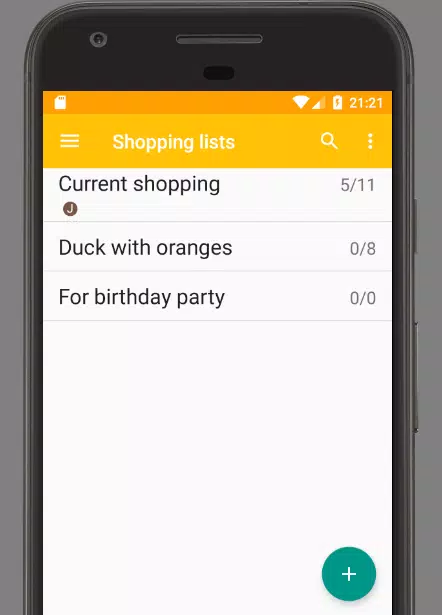
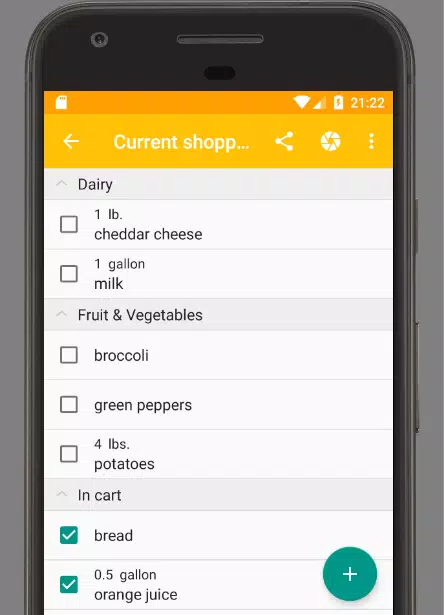
Create shopping lists directly from recipe ingredient sections and move items to your grocery list with a tap. Lists present simple checkboxes so you can mark off items in the store, and you can prioritize or group ingredients by aisle or meal when you prepare a shopping run. While Pantlerius does not automate grocery ordering, the integration between recipes and lists reduces the time you spend transferring ingredients manually and makes weeknight meal planning faster.
As your recipe collection grows you can build a personalized progression: start with a handful of go-to dishes, tag them by occasion or dietary preference, then expand into themed folders such as 'quick lunches' or 'holiday desserts.' That structure turns everyday cooking into an ongoing learning process where you can revisit, refine and adapt recipes over time. Regularly curating tags and cleaning scans increases the app’s usefulness and gives a satisfying sense of progress as your digital cookbook matures.
The interface focuses on simple controls: capture with the camera, tap to convert ingredients to a shopping list, long-press or open to edit recipe text, and use the search bar to find entries quickly. Copy-paste and voice entry options provide alternative input paths when photographing a page isn’t convenient. Visual cues and clear buttons are designed to reduce friction while cooking: large tappable areas, readable fonts and straightforward editing workflows help you stay focused on the kitchen rather than the device.
Pantlerius uses a clean, minimal visual design that prioritizes legibility and quick scanning of ingredient lists. You can customize tags and naming conventions to match your workflow, and choose how recipes are grouped to make retrieval intuitive. The app’s layout emphasizes the recipe title, ingredients and notes so the most important information is immediately visible when you open a recipe while cooking.
Offline mode keeps recent recipe data available when you don’t have a connection, and cloud synchronization updates your collection across devices when online. Sharing options let you export or send recipe text to friends and family via standard Android share targets. Note that synchronization requires an internet connection to propagate changes to other devices, and that sharing depends on apps installed on your device.
OCR accuracy depends heavily on photo quality and source layout; handwritten notes or complex magazine columns may need more manual cleanup. Spend a minute reviewing parsed ingredients after scanning to correct units or split combined lines. For best results, photograph pages under even light, use flat, high-contrast shots and crop to the recipe area before scanning.
Pantlerius is a practical tool for people who collect recipes, experiment with meal planning and want to move ingredient lists quickly into a usable shopping list. Try it to streamline recipe capture, keep your favorites organized and reduce time spent retyping or searching for dish ideas on your phone.
Pizzaria do Erick
Size:19.12M LifestyleMy Hurricane Tracker Pro
Size:4.73M LifestylePushscroll
Size:61.25M LifestyleSmartWOD Timer
Size:26.75M LifestyleMeteum Weather
Size:63.84M LifestyleBestifyMe
Size:13.80M LifestyleWeatherPro
Size:48.30M LifestyleEmpower You: Unlimited Audio
Size:80.20M LifestyleAdobe Express
Size:107.80M LifestyleGeoZilla
Size:63.92M LifestyleONEWallet - Cards Wallet
Size:15.00M LifestyleFloor Plan Creator Home Design
Size:40.91M LifestyleApril 2024 Clash of Clans Update: Unveiling a Fresh Companion, Enhanced Levels, Chat Tagging, and Be
2024-04-16Arrival of Genshin Impact 4.6 Update: 'Embers of Two Realms, Twilight of Crimson'
2024-04-16V2.2 of the Farlight 84 update introduces an overhauled Season structure, fresh in-game currency, an
2024-04-16Monster Never Cry is now accessible on both Android and iOS mobile devices.
2024-04-18PUBG Mobile Teams Up with Bentley Motors: Luxury Cars, Exclusive Collectibles, and Beyond
2024-04-18March 2024 Free Redemption Codes for Honkai: Star Rail
2024-04-18