English
DIGITAL ELD is a compact, user-focused electronic logging solution tailored for drivers and fleet managers seeking simple hours-of-service tracking, vehicle diagnostics, and trip auditing. The app combines automated logging, driver prompts, and exportable reports to streamline paperwork, reduce errors, and speed up daily inspections in modern commercial fleets.
Built for practical daily use, DIGITAL ELD targets the core needs of small to mid-size fleets and owner-operators. It prioritizes reliability over bells and whistles, focusing on accurate duty status capture, unobtrusive background logging, and clear on-screen summaries. Rather than replacing hardware-heavy systems, it integrates with vehicle telematics where available and functions independently on Android devices for straightforward deployment.
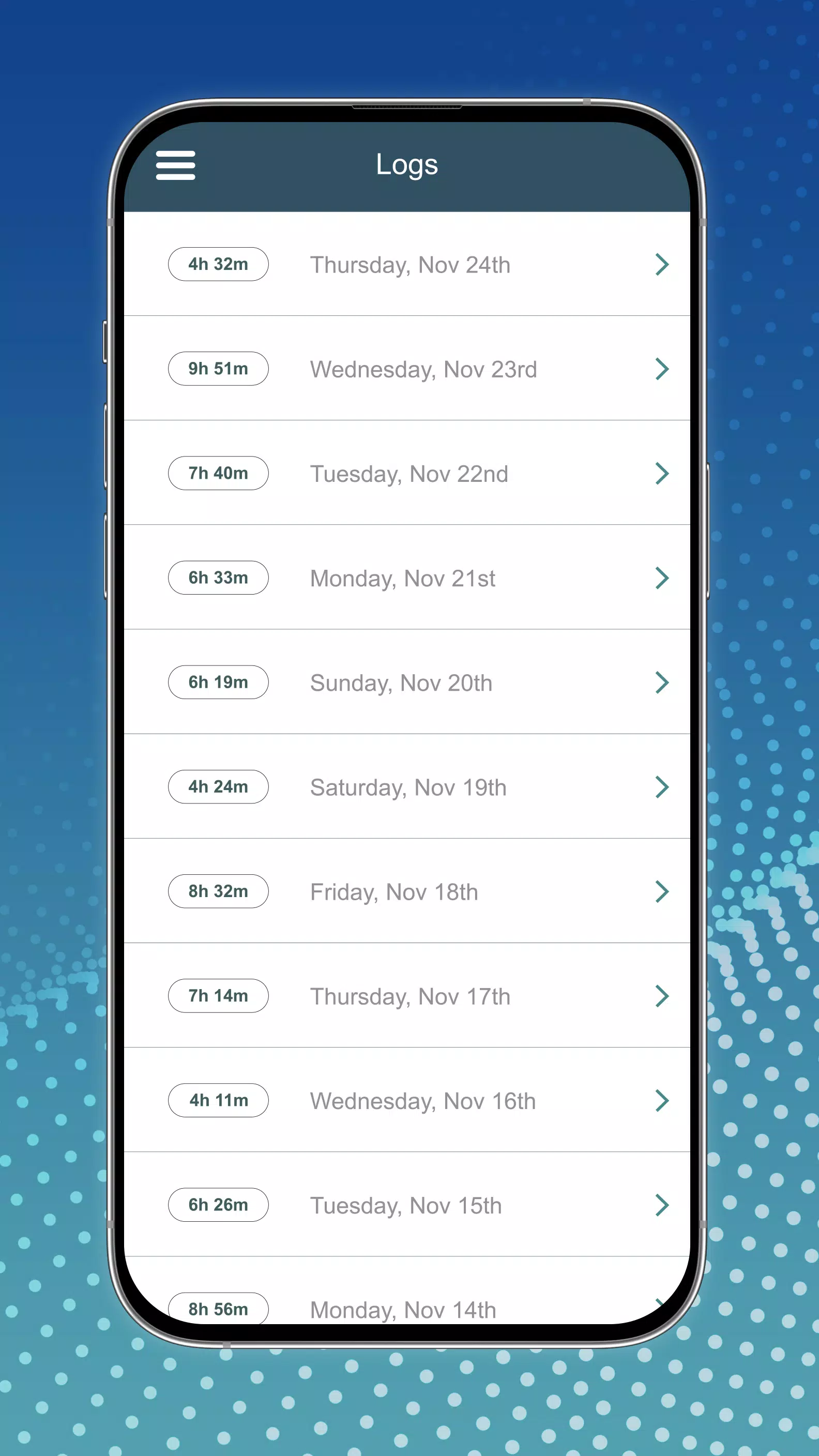
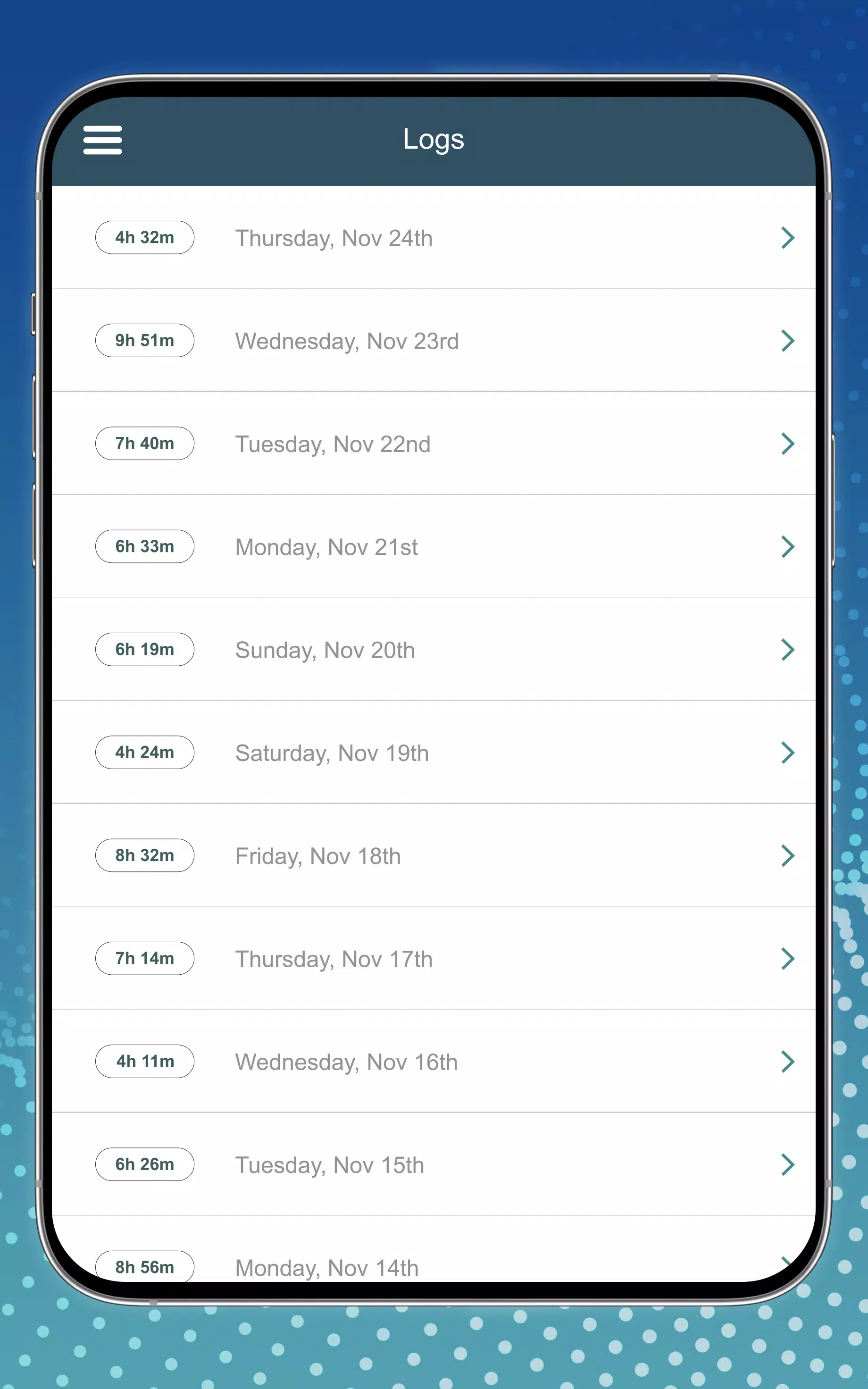
DIGITAL ELD functions quietly in the background, sensing driving time and switching duty statuses automatically. Drivers can add annotations, accept suggested status changes, and review their 7- or 14-day logs on demand. When roadside inspections or payroll reconciliation require documentation, managers can pull formatted reports from the device or through cloud sync, depending on configuration.
The interface centers on quick actions: start/stop a shift, add a yard move, or certify logs. Notifications prompt drivers for missing annotations and flag editing conflicts to prevent inaccuracies. For fleet administrators, the app includes an activity history view and a simple export panel for compliance checks.
Design choices emphasize readability and speed. Fonts and colors are optimized for daylight and low-light conditions in the cab. Loading times remain modest on modern Android devices, and the app is tolerant of intermittent connectivity: logs buffer locally and synchronize when a signal returns. The layout balances essential controls on the main screen with deeper settings tucked into menus for advanced users.
Data retention follows industry norms; recent days are displayed prominently while older records are archived. Error states provide clear explanations and suggested fixes. Because the app records both automated events and manual inputs, it creates a complete timeline that simplifies investigations into time discrepancies.
Administrators can tailor units, time zones, and report formats. Integration points include optional Bluetooth connections to vehicle modules and APIs for dispatch systems. These options let carriers mix DIGITAL ELD into existing workflows without a full technology overhaul. Customizable alerts let fleets emphasize the metrics they care about most, from drive-time thresholds to maintenance intervals.
Operators appreciate DIGITAL ELD for its practical balance between automation and driver control. It reduces paperwork stress without forcing complex configuration. The learning curve is short, and support documentation focuses on common scenarios instead of technical jargon. For busy drivers, that translates into fewer interruptions and clearer daily summaries.
Installation is straightforward: download from a trusted app source, grant the necessary permissions for location and background operation, then follow the step-by-step setup wizard. Fleet managers can provision devices with company settings to standardize behavior across drivers. Regular updates are delivered through the Play ecosystem to keep the app current with regulatory changes and bug fixes.
DIGITAL ELD positions itself as a practical, no-nonsense ELD solution: it isn’t overloaded with optional modules, but it covers the features that make a measurable difference in day-to-day fleet operations. For teams aiming to simplify logging and reduce administrative friction, it offers a focused toolset and an approachable user experience.
Pizzaria do Erick
Size:19.12M LifestyleMy Hurricane Tracker Pro
Size:4.73M LifestylePushscroll
Size:61.25M LifestyleSmartWOD Timer
Size:26.75M LifestyleMeteum Weather
Size:63.84M LifestyleBestifyMe
Size:13.80M LifestyleWeatherPro
Size:48.30M LifestyleEmpower You: Unlimited Audio
Size:80.20M LifestyleAdobe Express
Size:107.80M LifestyleGeoZilla
Size:63.92M LifestyleONEWallet - Cards Wallet
Size:15.00M LifestyleFloor Plan Creator Home Design
Size:40.91M LifestyleApril 2024 Clash of Clans Update: Unveiling a Fresh Companion, Enhanced Levels, Chat Tagging, and Be
2024-04-16Arrival of Genshin Impact 4.6 Update: 'Embers of Two Realms, Twilight of Crimson'
2024-04-16V2.2 of the Farlight 84 update introduces an overhauled Season structure, fresh in-game currency, an
2024-04-16Monster Never Cry is now accessible on both Android and iOS mobile devices.
2024-04-18PUBG Mobile Teams Up with Bentley Motors: Luxury Cars, Exclusive Collectibles, and Beyond
2024-04-18March 2024 Free Redemption Codes for Honkai: Star Rail
2024-04-18