English
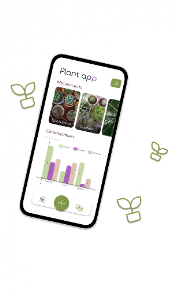
Plant App is a smart companion for indoor and outdoor gardeners, offering plant identification, care scheduling, and growth tracking in a single mobile tool. It helps users identify species, create watering and fertilizing plans, and monitor plant health with photos and simple analytics that fit everyday routines.
Plant App combines an intuitive plant database with automated reminders and practical diagnostics. Core features include an image-based identification engine, customizable care calendars, photo journals for growth tracking, and pest or disease notes. Users can log fertilizer types, sunlight exposure, and soil preferences to receive personalized care recommendations.
The identification module uses on-device and cloud models to analyze leaf shape, flower color, and other visual markers. Snap one or more photos and the app will propose likely matches ranked by confidence. Each result links to detailed species profiles with common names, scientific nomenclature, and quick facts on ideal conditions and typical problems.
Scheduling centers on flexible routines that reflect how you actually care for plants. Set recurring watering, misting, pruning, and fertilizing tasks with custom intervals and preferred notification times. Plant App adjusts reminders based on logged conditions like recent rainfall, repotting events, or seasonal shifts so alerts stay relevant.
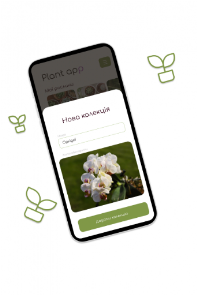
Create a profile for each plant to consolidate notes, photos, and historical care. The built-in journal stores dated images and observations so you can review growth patterns or spot decline early. Profiles support tags and locations, making it simple to manage collections by room, balcony, or greenhouse.
The troubleshooting tools help diagnose common issues such as yellowing leaves, brown tips, or stunted growth. Describe symptoms or upload pictures and the app suggests likely causes—overwatering, nutrient deficiency, pests—and offers step-by-step remedies. Recommendations include changes to watering frequency, light exposure, and suggested soil amendments.
Plant App is built for adaptability. You can customize care templates, share tasks with household members, and import or export data for backup. Bulk-edit options let you apply a schedule to multiple plants at once, while filters help sort by care intensity, water needs, or growth stage.
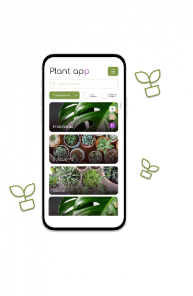
The user interface emphasizes clarity: a dashboard highlights upcoming tasks, recent activity, and problem alerts. Photo galleries load quickly, and the plant list supports thumbnails, custom names, and quick-action buttons. The onboarding process walks new users through adding first plants and setting an initial care rhythm.
Designed to run smoothly on a wide range of Android devices, Plant App balances on-device processing with optional cloud features. Image recognition can function offline for speed and privacy, while cloud sync keeps data consistent across devices. Background task scheduling is optimized to minimize battery impact.
Privacy controls let you decide whether images and logs remain local or sync to an account. The app uses standard encryption for cloud backups and gives clear export and delete options. Permissions are requested only when necessary for core features like camera access or notifications.
To begin, install Plant App, create a simple account or use guest mode, and add your first plant by snapping a photo or selecting from the database. Set a basic watering schedule and add one or two care reminders. As you log events and photos over weeks, the app refines suggestions and becomes a more accurate companion for your collection.
Anyone who grows plants—apartment gardeners, hobbyists, or small greenhouse owners—can gain value from Plant App’s organized approach to routine care and problem-solving. The combination of visual ID, task automation, and historical records helps reduce common mistakes and supports healthier plants with less guesswork.
Pizzaria do Erick
Size:19.12M LifestyleMy Hurricane Tracker Pro
Size:4.73M LifestylePushscroll
Size:61.25M LifestyleSmartWOD Timer
Size:26.75M LifestyleMeteum Weather
Size:63.84M LifestyleBestifyMe
Size:13.80M LifestyleWeatherPro
Size:48.30M LifestyleEmpower You: Unlimited Audio
Size:80.20M LifestyleAdobe Express
Size:107.80M LifestyleGeoZilla
Size:63.92M LifestyleONEWallet - Cards Wallet
Size:15.00M LifestyleFloor Plan Creator Home Design
Size:40.91M LifestyleApril 2024 Clash of Clans Update: Unveiling a Fresh Companion, Enhanced Levels, Chat Tagging, and Be
2024-04-16Arrival of Genshin Impact 4.6 Update: 'Embers of Two Realms, Twilight of Crimson'
2024-04-16V2.2 of the Farlight 84 update introduces an overhauled Season structure, fresh in-game currency, an
2024-04-16Monster Never Cry is now accessible on both Android and iOS mobile devices.
2024-04-18PUBG Mobile Teams Up with Bentley Motors: Luxury Cars, Exclusive Collectibles, and Beyond
2024-04-18March 2024 Free Redemption Codes for Honkai: Star Rail
2024-04-18