
English
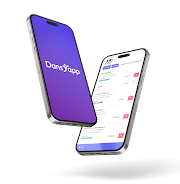
Dansapp is a lightweight productivity tool that centralizes note-taking, task management, and quick collaboration into one interface, designed for mobile users who need compact, powerful organization on the go.
Dansapp targets users who want an efficient workspace on Android devices without the clutter of multiple apps. It combines core utilities—tasks, notes, and shared boards—into a single app that emphasizes speed, clarity, and minimal setup. The result is a mobile-first workflow designed for professionals, students, and small teams.
At its heart, Dansapp provides a few tightly integrated modules. Notes support text, images, and attachments. Task lists allow due dates, priorities, and simple recurring rules. Shared boards let collaborators add items and comment inline. These features are intended to reduce context switching and keep frequently used tools immediately accessible.
Launch Dansapp and you land on a dashboard that highlights recent notes, upcoming tasks, and active shared boards. Creating an item is a two-tap action: choose a type, enter content, and assign tags or collaborators. Synchronization happens in the background; local edits are preserved instantly and merged when network access returns. The simplicity of the flow reduces the learning curve while keeping essential options within reach.
The interface is streamlined: flat icons, clear typography, and high-contrast elements for readability on small screens. Dansapp prioritizes performance, so common actions like opening notes and toggling tasks feel snappy even on mid-range devices. Battery and data usage are optimized through scheduled syncs and selective media uploads.
Users can tailor Dansapp with color-coded tags, custom templates for repeated note types, and adjustable notification windows. Integration points enable exporting to common formats and sharing content to other apps. While not a heavyweight platform, the app's modular approach supports a variety of personal and team routines.
For daily use, Dansapp emphasizes short interactions: capture ideas, mark quick tasks complete, and respond to comments without deep navigation. The app encourages breaking large projects into manageable cards and using tags to filter context. New users often appreciate the predictable structure, while power users benefit from templates and keyboard shortcuts on compatible devices.
Dansapp fills the niche between full-scale project managers and simple note apps. Its value lies in balancing essential features with an unobtrusive interface, making it a strong choice for users who want practical organization without heavy configuration. The collaborative features are especially helpful for small teams that need shared context rather than formal task tracking.
Installing and setting up Dansapp takes minutes: sign in, create your first board, and import a few notes or tasks. Explore the settings to enable sync preferences and notification timing that match your routine. Regular backups and periodic cleanup of tags help maintain responsiveness as content grows.
For Android users seeking a focused, fast, and flexible productivity tool, Dansapp offers a thoughtful mix of capabilities that support everyday organization and lightweight team coordination.

Pizzaria do Erick
Size:19.12M LifestyleMy Hurricane Tracker Pro
Size:4.73M LifestylePushscroll
Size:61.25M LifestyleSmartWOD Timer
Size:26.75M LifestyleMeteum Weather
Size:63.84M LifestyleBestifyMe
Size:13.80M LifestyleWeatherPro
Size:48.30M LifestyleEmpower You: Unlimited Audio
Size:80.20M LifestyleAdobe Express
Size:107.80M LifestyleGeoZilla
Size:63.92M LifestyleONEWallet - Cards Wallet
Size:15.00M LifestyleFloor Plan Creator Home Design
Size:40.91M LifestyleApril 2024 Clash of Clans Update: Unveiling a Fresh Companion, Enhanced Levels, Chat Tagging, and Be
2024-04-16Arrival of Genshin Impact 4.6 Update: 'Embers of Two Realms, Twilight of Crimson'
2024-04-16V2.2 of the Farlight 84 update introduces an overhauled Season structure, fresh in-game currency, an
2024-04-16Monster Never Cry is now accessible on both Android and iOS mobile devices.
2024-04-18PUBG Mobile Teams Up with Bentley Motors: Luxury Cars, Exclusive Collectibles, and Beyond
2024-04-18March 2024 Free Redemption Codes for Honkai: Star Rail
2024-04-18


















