English
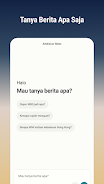
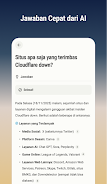
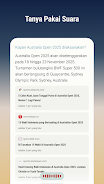
Ambisius News is a lightweight Android news aggregator that curates headlines and long-form articles into a single, customizable feed. It prioritizes fast loading, offline reading, and simple navigation so users can follow topics, save stories, and receive meaningful alerts without clutter or intrusive ads.
Ambisius News organizes content from multiple sources into topic-based streams, letting you build a reading experience that matches your interests. The app balances algorithmic recommendations with manual controls: you train the feed by saving, hiding, and prioritizing items. The result is a focused news reader that adapts to your habits rather than pushing everything at once.
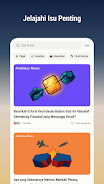
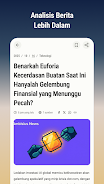
Design choices in Ambisius News favor clarity and speed. The main feed uses a card layout with clear headlines and source labels. Tapping an item opens a readable article view with adjustable font size and a distraction-free mode. Animations are restrained to reduce battery impact, and images load progressively to keep scrolling smooth on slower connections.
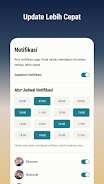
Customization is straightforward. Choose a light or dark theme, tweak text density, and configure how multimedia is handled. Advanced options include data saver toggles, automatic cleanup of cached articles, and a compact list view for power users who prefer scanning multiple headlines quickly.
The app’s workflow mirrors typical reading habits. Start by selecting a few topics and publishers, then let the feed populate. As you interact—save, dismiss, or flag—Ambisius News recalibrates recommendations. Editorial filters help reduce repetition, while the timeline view makes it easy to catch up on a day’s most important developments.
Ambisius News pays attention to accessibility: adjustable text scaling, high-contrast themes, and simple navigation gestures. Readers with limited bandwidth can opt for text-only mode to save data. The app also supports screen readers and keyboard navigation for improved usability on a range of devices.
People choose Ambisius News for its efficient blend of personalization and control. The app doesn’t force a single perspective; instead it gives tools to shape the stream, manage attention, and keep a tidy archive of important stories. For users who follow multiple beats, the combination of speed, offline access, and notification precision makes it a practical daily companion.

Bangla Quran
Size:13.14M News & MagazinesWAZ News
Size:24.20M News & MagazinesThe Daily Telegraph
Size:94.80M News & MagazinesBookmory - reading tracker
Size:9.34M News & MagazinesComic Reader CBR, CBZ & PDF
Size:97.80M News & MagazinesGalatea: Books & Audiobooks
Size:166.69M News & MagazinesOxford Dictionary of English
Size:92.33M News & MagazinesTimes Of India
Size:26.12M News & MagazinesLife Bible
Size:147.10M News & MagazinesRabbana Duas from Quran
Size:37.50M News & MagazinesFizika(Maktab darsliklari)
Size:191.20M News & MagazinesDavid Jeremiah Devotional
Size:13.00M News & MagazinesApril 2024 Clash of Clans Update: Unveiling a Fresh Companion, Enhanced Levels, Chat Tagging, and Be
2024-04-16Arrival of Genshin Impact 4.6 Update: 'Embers of Two Realms, Twilight of Crimson'
2024-04-16V2.2 of the Farlight 84 update introduces an overhauled Season structure, fresh in-game currency, an
2024-04-16Monster Never Cry is now accessible on both Android and iOS mobile devices.
2024-04-18PUBG Mobile Teams Up with Bentley Motors: Luxury Cars, Exclusive Collectibles, and Beyond
2024-04-18March 2024 Free Redemption Codes for Honkai: Star Rail
2024-04-18