English
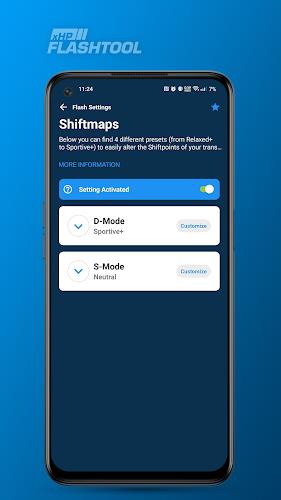
xHP Flashtool is a compact Android utility that streamlines firmware flashing, backup creation, and device maintenance for advanced users and technicians. It combines a clear workflow with safety checks to reduce risk when installing ROMs, kernels, or recovery images on compatible devices, making routine device servicing quicker and more reliable.
xHP Flashtool targets users who need a focused flashing utility without an overload of options. It supports flashing stock and custom packages, offers image validation, and simplifies common tasks like unlocking bootloaders and restoring partitions. The app concentrates on practical results: speed, compatibility, and a minimal learning curve for repeated maintenance jobs.
Using xHP Flashtool starts with connecting the device via USB and enabling the appropriate mode (fastboot, download, or recovery). The interface guides you to select an image or package, verifies signatures if available, and stages files before executing the flash. Progress indicators and step-by-step prompts help prevent accidental interruptions.
The app presents a clean, functional layout that emphasizes key controls without clutter. Buttons are labeled clearly, and advanced options are tucked into collapsible panels for users who need them. Performance is optimized to maintain a fast transfer rate; large images are streamed efficiently to reduce time spent in device-specific download modes.
xHP Flashtool is built to work with a broad set of Android hardware families and bootloader protocols. It recognizes vendor-specific download modes and adapts the flashing sequence accordingly. The app also allows you to mix and match partitions from different builds for advanced repair scenarios, provided the files are compatible with the target device.
Before attempting your first flash, create a full backup and read the device-specific instructions. Keep the device charged above 50% and disable any automatic sleep settings on the host computer. If you are flashing a custom recovery or ROM, verify checksums and confirm compatibility to avoid boot loops.
Installation of xHP Flashtool is straightforward: download the APK from a trusted source, grant the necessary permissions, and follow on-screen prompts to set up device drivers. The initial run includes a short guide that walks you through enabling developer options and entering the correct boot mode for your device.
xHP Flashtool is designed for users who need a dependable, no-nonsense flashing solution. It balances functionality with safeguards so routine maintenance and repairs are faster and less error-prone. Whether you maintain multiple devices or occasionally recover a single handset, the tool provides a focused set of features that streamline the most common workflows.


Pizzaria do Erick
Size:19.12M LifestyleMy Hurricane Tracker Pro
Size:4.73M LifestylePushscroll
Size:61.25M LifestyleSmartWOD Timer
Size:26.75M LifestyleMeteum Weather
Size:63.84M LifestyleBestifyMe
Size:13.80M LifestyleWeatherPro
Size:48.30M LifestyleEmpower You: Unlimited Audio
Size:80.20M LifestyleAdobe Express
Size:107.80M LifestyleGeoZilla
Size:63.92M LifestyleONEWallet - Cards Wallet
Size:15.00M LifestyleFloor Plan Creator Home Design
Size:40.91M LifestyleApril 2024 Clash of Clans Update: Unveiling a Fresh Companion, Enhanced Levels, Chat Tagging, and Be
2024-04-16Arrival of Genshin Impact 4.6 Update: 'Embers of Two Realms, Twilight of Crimson'
2024-04-16V2.2 of the Farlight 84 update introduces an overhauled Season structure, fresh in-game currency, an
2024-04-16Monster Never Cry is now accessible on both Android and iOS mobile devices.
2024-04-18PUBG Mobile Teams Up with Bentley Motors: Luxury Cars, Exclusive Collectibles, and Beyond
2024-04-18March 2024 Free Redemption Codes for Honkai: Star Rail
2024-04-18