English
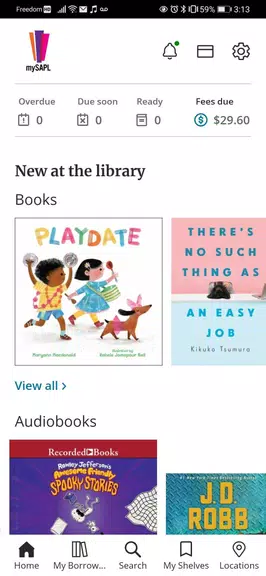
mySAPL is a mobile productivity app designed to centralize task management, document access, and personalized workflows into a single interface. It streamlines daily operations for professionals and teams by combining cloud syncing, role-based views, and quick record search, helping users stay organized without switching between multiple tools.
mySAPL focuses on practical utility rather than flashy extras. The app packages essential office functions—file retrieval, task lists, alerts, and basic reporting—into a compact Android client. It targets users who need fast access to structured data and reliable synchronization across devices.
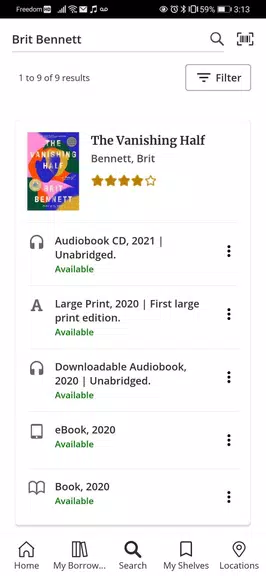
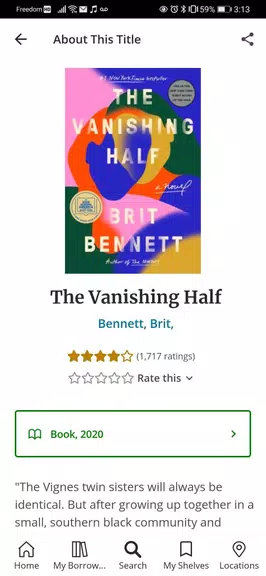
The workflow in mySAPL is straightforward: users sign in, select a workspace or module, and interact with entries through list and detail views. Item-level actions such as annotate, forward, or mark complete are available with one or two taps. Built-in filters and saved searches make repetitive queries efficient.
mySAPL emphasizes lightweight but powerful tools. The document viewer supports common formats, while a mini editor lets users add notes and perform simple updates. Integration hooks enable it to push updates to back-end systems, and APIs allow IT teams to map fields to existing databases.
The interface is designed for speed: a clean navigation bar, readable typography, and logically grouped actions reduce friction. Performance is tuned for mid-range devices, prioritizing quick list rendering and fast search. Background sync tasks run silently to keep the experience responsive.
Administrators can configure module visibility and default filters, while individual users can pin frequently accessed items. This balance helps organizations enforce standard workflows while allowing end users to tailor the interface to their daily routines.
Users often note the short learning curve and the clarity of role-specific layouts. mySAPL is not overloaded with settings, which benefits teams that value consistency and predictable navigation. The app also provides contextual help and concise in-app tips that guide first-time users through common tasks.
Security is a central consideration: mySAPL supports standard authentication methods, session management, and optional data encryption. Administrators can define permissions and audit logs to monitor access and changes. These controls help maintain compliance and protect sensitive workflows.
Installation is typical for Android apps: download and install, then sign in with credentials provided by your organization or create an account if self-hosted access is available. Initial setup walks administrators through workspace configuration and user role mapping.
For teams that need a focused, practical mobile client to handle records, approvals, and quick lookups, mySAPL delivers a concise set of tools with sensible defaults, predictable performance, and straightforward administration. The app suits professionals who prefer minimal complexity and reliable access to structured information on the go.
Bangla Quran
Size:13.14M News & MagazinesWAZ News
Size:24.20M News & MagazinesThe Daily Telegraph
Size:94.80M News & MagazinesBookmory - reading tracker
Size:9.34M News & MagazinesComic Reader CBR, CBZ & PDF
Size:97.80M News & MagazinesGalatea: Books & Audiobooks
Size:166.69M News & MagazinesOxford Dictionary of English
Size:92.33M News & MagazinesTimes Of India
Size:26.12M News & MagazinesLife Bible
Size:147.10M News & MagazinesRabbana Duas from Quran
Size:37.50M News & MagazinesFizika(Maktab darsliklari)
Size:191.20M News & MagazinesDavid Jeremiah Devotional
Size:13.00M News & MagazinesApril 2024 Clash of Clans Update: Unveiling a Fresh Companion, Enhanced Levels, Chat Tagging, and Be
2024-04-16Arrival of Genshin Impact 4.6 Update: 'Embers of Two Realms, Twilight of Crimson'
2024-04-16V2.2 of the Farlight 84 update introduces an overhauled Season structure, fresh in-game currency, an
2024-04-16Monster Never Cry is now accessible on both Android and iOS mobile devices.
2024-04-18PUBG Mobile Teams Up with Bentley Motors: Luxury Cars, Exclusive Collectibles, and Beyond
2024-04-18March 2024 Free Redemption Codes for Honkai: Star Rail
2024-04-18