English
HFonts - font & emoji manager brings straightforward typography and emoji customization to Android devices, letting you browse, preview, install, and switch typefaces and emoji packs with minimal fuss. The app focuses on safe, reversible changes and guides you through compatibility checks and backups so you can personalize system text appearance without deep technical knowledge. HFonts - font & emoji manager is designed for users who want control over fonts and emoji while keeping settings recoverable and understandable.
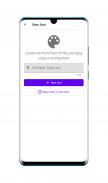
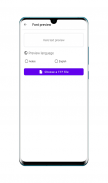
The core purpose of this utility is practical personalization. Instead of asking you to perform risky system modifications, the app provides a clear workflow: discover fonts and emoji styles, preview how they will appear in common UI elements, import files from local storage, run compatibility tests, and apply changes with rollback options. It supports batch operations for efficiency and keeps a local backup history so you always have a restore point if something behaves unexpectedly.
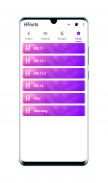
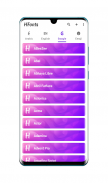
Navigation is organized into logical sections that act as a level structure for customization: Library, Installed, Backups, and Settings. Controls are gesture-friendly and accessible, with large previews and concise labels for each action. Preview mode shows how fonts render at a range of sizes and line heights, and emoji previews demonstrate how different styles appear in message bubbles and system dialogs. Touch interactions such as long press for details and swipe to remove make routine tasks quick and predictable.
Customization in the app is layered so users can progress from simple changes to more detailed tweaks. New users can pick a curated font and apply it in one tap, while more experienced users can fine-tune weight, scale, and line spacing. As you build familiarity, the progression is natural: start with a sample font, create a favorites collection, try a batch install, and then export a settings snapshot to keep or share. This gradual learning path encourages experimentation while reducing risk.
The app emphasizes honest previews that reflect real system rendering as closely as possible. Sample text is displayed across several UI contexts and contrast settings so you can assess readability and aesthetic fit. For emoji packs, previews include common expressions and multi-platform comparisons where available. The UI itself uses neutral, high-contrast elements so design choices remain the focus rather than the app chrome.
Because Android variations and manufacturer skins sometimes restrict systemwide font changes, the app performs compatibility checks before making any modification. If a restriction is detected, HFonts suggests safe fallbacks and documents which apps or areas might not update immediately. These built-in challenge systems reduce trial and error and provide step-by-step recommendations for common device quirks.
Backups are central to the user experience. The app creates snapshots of typography and emoji settings that you can restore anytime, and it also lets you export settings files for manual archival. Many operations work entirely offline when you install fonts from local files, so personalization is possible without an active network connection. This offline capability ensures privacy for locally sourced typefaces and greater reliability when internet access is limited.
Accessibility is treated as a first-class concern: adjustable font scaling, line spacing controls, and support for high-contrast previews help users with low vision or dyslexia evaluate options before applying them. The app strives to be compatible with screen readers and provides short contextual hints on each screen to reduce dependence on external documentation.
Practical usage patterns include starting every session with a backup, testing a single font or emoji pack before batch installs, and marking dependable choices as favorites for quick switching. Regularly exporting snapshots after you find a stable setup creates a personal archive that speeds recovery after system updates. The help section contains troubleshooting notes for common manufacturer limitations and links to community guides for advanced scenarios.
By balancing clarity, control, and safety, HFonts - font & emoji manager helps users personalize their devices without committing to complex developer workflows. The app is useful for people who want subtle typographic improvements for readability, expressive emoji styles for messaging, or a consistent visual language across apps. With straightforward controls, reliable previews, and robust backups, it reduces friction and makes typography customization approachable on a wide range of Android devices.

Lines Gold Pro - Icon Pack
Size:65.13M PersonalizationFlight Dark Pro - Icon Pack
Size:48.36M PersonalizationAres Light: Pastel Icon Pack
Size:79.87M PersonalizationDots Live Wallpaper - Battery
Size:8.44M PersonalizationChroma - Icon Pack
Size:51.41M PersonalizationOne UI Fluffy Icon Pack
Size:79.19M PersonalizationPixly Limitless Fluo Icon Pack
Size:110.46M PersonalizationPixly Professional Dark
Size:77.11M PersonalizationPixly Paint - Icon Pack
Size:125.78M PersonalizationWatch Faces by Watch Base
Size:9.40M PersonalizationPixly Dark 3D - Icon Pack
Size:106.58M PersonalizationLena Black - Glyph Icon Pack
Size:17.59M PersonalizationApril 2024 Clash of Clans Update: Unveiling a Fresh Companion, Enhanced Levels, Chat Tagging, and Be
2024-04-16Arrival of Genshin Impact 4.6 Update: 'Embers of Two Realms, Twilight of Crimson'
2024-04-16V2.2 of the Farlight 84 update introduces an overhauled Season structure, fresh in-game currency, an
2024-04-16Monster Never Cry is now accessible on both Android and iOS mobile devices.
2024-04-18PUBG Mobile Teams Up with Bentley Motors: Luxury Cars, Exclusive Collectibles, and Beyond
2024-04-18March 2024 Free Redemption Codes for Honkai: Star Rail
2024-04-18