English
Shift Work is an app designed to help service providers discover job opportunities and manage day-to-day assignments from a single, streamlined platform. The app places job discovery and task management side by side so independent technicians, contractors, and in-house staff can find work, accept assignments, and keep a clear record of responsibilities without juggling several tools.
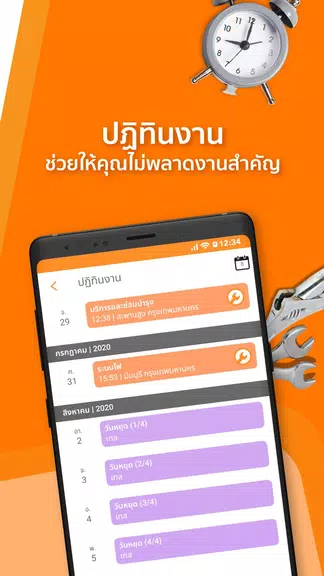
The Shift Work interface consolidates postings, claims, and task tracking in one place. Providers can browse available assignments by category, read task details, and accept or decline with a single tap. Each assignment includes a structured task sheet where users can view requirements, mark checklist items complete, add short notes, and attach photos or documents where relevant. In-app notifications keep users informed about new opportunities and updates to assigned tasks so coordination does not depend on email or separate messaging apps.
Controls are optimized for quick, on-the-go use: tapping opens detailed views, a swipe action advances status updates, and simple form fields capture completion notes and basic timesheet entries. The app uses clear call-to-action buttons and contextual prompts so providers can accept an assignment, update progress, or report completion with minimal friction. These interaction patterns are intended to reduce the time spent managing work and increase time available for actual service delivery.
Shift Work keeps a running history of completed assignments and basic productivity metrics that help individual providers track hours and repeat work. The activity log makes it easier to audit past tasks or reconstruct a recent workflow, and recurring jobs can be saved as templates for faster acceptance. Rather than a gaming-style progression, the system emphasizes reliable record-keeping and repeatable processes that demonstrate consistency and build a practical portfolio of completed tasks.
The app favors a clean, readable layout with high-contrast elements and adjustable text sizes to improve legibility in varied environments. Visual cues such as color-coded statuses and clear icons help users scan their task lists quickly, and the interface is designed to be compatible with common accessibility features such as screen readers and larger font settings. This approach aims to support a wide range of users and working conditions without relying on flashy visuals.
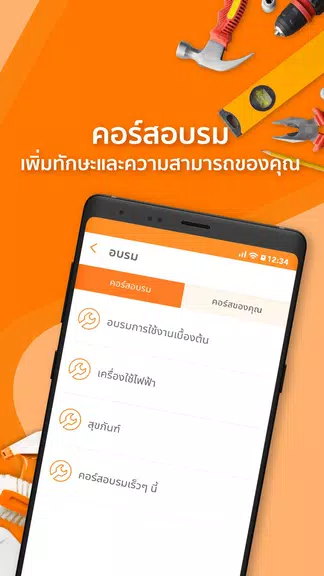
Work is organized into logical categories and priority levels so users can filter assignments by type or urgency. Each category contains its own set of typical task attributes, making it straightforward to understand what a job requires before accepting it. The structure supports both one-off jobs and ongoing assignments by clearly separating immediate tasks from longer-term projects within a provider's dashboard.
Shift Work lets users personalize their profiles and save commonly used task templates for recurring workflows. Providers can set preferred job categories and availability windows so the app surfaces relevant assignments more promptly. For organizations, simple role settings allow teams to define who posts tasks, who claims them, and who oversees completion, enabling internal use without separate software for scheduling and oversight.
The app is built to be resilient when connectivity is intermittent: basic task details and assigned work are available offline, and status updates or notes entered while offline are queued and synchronized automatically when a connection is restored. This behavior reduces the risk of losing progress in the field and supports continuity in environments with weak or variable network service.
Onboarding in Shift Work is focused on practical setup steps: creating a concise profile, selecting service categories, and walking through a sample assignment. Organizations can configure simple workflows and invite team members to use the same platform for posting and monitoring tasks. Adoption typically requires a short adjustment period as teams align processes, after which the centralized approach often reduces the time spent coordinating across multiple tools.
Shift Work emphasizes scheduling and task management rather than describing every possible integration or advanced automation; some organizations may need time to adapt existing processes and configure the app to match their preferred workflows. The app is best suited for users seeking a single hub to post, claim, and monitor assignments while keeping clear records of completed work and basic productivity metrics.


Pizzaria do Erick
Size:19.12M LifestyleMy Hurricane Tracker Pro
Size:4.73M LifestylePushscroll
Size:61.25M LifestyleSmartWOD Timer
Size:26.75M LifestyleMeteum Weather
Size:63.84M LifestyleBestifyMe
Size:13.80M LifestyleWeatherPro
Size:48.30M LifestyleEmpower You: Unlimited Audio
Size:80.20M LifestyleAdobe Express
Size:107.80M LifestyleGeoZilla
Size:63.92M LifestyleONEWallet - Cards Wallet
Size:15.00M LifestyleFloor Plan Creator Home Design
Size:40.91M LifestyleApril 2024 Clash of Clans Update: Unveiling a Fresh Companion, Enhanced Levels, Chat Tagging, and Be
2024-04-16Arrival of Genshin Impact 4.6 Update: 'Embers of Two Realms, Twilight of Crimson'
2024-04-16V2.2 of the Farlight 84 update introduces an overhauled Season structure, fresh in-game currency, an
2024-04-16Monster Never Cry is now accessible on both Android and iOS mobile devices.
2024-04-18PUBG Mobile Teams Up with Bentley Motors: Luxury Cars, Exclusive Collectibles, and Beyond
2024-04-18March 2024 Free Redemption Codes for Honkai: Star Rail
2024-04-18