English
Geobooker is a location-focused productivity app built to organize, annotate, and manage places on a map. It combines smart tagging, route planning, and offline maps so professionals and travelers can store geotagged notes, schedule site visits, and coordinate routes with minimal setup and intuitive controls.
Geobooker is designed for users who need quick access to geospatial information without navigating complex GIS tools. The app centers on creating and organizing location entries, attaching photos, deadlines, and notes, and sharing selected entries with colleagues. Its streamlined workflow brings mapping, calendar reminders, and export tools into a single interface.
Getting started with Geobooker is straightforward. Create a new project, add markers by dropping pins or importing a list, and populate each entry with tags and notes. The app’s search and filter panel lets you combine tags, date ranges, and distance constraints to surface exactly the entries you need. When you need to visit multiple sites, the route planner produces an optimized itinerary and estimates travel time based on your transport mode.
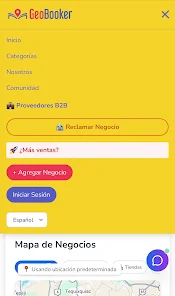
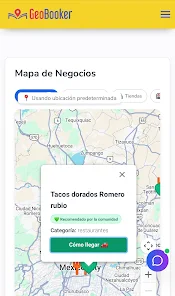
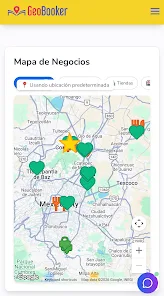
The interface focuses on clarity: a map view occupies the main area while side panels provide quick access to lists and filters. Buttons and actions are labeled clearly, reducing the learning curve. Map layers can be toggled to show satellite imagery, traffic, or a simple street map. For professionals on the move, the compact layout keeps important actions one tap away.
Geobooker emphasizes responsive performance even with large datasets. The app uses incremental loading and local caching so hundreds of markers do not slow down map interaction. Offline map packs are managed per region to reduce storage use while still offering dependable navigation when cellular coverage drops. Battery-friendly options limit background GPS polling during extended fieldwork.
Customization options allow users to tailor the experience. Create custom tags and templates for new markers, adjust map styles, and choose default units for distances. Geobooker supports importing and exporting common formats so data flows into spreadsheets or GIS systems. Calendar sync and simple sharing links make it easy to coordinate with team members without complex account setups.
Many choose Geobooker because it balances ease-of-use with practical tools for real-world workflows. It removes unnecessary complexity while retaining powerful options like batch edits, route optimization, and cross-format exports. The app’s straightforward design and dependable offline behavior mean teams can rely on it during demanding fieldwork.
Installing Geobooker takes only a few moments from the app store. After a quick onboarding tour, add a sample marker and explore the filter panel to become familiar with the main functions. For teams, consider exporting an initial template so every member uses the same tags and fields. Regularly back up projects to maintain data integrity during extended operations.

Pizzaria do Erick
Size:19.12M LifestyleMy Hurricane Tracker Pro
Size:4.73M LifestylePushscroll
Size:61.25M LifestyleSmartWOD Timer
Size:26.75M LifestyleMeteum Weather
Size:63.84M LifestyleBestifyMe
Size:13.80M LifestyleWeatherPro
Size:48.30M LifestyleEmpower You: Unlimited Audio
Size:80.20M LifestyleAdobe Express
Size:107.80M LifestyleGeoZilla
Size:63.92M LifestyleONEWallet - Cards Wallet
Size:15.00M LifestyleFloor Plan Creator Home Design
Size:40.91M LifestyleApril 2024 Clash of Clans Update: Unveiling a Fresh Companion, Enhanced Levels, Chat Tagging, and Be
2024-04-16Arrival of Genshin Impact 4.6 Update: 'Embers of Two Realms, Twilight of Crimson'
2024-04-16V2.2 of the Farlight 84 update introduces an overhauled Season structure, fresh in-game currency, an
2024-04-16Monster Never Cry is now accessible on both Android and iOS mobile devices.
2024-04-18PUBG Mobile Teams Up with Bentley Motors: Luxury Cars, Exclusive Collectibles, and Beyond
2024-04-18March 2024 Free Redemption Codes for Honkai: Star Rail
2024-04-18