English
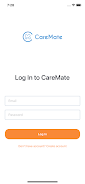
Caremate is a caregiving and health management app built to simplify the everyday routines of caregivers and families, and Caremate puts medication schedules, appointment reminders and health records into a single, easy-to-navigate place so small teams can focus on care rather than paperwork.
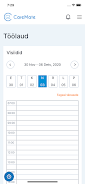
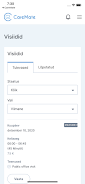
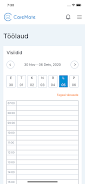
Caremate centralizes core care tasks: medication timing and adherence tracking, a shared calendar for shifts and visits, searchable health profiles, secure messaging and the ability to generate basic reports for clinicians or family review. The app is designed to reduce administrative overhead by keeping timelines, logs and alerts visible at a glance so caregivers can respond to changes without flipping between paper notes or multiple apps.
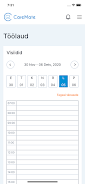
In daily use the app highlights immediate needs on a compact dashboard: next medications, upcoming appointments and unread messages. Tasks are completed with simple interactions such as tapping to confirm a dose, opening a focused entry to add notes, or scheduling a follow-up from the same view. Templates and quick-add helpers speed repetitive entries, and a history view helps users review adherence patterns and prepare concise summaries for clinicians.
The interface prioritizes legibility and low visual clutter: generous type sizes, clear contrast and consistent iconography make information easy to scan during busy moments. Animations are minimal and purposeful to preserve responsiveness on a wide range of Android devices, and the overall visual style is neutral and functional so content remains the focus rather than decorative flourishes.
Onboarding guides new users through a short progression: set up an account, add a care recipient, populate a week of medications and schedule critical appointments. From there the app supports an iterative workflow where plans evolve over time—users can adjust dosage times, duplicate recurring schedules, and rely on adherence summaries to see whether a routine is working or needs refinement. This approach makes the app useful from day one and more valuable as records accumulate.
Notification settings and sharing permissions are configurable per recipient so families can choose what information is visible to which contacts. Reminder cadence, delivery channels and privacy levels can be tuned; the app supports device security options such as PIN or biometric locks to protect sensitive information. Exports to PDF or CSV provide portable records that can be shared with clinicians while keeping the in-app view focused on everyday needs.
Caremate is engineered to work reliably with intermittent connectivity: lightweight local storage keeps the latest data available offline and background sync ensures changes propagate when a connection returns. The app aims to remain responsive on lower-end phones by minimizing heavy background processing and using compact data formats for logs and reports.
Large touch targets, clear labels and straightforward navigation help users with limited dexterity or vision to operate the app confidently. The design anticipates common accessibility needs: adjustable text scales, high-contrast elements and predictable layouts that work well with screen readers and external keyboards provided by the device or platform.
Caremate offers simple export options to create clinician-friendly summaries and supports attaching photos or documents to messages to provide context for a care event. While the app streamlines home- and family-centered management, users with complex clinical needs should evaluate whether deeper integration with professional electronic health record systems is necessary; the app focuses on clarity and portability rather than replacing specialized hospital-grade systems.
Begin by adding one care recipient and entering a week’s medications and appointments, then invite family members or professional caregivers to join. Test reminders, confirm message delivery to distant contacts and regularly review the medication history to spot patterns. With these small steps Caremate can move quickly from a planning tool to a dependable daily companion that reduces errors, improves communication and keeps everyone on the same page.
Pushscroll
Size:61.25M LifestyleSmartWOD Timer
Size:26.75M LifestyleMeteum Weather
Size:63.84M LifestyleBestifyMe
Size:13.80M LifestyleWeatherPro
Size:48.30M LifestyleEmpower You: Unlimited Audio
Size:80.20M LifestyleAdobe Express
Size:107.80M LifestyleGeoZilla
Size:63.92M LifestyleONEWallet - Cards Wallet
Size:15.00M LifestyleFloor Plan Creator Home Design
Size:40.91M LifestyleBoard Game Stats
Size:30.70M LifestyleI am - Daily affirmations
Size:118.20M LifestyleApril 2024 Clash of Clans Update: Unveiling a Fresh Companion, Enhanced Levels, Chat Tagging, and Be
2024-04-16Arrival of Genshin Impact 4.6 Update: 'Embers of Two Realms, Twilight of Crimson'
2024-04-16V2.2 of the Farlight 84 update introduces an overhauled Season structure, fresh in-game currency, an
2024-04-16Monster Never Cry is now accessible on both Android and iOS mobile devices.
2024-04-18PUBG Mobile Teams Up with Bentley Motors: Luxury Cars, Exclusive Collectibles, and Beyond
2024-04-18March 2024 Free Redemption Codes for Honkai: Star Rail
2024-04-18