English
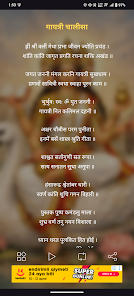
Gayatri Chalisa With Audio brings the traditional Gayatri Chalisa chant into a compact mobile app, combining clear recitation, synchronized text display, and background playback for daily devotions. It helps users listen, learn, and follow along with high-quality audio and an easy-to-navigate interface designed for devotional practice.
Designed for people who want a focused devotional companion, Gayatri Chalisa With Audio packages a readable text version, narrated audio, and simple playback controls in one place. The app aims to reduce friction for regular recitation by delivering a lightweight experience that works both online and offline.
The interface emphasizes readability and minimal distraction. Fonts are legible with a contrast theme suitable for morning and evening use. Buttons for play, pause, rewind, and repeat are large and clearly labeled, reducing the learning curve for first-time users. Visual cues accompany audio playback so you always know which verse is being recited.
Gayatri Chalisa With Audio synchronizes voice and text in real time. As each line is spoken, the corresponding verse becomes highlighted. That makes it straightforward to follow along during group recitations or personal sadhana. The app also includes an option to hide the text for silent listening or background practice.
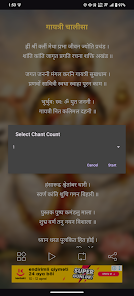
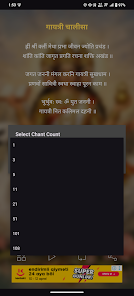
Beyond basic playback, the app includes several practical additions that support consistent devotional routines. Users can set loop counts for a set number of repetitions or enable continuous play for extended sessions. The sleep timer lets the audio stop after a chosen period, useful for evening listening.
Gayatri Chalisa With Audio is optimized to run smoothly on a wide range of Android devices. Audio files are compressed without noticeable quality loss, and the app conserves battery by pausing playback when the screen is off unless background play is explicitly enabled. Memory footprint is small, making the app suitable for older phones.
The app includes clear Devanagari and transliteration options to help non-native readers. Larger font sizes and simple navigation help users with limited tech familiarity. Those seeking a quieter experience can enable captions or switch off background sounds used in some recitations.
Many devotees appreciate Gayatri Chalisa With Audio for its focused approach and practical controls. The combination of synced text and clear audio is especially useful for learners, while experienced users value the customization options for sustained recitation. The app’s lightweight design and offline capabilities make it reliable for travel and daily use.
Installation is typical for Android apps: download, grant minimal permissions for storage if you plan to save audio, and select any initial preferences such as font size and playback speed. Within minutes you can begin a guided listening session or explore customization settings to match your devotional style.
Whether you want to memorize verses, maintain a daily chanting habit, or simply listen for spiritual relaxation, Gayatri Chalisa With Audio provides a straightforward, respectful tool that focuses on usability and sound quality to support your practice.

Pushscroll
Size:61.25M LifestyleSmartWOD Timer
Size:26.75M LifestyleMeteum Weather
Size:63.84M LifestyleBestifyMe
Size:13.80M LifestyleWeatherPro
Size:48.30M LifestyleEmpower You: Unlimited Audio
Size:80.20M LifestyleAdobe Express
Size:107.80M LifestyleGeoZilla
Size:63.92M LifestyleONEWallet - Cards Wallet
Size:15.00M LifestyleFloor Plan Creator Home Design
Size:40.91M LifestyleBoard Game Stats
Size:30.70M LifestyleI am - Daily affirmations
Size:118.20M LifestyleApril 2024 Clash of Clans Update: Unveiling a Fresh Companion, Enhanced Levels, Chat Tagging, and Be
2024-04-16Arrival of Genshin Impact 4.6 Update: 'Embers of Two Realms, Twilight of Crimson'
2024-04-16V2.2 of the Farlight 84 update introduces an overhauled Season structure, fresh in-game currency, an
2024-04-16Monster Never Cry is now accessible on both Android and iOS mobile devices.
2024-04-18PUBG Mobile Teams Up with Bentley Motors: Luxury Cars, Exclusive Collectibles, and Beyond
2024-04-18March 2024 Free Redemption Codes for Honkai: Star Rail
2024-04-18