English
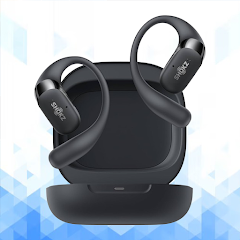
Shokz OpenFit Pro Guide is a companion app tailored to help users get the most from their Shokz OpenFit Pro earbuds. It provides step-by-step setup, personalization of audio and controls, firmware updates, and practical troubleshooting tips so you can optimize comfort, connectivity, and battery life quickly.
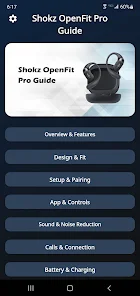
The Shokz OpenFit Pro Guide consolidates device management tools into a single, intuitive interface. Users can adjust equalizer presets, map button functions, monitor battery status, and apply fit suggestions based on activity. The app is designed for both quick adjustments before a workout and deeper configuration when you want to fine-tune performance.
The interface emphasizes clarity: core controls are accessible from the home screen while advanced sections sit behind clearly labeled tabs. Notifications alert you to available firmware updates and pairing issues. With touch-friendly controls and concise status readouts, the app minimizes steps required for common tasks so you spend less time configuring and more time listening.
Whether you’re preparing for a run, commuting, or taking calls, the Shokz OpenFit Pro Guide adapts to real situations. Use the ambient mode and transparency adjustments for safe outdoor awareness, switch to an enhanced vocal EQ for podcasts, or enable low-latency settings for video playback. Saved profiles let you switch presets with a single tap.
The app is optimized for recent Android releases and supports a wide range of devices with Bluetooth LE. Background connections are handled efficiently to preserve battery life while maintaining a stable audio link. If your phone supports location-based services, the app can offer contextual tips such as volume suggestions for noisy environments.
Beyond basic equalizer controls, the app includes custom scenes where you can combine EQ, ambient settings, and control behavior. Create a ‘‘Gym’’ scene that boosts bass and disables notifications, or a ‘‘Focus’’ scene that prioritizes voice clarity and enables an inward-facing microphone for calls.
Automatic checks and manual update options allow you to keep firmware current. The Shokz OpenFit Pro Guide stages downloads and applies updates with clear progress indicators and safety checks to prevent interruptions during critical operations. Update logs describe what each firmware version improves or fixes.
Built-in diagnostics walk you through common issues like intermittent connection, low audio levels, or inconsistent button response. Step-by-step troubleshooting includes resets, re-pair procedures, and suggestions for resolving interference. Contact links and support resources are accessible directly from the app for more advanced assistance.
Download the app, enable Bluetooth, and follow the on-screen pairing guide. The Shokz OpenFit Pro Guide will detect the headset and suggest an initial fit check. From there, explore EQ presets and set up one custom profile. The onboarding process typically takes less than five minutes for a smooth first experience.
Owners of Shokz OpenFit Pro earbuds who want straightforward device control, personalized audio, and reliable firmware updates will benefit most. The app streamlines routine maintenance while offering deeper configuration for users who want to refine sound and behavior.
Overall, the Shokz OpenFit Pro Guide emphasizes simplicity, practical features, and reliable performance to keep your audio experience consistent and tailored to your daily activities.

Pushscroll
Size:61.25M LifestyleSmartWOD Timer
Size:26.75M LifestyleMeteum Weather
Size:63.84M LifestyleBestifyMe
Size:13.80M LifestyleWeatherPro
Size:48.30M LifestyleEmpower You: Unlimited Audio
Size:80.20M LifestyleAdobe Express
Size:107.80M LifestyleGeoZilla
Size:63.92M LifestyleONEWallet - Cards Wallet
Size:15.00M LifestyleFloor Plan Creator Home Design
Size:40.91M LifestyleBoard Game Stats
Size:30.70M LifestyleI am - Daily affirmations
Size:118.20M LifestyleApril 2024 Clash of Clans Update: Unveiling a Fresh Companion, Enhanced Levels, Chat Tagging, and Be
2024-04-16Arrival of Genshin Impact 4.6 Update: 'Embers of Two Realms, Twilight of Crimson'
2024-04-16V2.2 of the Farlight 84 update introduces an overhauled Season structure, fresh in-game currency, an
2024-04-16Monster Never Cry is now accessible on both Android and iOS mobile devices.
2024-04-18PUBG Mobile Teams Up with Bentley Motors: Luxury Cars, Exclusive Collectibles, and Beyond
2024-04-18March 2024 Free Redemption Codes for Honkai: Star Rail
2024-04-18