English
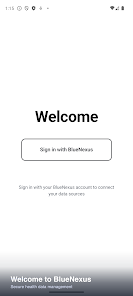
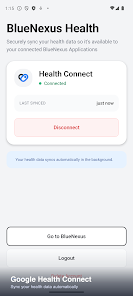
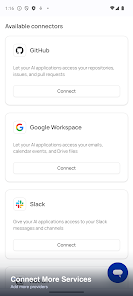
BlueNexus is a productivity-focused Android app designed to centralize file sharing, device discovery, and secure connections across networks. It streamlines transfers between phones, tablets, and PCs while offering fine-grained controls for privacy and speed, making cross-device workflows simpler for mobile professionals and casual users alike.
At its heart, BlueNexus acts as a lightweight hub for discovering nearby devices and exchanging files without cloud intermediaries. The app supports Wi-Fi Direct and local network transfers, enabling fast movement of photos, documents, and application packages. It also includes encrypted channels for private exchanges and a device history log to track recent activity.
The interface emphasizes clarity: an at-a-glance device list, clear transfer status indicators, and swipe gestures for common tasks. New transfers begin from a prominent action button, while settings are grouped under network, security, and appearance categories. The layout adapts to different screen sizes, ensuring controls remain accessible on compact phones and larger tablets.
BlueNexus integrates with native Android intents so users can share from galleries, file managers, and browsers directly into the app. A built-in file viewer handles images, text, and compressed archives without leaving BlueNexus, while export options let recipients save items to preferred locations. For frequent workflows, the app offers quick-pair shortcuts and pinned device favorites to reduce repetitive setup.
Privacy features are central to the app’s design. Transfer sessions can be confirmed with one-time PINs or QR codes to avoid unauthorized connections. Optional end-to-end encryption secures payloads during transit, and permission prompts are scoped to the minimum needed to operate. Users can review and revoke device pairings from a single security dashboard.
BlueNexus is optimized for minimal battery impact during idle discovery and prioritizes local network throughput when performing transfers. The app negotiates the fastest available protocol between devices and falls back gracefully when certain capabilities are not present. Compatibility spans recent Android versions and includes support for cross-platform clients via a lightweight desktop companion.
Power users will appreciate advanced transfer controls such as bandwidth limiting, scheduled synchronization tasks, and batch queuing with conflict resolution rules. The app exposes an activity log for auditing transfers and provides retry logic for interrupted sends. Developers can tap into an API to script automated exchanges between devices in a trusted local environment.
Customization options let users tailor their experience: dark and light themes, compact or spacious list views, and customizable notification behavior. Accessibility support includes adjustable font sizes, screen reader compatibility, and high-contrast settings to make the app approachable for a wide range of users.
To begin, install BlueNexus on your Android device and grant the basic permissions requested during setup. Enable local network discovery and scan for nearby devices or share a QR code to pair. Transfers start with a simple tap and display progress with estimated time and speed metrics, helping you manage large file moves with confidence.
For anyone who frequently moves data between devices without relying on cloud services, BlueNexus offers a secure, fast, and user-centric solution. The balance of straightforward operation and deeper configuration makes it suitable for daily tasks and specialized workflows alike. Regular updates keep compatibility current and introduce incremental improvements based on user feedback.
BlueNexus includes an in-app help center with troubleshooting guides and a feedback channel to report issues or suggest enhancements. The development roadmap emphasizes reliability and interoperability, with periodic releases that refine performance and expand device support.
Download BlueNexus to simplify your device-to-device transfers, tighten control over local data flows, and reduce dependence on third-party hosting. The app combines practical tools with thoughtful design to improve how files move across your digital ecosystem.
Pushscroll
Size:61.25M LifestyleSmartWOD Timer
Size:26.75M LifestyleMeteum Weather
Size:63.84M LifestyleBestifyMe
Size:13.80M LifestyleWeatherPro
Size:48.30M LifestyleEmpower You: Unlimited Audio
Size:80.20M LifestyleAdobe Express
Size:107.80M LifestyleGeoZilla
Size:63.92M LifestyleONEWallet - Cards Wallet
Size:15.00M LifestyleFloor Plan Creator Home Design
Size:40.91M LifestyleBoard Game Stats
Size:30.70M LifestyleI am - Daily affirmations
Size:118.20M LifestyleApril 2024 Clash of Clans Update: Unveiling a Fresh Companion, Enhanced Levels, Chat Tagging, and Be
2024-04-16Arrival of Genshin Impact 4.6 Update: 'Embers of Two Realms, Twilight of Crimson'
2024-04-16V2.2 of the Farlight 84 update introduces an overhauled Season structure, fresh in-game currency, an
2024-04-16Monster Never Cry is now accessible on both Android and iOS mobile devices.
2024-04-18PUBG Mobile Teams Up with Bentley Motors: Luxury Cars, Exclusive Collectibles, and Beyond
2024-04-18March 2024 Free Redemption Codes for Honkai: Star Rail
2024-04-18