English
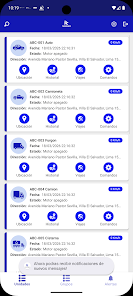
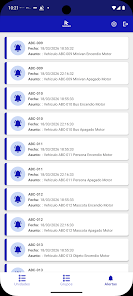
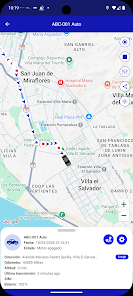
NAVEGAYA is a compact navigation and trip-planning app that blends real-time routing, offline maps, and multi-stop itinerary management into one interface. It helps commuters and travelers find efficient routes, avoid delays, and save maps for offline use while keeping directions clear and customizable for different travel modes.
NAVEGAYA targets users who need a dependable map tool without excess clutter. It groups live traffic, public transport options and pedestrian routes into a single view. The app prioritizes quick searches and fast map rendering so you can get directions without a long wait, even on older devices.
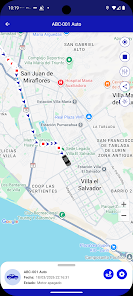
The interface favors legibility: large labels, contrast modes and a map-first layout. Map tiles load progressively for a smooth zoom experience. Controls are placed within thumb reach, and the search bar returns results quickly thanks to local caching. Users report low battery impact when background tracking is disabled.
Routing balances speed and reliability. When you enter a destination, the engine calculates several route options and marks estimated delay sources. For multi-stop trips, the planner can suggest an optimized sequence or follow the order you specify. Transit trips include walking times and platform details where available.
NAVEGAYA includes practical helpers that suit daily commuters and occasional travelers alike. A favorites list stores frequent places, while the calendar sync can convert appointments into navigation tasks. There’s a shareable ETA feature so contacts receive a live arrival estimate. For delivery or field workers, exportable GPX and route summaries help coordinate tasks.
Several personalization options let you tailor the experience: select vehicle type (car, bike, walk), toggle toll or ferry avoidance, and choose map styles including satellite and night mode. Map detail density is adjustable to reduce clutter on small screens. You can also set units and voice language independently.
Performance is a strong point. The app uses compressed tile storage to limit disk space while keeping offline areas ready. Memory footprint scales down when you close the map view. Updates to routing logic arrive incrementally, minimizing large downloads. Users on limited data plans can restrict background sync and auto-updates.
Permissions are focused on location, storage for offline maps, and optional calendar access. Location tracking can be restricted to active navigation sessions. Map data is stored locally if you choose offline mode, which adds an extra layer of privacy compared with continuous cloud dependency.
Getting started is straightforward: set your preferences, add a couple of favorite places, and run a short test route to familiarize yourself with voice prompts and map gestures. Keep the app updated to receive new map data and feature improvements.
People choose NAVEGAYA when they want an efficient, no-nonsense navigation tool that works both online and offline. It blends essential features with a clean, responsive interface and sensible privacy controls. Whether you need a reliable daily commuter app or a planner for weekend trips, its feature set covers most navigation scenarios without unnecessary complexity.


Pushscroll
Size:61.25M LifestyleSmartWOD Timer
Size:26.75M LifestyleMeteum Weather
Size:63.84M LifestyleBestifyMe
Size:13.80M LifestyleWeatherPro
Size:48.30M LifestyleEmpower You: Unlimited Audio
Size:80.20M LifestyleAdobe Express
Size:107.80M LifestyleGeoZilla
Size:63.92M LifestyleONEWallet - Cards Wallet
Size:15.00M LifestyleFloor Plan Creator Home Design
Size:40.91M LifestyleBoard Game Stats
Size:30.70M LifestyleI am - Daily affirmations
Size:118.20M LifestyleApril 2024 Clash of Clans Update: Unveiling a Fresh Companion, Enhanced Levels, Chat Tagging, and Be
2024-04-16Arrival of Genshin Impact 4.6 Update: 'Embers of Two Realms, Twilight of Crimson'
2024-04-16V2.2 of the Farlight 84 update introduces an overhauled Season structure, fresh in-game currency, an
2024-04-16Monster Never Cry is now accessible on both Android and iOS mobile devices.
2024-04-18PUBG Mobile Teams Up with Bentley Motors: Luxury Cars, Exclusive Collectibles, and Beyond
2024-04-18March 2024 Free Redemption Codes for Honkai: Star Rail
2024-04-18