English
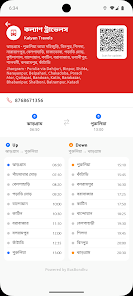
BusBondhu – Where is my bus? is a commuter-focused Android tool that shows live bus locations and estimated arrival times using a mix of official transit GPS feeds and crowd-sourced confirmations. The app helps riders reduce waiting uncertainty by displaying moving vehicles on a map, sending approach notifications, and letting you save frequently used stops so your daily trips become easier to plan.
The core idea behind BusBondhu – Where is my bus? is to combine agency feeds with timely rider reports so the displayed picture of service stays useful even when official data lags. A background process merges real-time GPS, traffic context and user confirmations to generate dynamic ETAs that update frequently without draining the battery. The app focuses on practical accuracy: it highlights deviations, skipped stops and service disruptions so you can choose the best option quickly.
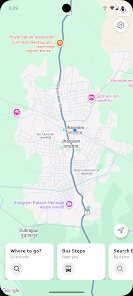
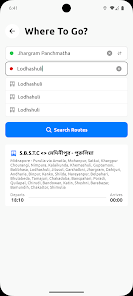
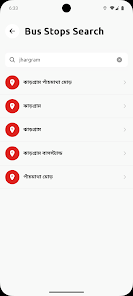
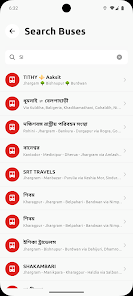
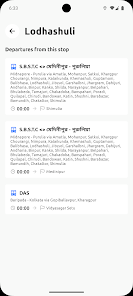
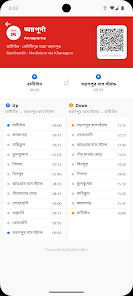
Interaction centers on a zoomable map and a simple list of favorites. Pan and pinch to explore routes, tap any vehicle icon to open route details and upcoming stops, or select a stop to see the next departures. Search by route number or let the app find nearby stops using your location. Favorites and recent searches are accessible from the main screen so common journeys require just one tap.
Rather than a game-style progression, the app offers a practical progression system that adapts to your routine: the more routes and stops you save, the faster the app surfaces relevant information. New users can complete a short onboarding to add home and work stops, after which BusBondhu prioritizes those lines and learns which notifications you prefer. Over time the app tailors the display density and suggested transfers to your travel patterns.
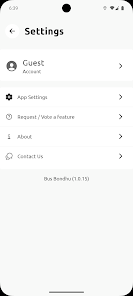
Notification settings let you control when and how you receive alerts. Choose lead times for approach notices, enable quiet hours to suppress nonurgent messages, and limit push alerts to favorites only. Display settings include map marker density and compact or roomy list views, so you can reduce clutter during busy commutes. Regional time and language preferences are supported where transit data allows.
The map view uses distinct icons and color-coded routes to make vehicle positions and directions easy to read at a glance. Different zoom levels reveal progressively more detail: a wide view shows route geometry and transfer options, mid-level focuses on stops and nearby vehicles, while close zoom gives precise arrival points and walking estimates between stops. A high-contrast theme improves visibility in bright daylight or for users with visual sensitivity.
When live feeds are unavailable, BusBondhu falls back to cached last-known positions and recent user confirmations so you still see where vehicles were last spotted. This offline snapshot can guide decisions until fresh data returns. The app also explains when feeds are stale and suggests adding a buffer to ETAs in these situations, helping you manage expectations during coverage gaps.
Accessibility has been considered across fonts, color contrast and controls. Larger, legible fonts and an optional high-contrast map theme assist users with low vision, while clear labels and consistent gesture-based navigation keep the learning curve shallow. The app supports multiple languages for regional users and exposes simple, descriptive text for compatibility with screen readers where available.
Crowd confirmations are an intentional part of the information model: commuters can quickly verify a bus’ presence, report skipped stops or flag delays. These signals are weighted alongside agency data to improve ETA reliability. To minimize noise the system favors recent, geographically consistent reports and provides simple prompts so confirmations take only a few seconds to submit.
Install the app, grant location permission for nearby stop detection and enable notifications if you want approach alerts. During the first run the onboarding guides you to add a couple of favorite stops, choose notification lead-times and try tracking a live vehicle. If you travel routes without coverage, use the in-app feedback option to request expanded support for your area.
BusBondhu – Where is my bus? aims to be a steady, everyday companion for riders who rely on buses. With straightforward controls, useful customization and a combined feed of official and community signals, the app helps you make better choices at the stop and adapt when service changes occur.
Speedometer: GPS Speed Tracker
Size:15.02M TravelSygic Travel
Size:31.00M TravelFamily Locator
Size:32.23M TravelBusBondhu – Where is my bus?
Size:45.00M TravelZambrone
Size:25.00M TravelNY POPS
Size:69.00M TravelBAE –AI Travel Agent & Flights
Size:0.00M TravelTide & Tee: Ostfriesland - App
Size:44.00M TravelSalzburg Verkehr Shuttle neu
Size:0.00M TravelHubert Drive
Size:17.00M TravelJewar Airport Info
Size:22.00M TravelXpressRide
Size:25.00M TravelApril 2024 Clash of Clans Update: Unveiling a Fresh Companion, Enhanced Levels, Chat Tagging, and Be
2024-04-16Arrival of Genshin Impact 4.6 Update: 'Embers of Two Realms, Twilight of Crimson'
2024-04-16V2.2 of the Farlight 84 update introduces an overhauled Season structure, fresh in-game currency, an
2024-04-16Monster Never Cry is now accessible on both Android and iOS mobile devices.
2024-04-18PUBG Mobile Teams Up with Bentley Motors: Luxury Cars, Exclusive Collectibles, and Beyond
2024-04-18March 2024 Free Redemption Codes for Honkai: Star Rail
2024-04-18