English
inCarDoc Pro is a vehicle diagnostics and monitoring app designed to connect to ELM327-style OBD2 adapters and give drivers a clear, practical view of car health. The app reads fault codes, shows live sensor data and records trip information so you can spot trends, reduce repair costs and manage fuel use more intelligently. inCarDoc Pro combines a modern visual layout with tools to reset certain error codes, review historical logs and configure alert limits for parameters such as temperature, RPM and speed.
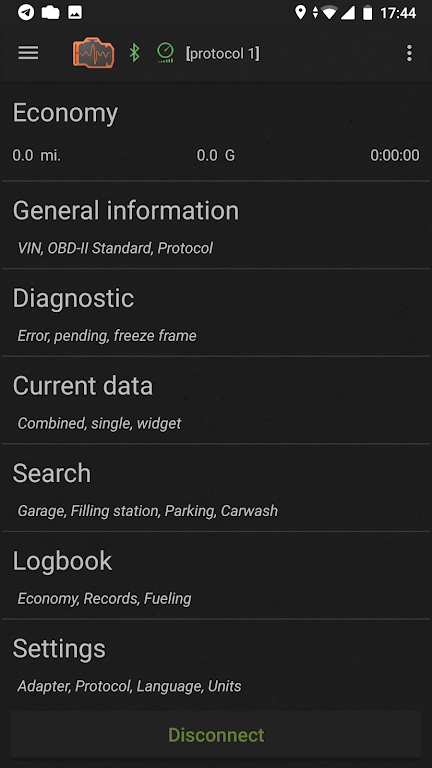
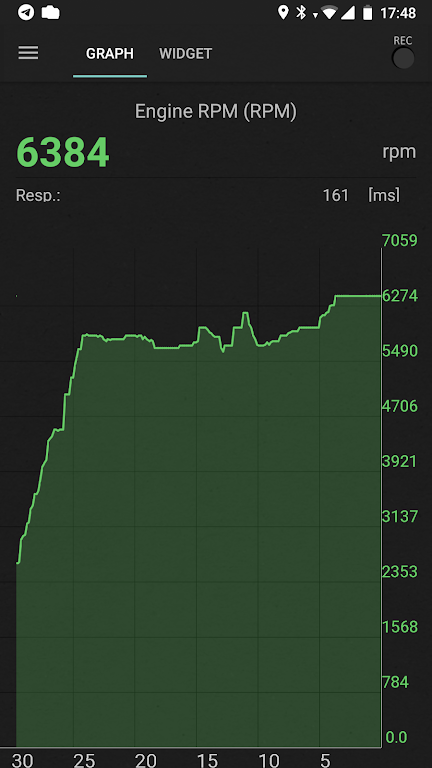
Full OBD-II support lets you read and clear diagnostic trouble codes and examine freeze-frame information when available. Live data streaming delivers RPM, vehicle speed, coolant and intake temperatures, fuel trim values and other parameters your vehicle exposes. The app translates many generic and manufacturer codes into readable descriptions and highlights likely areas to inspect. Trip tracking captures GPS routes, elapsed time and average/maximum speeds for each journey while fuel-management tools let you log refuels and compare consumption over time.
After a quick pairing with a Bluetooth or Wi-Fi OBD adapter, an initial scan detects available sensors and populates the live data screen. The user interface is touch-first: tap a gauge to open a graph, drag to rearrange dashboard widgets and pinch to zoom historical charts. A short setup wizard walks you through units (metric/imperial), vehicle selection and adapter connection, so first-time users can get meaningful readings without technical knowledge. Common actions—scan, clear codes, start/stop trip—are placed where they are easy to reach while driving.
Rather than levels, inCarDoc Pro’s progression comes from data accumulation and trend analysis. Each drive adds to a searchable log of journeys and recorded sensor streams so you can compare weeks or months to spot gradual failures, rising fuel consumption or intermittent warnings. The more you use the app, the more useful the historical context becomes: repeating patterns often reveal issues that single checks miss. Reviewing past trips and gauge histories provides ongoing value and reduces the need for repeated manual inspections.
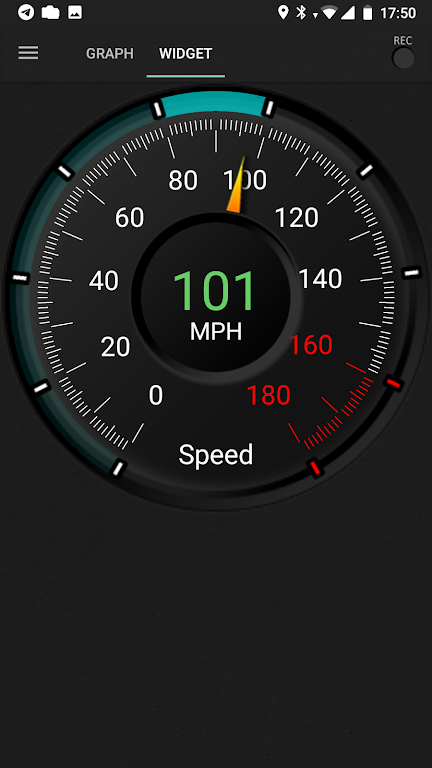
The app focuses on a clean, readable aesthetic with configurable dashboards to suit different drivers: build a concise speed/engine overview for daily commuting or a detailed sensor wall for diagnostics. Gauges and graph colors, numeric units and the composition of status rows are adjustable so important metrics sit front-and-center. Visual graphs show parameter ranges and overlay recent values for quick comparison, helping you make maintenance decisions faster than scrolling through raw numbers.
User experience emphasizes clarity and reliability. Contextual help explains common codes and suggests diagnostic steps without promising warranties or replacement work. Accessibility options include larger font sizes, high-contrast themes and clearly labeled controls for easier use while stationary. Recorded data and summaries are available offline so you can review trip logs and graphs without a live adapter connection.
While a live adapter connection is required to read real-time parameters and clear codes, recorded sessions and historical logs remain accessible when offline; this makes it practical to review performance and fuel records on a phone without constant connectivity. Data is stored locally in readable formats inside the app so you can keep a maintenance history tied to a vehicle profile and reference it during service visits or when planning repairs.
The app requires a compatible ELM327 OBD2 adapter or equivalent hardware to communicate with most vehicles and the available live parameters depend on the vehicle make, model and onboard sensors. Features such as precise fuel-cost prediction rely on accurate local fuel prices and consistent data entry. inCarDoc Pro cannot perform repairs or guarantee fixes; it provides tools and information to help you and your technician diagnose and address issues more efficiently.
Pushscroll
Size:61.25M LifestyleSmartWOD Timer
Size:26.75M LifestyleMeteum Weather
Size:63.84M LifestyleBestifyMe
Size:13.80M LifestyleWeatherPro
Size:48.30M LifestyleEmpower You: Unlimited Audio
Size:80.20M LifestyleAdobe Express
Size:107.80M LifestyleGeoZilla
Size:63.92M LifestyleONEWallet - Cards Wallet
Size:15.00M LifestyleFloor Plan Creator Home Design
Size:40.91M LifestyleBoard Game Stats
Size:30.70M LifestyleI am - Daily affirmations
Size:118.20M LifestyleApril 2024 Clash of Clans Update: Unveiling a Fresh Companion, Enhanced Levels, Chat Tagging, and Be
2024-04-16Arrival of Genshin Impact 4.6 Update: 'Embers of Two Realms, Twilight of Crimson'
2024-04-16V2.2 of the Farlight 84 update introduces an overhauled Season structure, fresh in-game currency, an
2024-04-16Monster Never Cry is now accessible on both Android and iOS mobile devices.
2024-04-18PUBG Mobile Teams Up with Bentley Motors: Luxury Cars, Exclusive Collectibles, and Beyond
2024-04-18March 2024 Free Redemption Codes for Honkai: Star Rail
2024-04-18