English
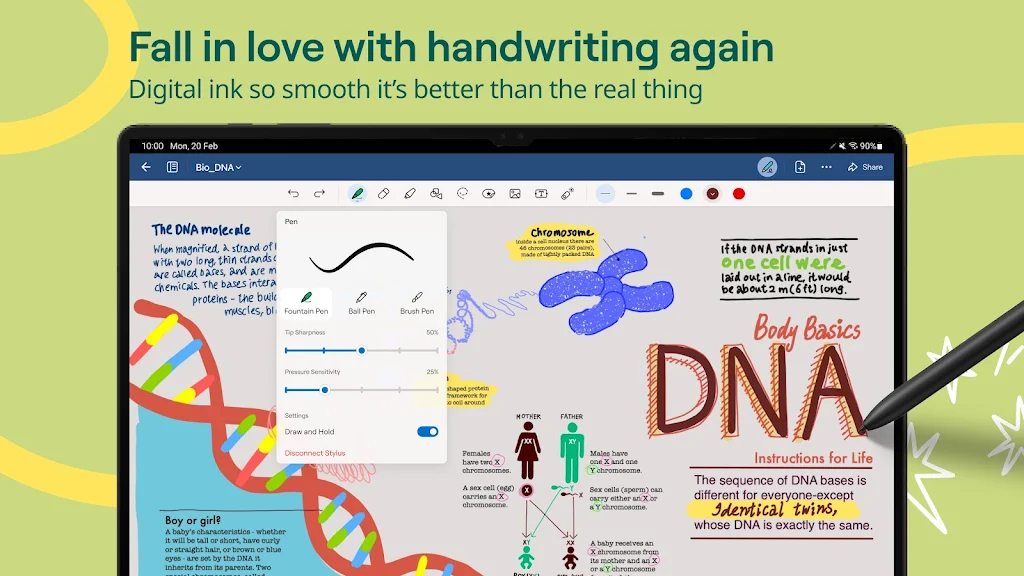
During a long lecture or while waiting for a delayed train, having a tidy digital notebook can turn idle time into productive work. Goodnotes brings a flexible handwriting-first workspace to Android, combining pen-and-paper familiarity with digital conveniences like device sync, customizable pages and gesture tools. Whether you prefer sketching diagrams, drafting study notes or assembling a trip plan, Goodnotes aims to replace stacks of paper with searchable, neatly organized notebooks that feel natural with a stylus or fingertip.
Create your first notebook: Tap New to choose a cover, title and page template so your notes start organized from day one.
Pick a pen and paper: Select pen type, thickness and color, then try different built-in paper styles such as ruled, grid or planner layouts.
Use a stylus or touch: Write as you would on paper, then use simple gestures for undo, redo or two-finger pan to move around the page.
Responsive handwriting: Ink flows smoothly and preserves pressure-sensitive strokes if your stylus supports it, making notes look authentic.
Move and edit ink: The Lasso Tool lets you select handwriting or drawings, resize them and reposition content without redoing work.
Shape recognition: Draw freehand shapes and lines that automatically snap into cleaner, geometric versions for tidy diagrams.
Custom eraser modes: Choose whether to remove entire strokes or erase specific parts of a line for precise cleanup.
Wide paper templates: Switch between blank, ruled, Cornell and checklist pages or create planner spreads for different tasks.
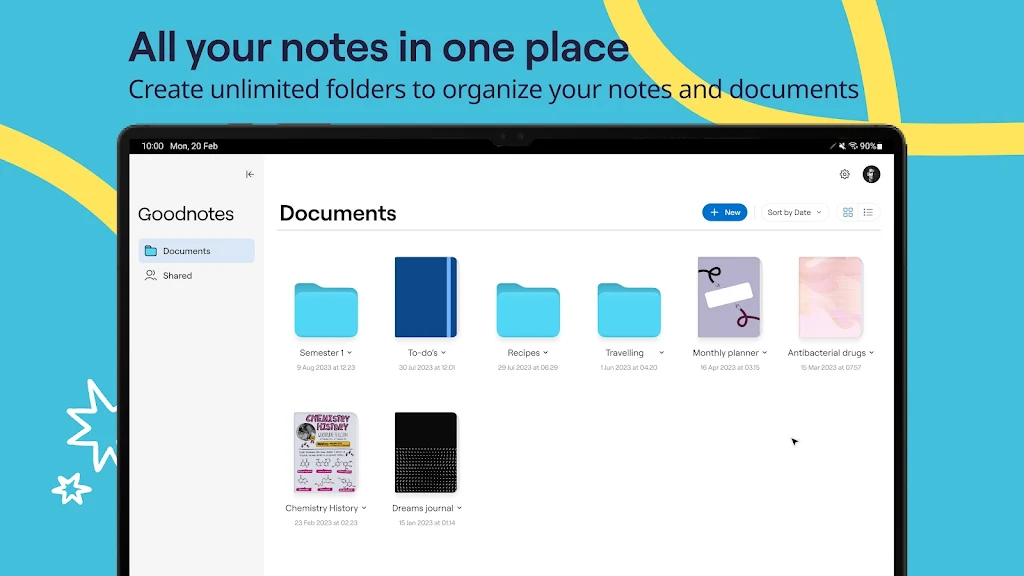
Organize with folders: Group related notebooks into folders so lecture notes, meeting minutes and personal projects are easy to find.
Use color and pen styles: Assign colors and pen types like fountain or brush to sections to build a visual hierarchy that speeds up review.
Resize selections smartly: When you move a block of handwriting, pinch or drag corners to adjust scale so content fits a page without redrawing.
Everyday scenarios: Jot down a recipe's steps while cooking, or mark up a meeting agenda during a quick office huddle; Goodnotes adapts to practical, on-the-go uses.
Goodnotes delivers a comfortable handwriting experience on Android with strong organization and useful editing tools, making it a smart replacement for paper notebooks; while it covers most everyday note-taking needs very well, users with niche, advanced PDF workflows may still need supplementary tools alongside Goodnotes.
Vyapar Mod
Size:47.20M ProductivityGoodnotes
Size:4.70M ProductivityXuper TV
Size:25.00M ProductivityWebCode
Size:6.00M ProductivityNoScroll MOD Premium Unlocked
Size:36.08M ProductivityHabit Tracker - HabitGenius MOD Premium Unlocked
Size:65.80M ProductivityBlock Scroll MOD Premium Unloked
Size:24.37M ProductivityDropsync MOD Premium Unlocked
Size:11.07M ProductivityWin-X Launcher MOD Premium Unlocked
Size:21.07M ProductivitySmarter Bookmarks MOD Pro Unlocked
Size:12.68M ProductivityQuick Cursor MOD Pro Unlocked
Size:4.58M ProductivityAnyList MOD Premium Unlocked
Size:49.40M ProductivityApril 2024 Clash of Clans Update: Unveiling a Fresh Companion, Enhanced Levels, Chat Tagging, and Be
2024-04-16Arrival of Genshin Impact 4.6 Update: 'Embers of Two Realms, Twilight of Crimson'
2024-04-16V2.2 of the Farlight 84 update introduces an overhauled Season structure, fresh in-game currency, an
2024-04-16Monster Never Cry is now accessible on both Android and iOS mobile devices.
2024-04-18PUBG Mobile Teams Up with Bentley Motors: Luxury Cars, Exclusive Collectibles, and Beyond
2024-04-18March 2024 Free Redemption Codes for Honkai: Star Rail
2024-04-18