English
Looking for a reliable way to capture ideas, checklists and quick voice reminders while you handle the rest of your day? MaxNote puts a tidy note-taking workspace on your phone where text, photos and short recordings live together and remain available when you switch devices. The interface keeps editing friction low, tracks simple stats like word or line counts automatically, and offers a variety of display styles and color cues so notes feel organized and presentable.
Multi-format notes: Create plain text entries, attach images or drop in an audio clip so a single note can hold different kinds of information.
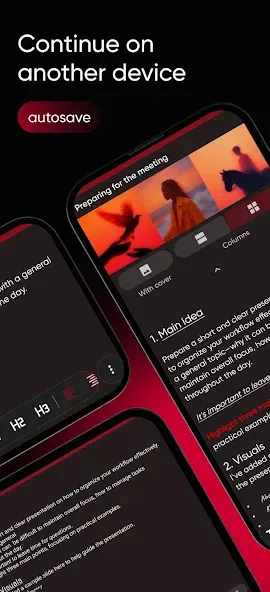
Automatic saving and sync: Edits are saved as you type and can be backed up or synchronized across devices to avoid accidental loss.
Fast search and stats: Keyword search highlights matches inside notes while the app keeps counters for characters, words and lines to help you measure content.
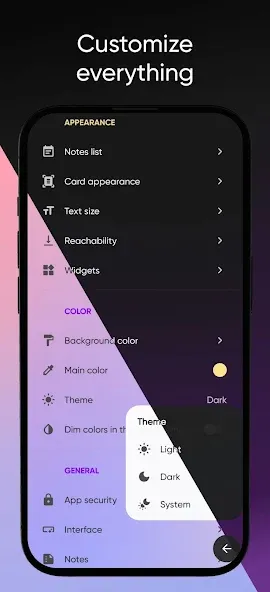
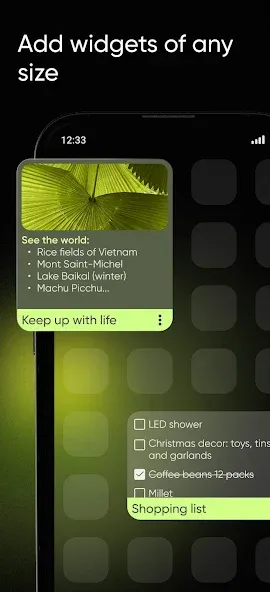
Flexible layouts: Choose between compact lists, single or two-column views and a flexible grid to match how you want to browse cards.
Notes to checklists: Convert a plain text note into a checklist and back again when plans change, making it easier to manage tasks without creating a new item.
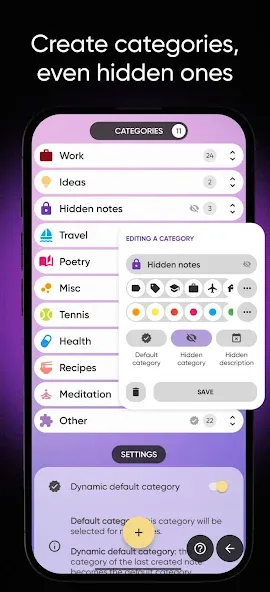
Custom categories and colors: Group notes into named categories and color-code them so related items are easy to spot at a glance.
Archive, pin and trash: Keep active notes in the main view, archive completed items for reference, pin important notes to the top or remove what you no longer need.
Sorting and covers: Sort by creation or update date, alphabetically or by category; reorder pictures inside a note and set a cover image to give a card visual priority.
Share and export: Share single notes or entire collections when you need to send a checklist, a study note or a photo-annotated item to someone else.
Create your first note: Tap to add a new note, give it a title and select a category or color so it appears correctly in lists from the start.
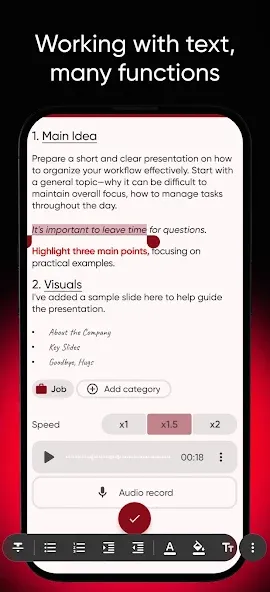
Add media and recordings: Insert photos to illustrate ideas or use the record function for a quick voice reminder; both media types attach directly to the note for easy playback.
Organize with pin and archive: Pin frequently used notes so they stay at the top, and archive finished items to keep your main list uncluttered without deleting history.
Two typical scenarios: Use MaxNote to jot a grocery list while browsing a recipe or to record action points during a short meeting so you have both text and a quick audio reference afterward.
How do I make sure notes are safe across devices?
Enable the app's backup or synchronization option in settings; when active, your notes are stored and can be restored or accessed from another device linked to the same account or service.
Can I search inside multiple categories at once?
Yes. The search feature looks through selected categories and highlights found text so you can jump straight to the relevant note or section.
Does the app show detailed info about each note?
Each note can display counts like characters, words and lines plus attached files so you always see a quick summary of its contents.
Compared with scribbled paper or scattered text files, MaxNote keeps everything searchable, presentable and synced, making it especially useful for students, freelancers and anyone who juggles lists and media across multiple devices.
MaxNote
Size:12.60M LifestyleRegain
Size:49.83M LifestyleV-App
Size:310.43M LifestyleSkyclock
Size:7.22M LifestyleMAWAQIT for TV
Size:95.07M LifestyleSpirit Talker
Size:14.30M LifestyleAdobe Photo Lightroom
Size:129.60M LifestyleLa Pulce fumetti
Size:5.80M LifestyleWanderlog
Size:63.04M Lifestylef2movies
Size:13.84M LifestyleCabify
Size:43.81M LifestyleLife : Personal Diary MOD Premium Unlocked
Size:9.34M LifestyleApril 2024 Clash of Clans Update: Unveiling a Fresh Companion, Enhanced Levels, Chat Tagging, and Be
2024-04-16Arrival of Genshin Impact 4.6 Update: 'Embers of Two Realms, Twilight of Crimson'
2024-04-16V2.2 of the Farlight 84 update introduces an overhauled Season structure, fresh in-game currency, an
2024-04-16Monster Never Cry is now accessible on both Android and iOS mobile devices.
2024-04-18PUBG Mobile Teams Up with Bentley Motors: Luxury Cars, Exclusive Collectibles, and Beyond
2024-04-18March 2024 Free Redemption Codes for Honkai: Star Rail
2024-04-18