English
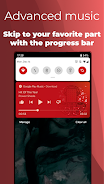
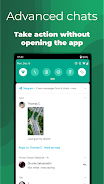
Notification Bar is a lightweight utility that reorganizes how Android delivers alerts and quick settings, letting users access important controls and messages faster. It replaces or augments the stock notification shade with customizable panels, gestures, and shortcuts to streamline daily tasks and improve device efficiency.
Designed for users who want tighter control over notifications and system toggles, Notification Bar is focused on productivity and personalization. The app aims to reduce the time spent digging through menus by offering configurable layouts, priority filters, and integrated shortcuts for frequently used apps and system actions.
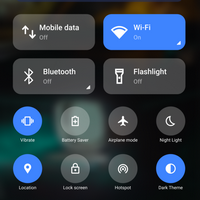
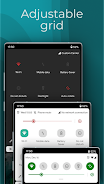
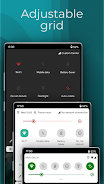
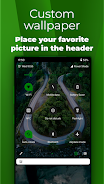
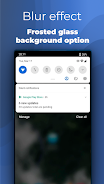
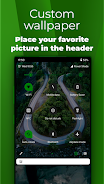
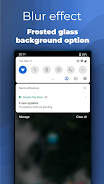
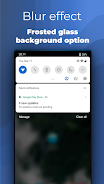
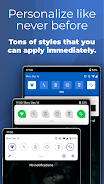
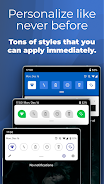
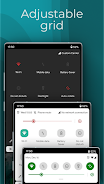
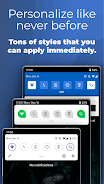
The interface is clean and minimal by design. Notification Bar presents information in a single stacked panel that slides down from the top or can be summoned from a configurable edge. Icons are crisp and legible, while the layout keeps the most important controls within thumb reach. The settings menu uses toggles and drag-and-drop lists so customization feels intuitive rather than buried.
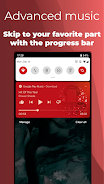
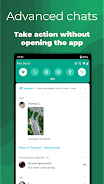
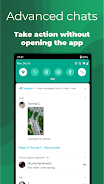
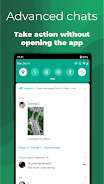
By consolidating frequently used controls and notifications, Notification Bar shortens common workflows. Composing a quick reply, switching networks, or launching mapped apps takes fewer taps. For power users, combining gesture triggers with pinned actions can reduce multiple-step tasks into a single motion, making repetitive interactions much faster.
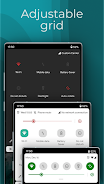
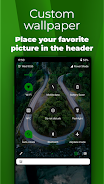
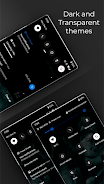
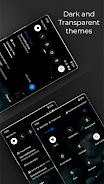
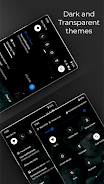
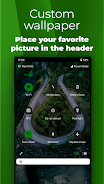
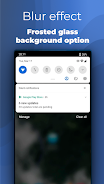
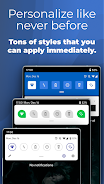
Beyond basic theming, the app provides layered customization. You can create multiple profiles that switch based on time or location, define rule-based notification behaviors, and create custom app groups for prioritized display. If you prefer minimal clutter, a compact mode condenses notifications and hides less-important toggles until expanded.
Notification Bar is engineered to be lightweight. Background activity is limited to essential listeners for notifications and system state, which keeps CPU and battery usage low. On modern devices the app typically adds a negligible CPU load; however, features like continuous ambient monitoring and location-based profile switching can increase power use. The app exposes toggles so users can balance features versus battery life.
Getting started is straightforward: install, grant notification access and any required permissions, then choose a default layout. A setup wizard walks through key decisions: where the panel appears, which gestures to enable, and which apps should be exempt from filtering. For users migrating from stock interfaces, an import option preserves common quick settings and favorite apps.
Feedback from users highlights the app's low learning curve and meaningful time savings. The combination of visual clarity and deep customization gives both casual and advanced users a satisfying experience. Occasional edge cases with third-party launchers or Android skins may require small permission adjustments, but the support resources and FAQs address most compatibility questions.
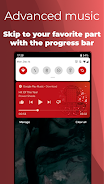
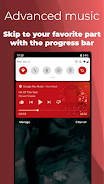
If you want to streamline daily phone interactions, reduce notification noise, or tailor quick settings to your routine, Notification Bar is worth trying. It works well for commuters who need fast access to media and navigation, remote workers seeking focused notification rules, and anyone who enjoys personalizing their device interface.
Overall, Notification Bar is a practical tool that enhances productivity by simplifying access to controls and messages without compromising system performance. With thoughtful customization and lightweight design, it transforms the notification shade into a more useful and personal workspace.
HuntWise
Size:87.39M OtherDISH Anywhere
Size:75.50M OtherNotification Bar
Size:15.40M OtherPokeFlix TV
Size:40.00M OtherWatch Movies HD 2025 App
Size:28.68M OtherNew York Subway
Size:25.50M OtherLucifer Donghua
Size:34.29M OtherTea TV
Size:13.50M OtherFlipped
Size:46.80M OtherMARCA
Size:28.50M OtherHesGoal
Size:6.00M OtherSoccerbite Live Score
Size:7.61M OtherApril 2024 Clash of Clans Update: Unveiling a Fresh Companion, Enhanced Levels, Chat Tagging, and Be
2024-04-16Arrival of Genshin Impact 4.6 Update: 'Embers of Two Realms, Twilight of Crimson'
2024-04-16V2.2 of the Farlight 84 update introduces an overhauled Season structure, fresh in-game currency, an
2024-04-16Monster Never Cry is now accessible on both Android and iOS mobile devices.
2024-04-18PUBG Mobile Teams Up with Bentley Motors: Luxury Cars, Exclusive Collectibles, and Beyond
2024-04-18March 2024 Free Redemption Codes for Honkai: Star Rail
2024-04-18