English
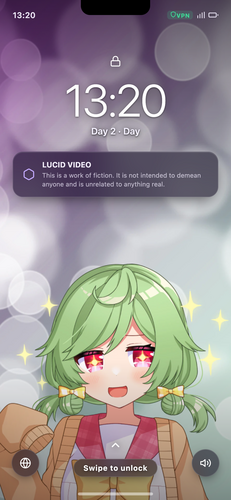
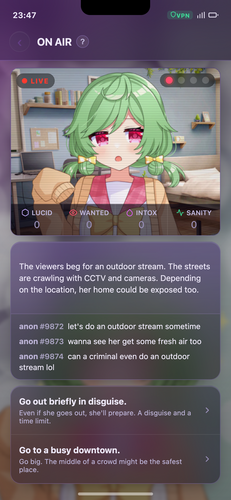
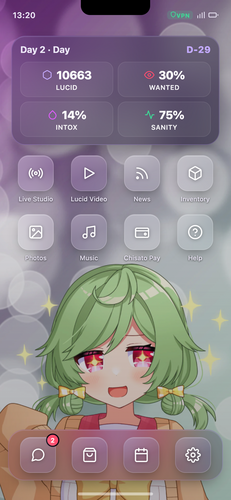
Lucid Video is a lightweight mobile video editor that blends quick trimming, color grading, and motion effects into an intuitive workflow. It accelerates everyday edits with timeline-aware tools, reusable presets, and export profiles tailored for social platforms, balancing advanced controls and on-the-go simplicity for creators and casual users alike.
Designed for smartphones and tablets, Lucid Video focuses on speed and clarity. The interface groups common tools where your thumbs naturally reach, while more advanced features remain one tap away. It supports common codecs, fast rendering, and frame-accurate trimming so edits feel predictable and precise whether you’re cutting a short clip or assembling a longer story.
Lucid Video keeps the most-used actions visible. Start by importing clips or shooting directly from the app, then arrange material on the timeline. Trim with gestures or enter precise timecodes, add a transition or a motion effect, then adjust color and audio levels. Each step saves as a draft so you can return without losing context.
The app uses hardware acceleration when available to speed up previews and exports. A background render queue processes heavy tasks so you can continue editing. Lucid Video’s asset manager stores frequently used media, titles, and LUTs for reuse across projects, and the autosave function minimizes accidental loss.
Presets and templates are central to quick production. Lucid Video ships with template packs for stories, reels, and horizontal videos. You can create and save custom templates including text animations, color grades, and multi-layer arrangements. For precision, keyframes let you animate scale, position, and opacity across any clip.
The user interface balances minimalism and depth. Controls are grouped into context-sensitive panels that appear only when needed, reducing clutter. Performance remains smooth on mid-range devices thanks to optimized decoding and selective proxy generation. Rendering times depend on export settings, but the app is tuned for shorter turnaround on mobile hardware.
Lucid Video also includes brief in-app tutorials and an approachable help section organized by task, so learning specific features takes only a few minutes.
Creators choose Lucid Video when they need a balance between convenience and control. It’s compact enough for quick edits on a commute but deep enough for polishing a short commercial or social post. The combination of reusable assets, export profiles, and a predictable timeline makes repetitive work faster without sacrificing quality.
Installation is straightforward: download from the store, grant the necessary media permissions, and follow the onboarding tour. The initial setup recommends an export profile and suggests template packs based on common use cases. Regular updates add codec support and new templates, so the app evolves with platform requirements.
For anyone producing short-form video regularly, Lucid Video provides a practical toolkit that speeds up routine tasks while preserving room for creative experimentation. Its mix of efficiency features and accessible controls makes it a useful addition to a mobile creator’s workflow.

Locals Only
Size:108.68M CasualLucid Video
Size:26.89M CasualHikari: First Interlude
Size:148.60M CasualSuburban Seduction
Size:49.88M CasualLife, Likes & Bad Decisions
Size:1816.38M CasualCrew Rest
Size:59.77M CasualDreamweight
Size:182.71M CasualAdult Harem Survival
Size:449.65M CasualQuarantine Libido
Size:134.00M CasualAmour
Size:103.32M CasualRooms v 0.3
Size:782.35M CasualGreat Men Don't Lie
Size:139.19M CasualApril 2024 Clash of Clans Update: Unveiling a Fresh Companion, Enhanced Levels, Chat Tagging, and Be
2024-04-16Arrival of Genshin Impact 4.6 Update: 'Embers of Two Realms, Twilight of Crimson'
2024-04-16V2.2 of the Farlight 84 update introduces an overhauled Season structure, fresh in-game currency, an
2024-04-16Monster Never Cry is now accessible on both Android and iOS mobile devices.
2024-04-18PUBG Mobile Teams Up with Bentley Motors: Luxury Cars, Exclusive Collectibles, and Beyond
2024-04-18March 2024 Free Redemption Codes for Honkai: Star Rail
2024-04-18