English
John GBC is a lightweight Game Boy and Game Boy Color emulator designed for Android devices that lets you load and play your own ROM files while keeping the focus on accurate emulation, improved visuals and smooth performance. John GBC aims to reproduce the original gameplay feel of classic titles while providing practical modern conveniences: on-device scanning for game files, support for zipped ROMs, configurable on-screen controls and reliable save state management, all without network connections, ads or pop-ups.
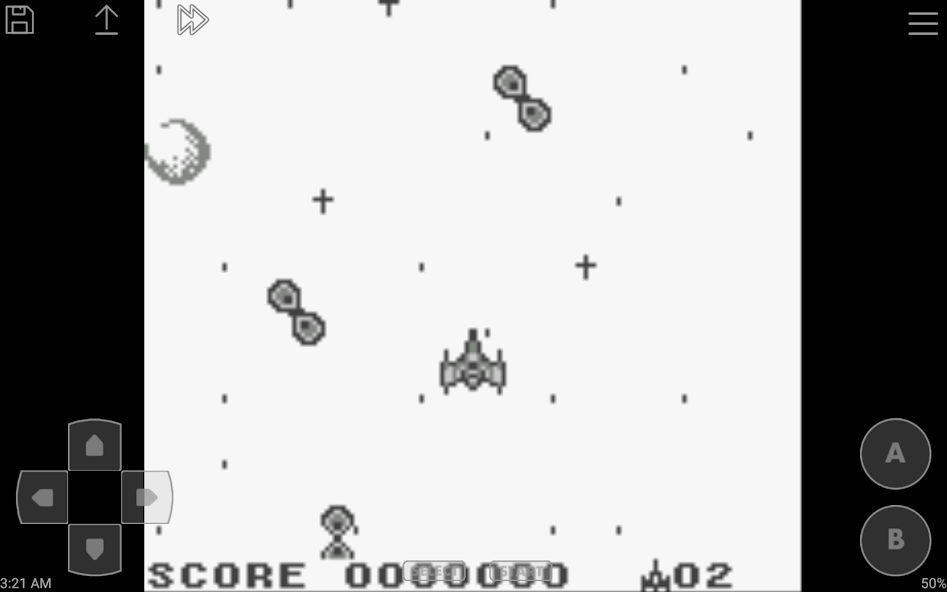
The emulation engine in John GBC prioritizes timing accuracy and input responsiveness to keep game logic and audio in sync with how the original cartridges behaved. Performance optimizations reduce slowdowns during processor-heavy scenes so pixel-perfect platforming and precise timing challenges remain consistent. Visual improvements are available to sharpen or smooth the image and to adjust scaling and aspect ratio so games look clear on a range of screen sizes without distorting sprites.
John GBC automatically scans internal storage and SD cards for compatible files and can open common compressed archives directly to avoid manual extraction. The app runs entirely offline and does not display ads, which makes it a dependable option when you want uninterrupted play on the go or in limited-connectivity situations. Because the emulator does not include game content, users should store legally owned ROMs on their device and organize them into folders for easier browsing.
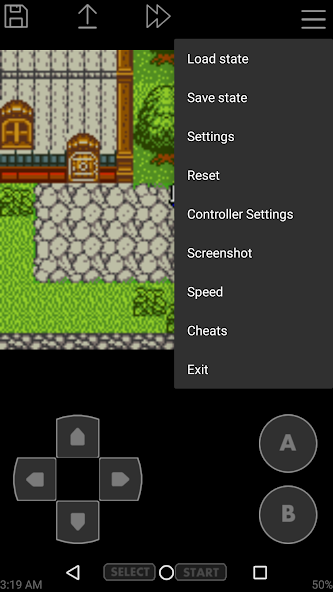
Save states and multiple slots give you fine-grained control over progression: create quick save points before difficult sections, keep separate slots for different playthroughs or experiment with alternate strategies without losing your primary progress. Save state preview thumbnails and a simple thumbnail-based manager make it easier to jump back to the exact moment you captured. This flexible save system supports many approaches to replaying games—speed runs, completionist attempts, or casual exploration—while screenshots allow you to document milestones and high scores.
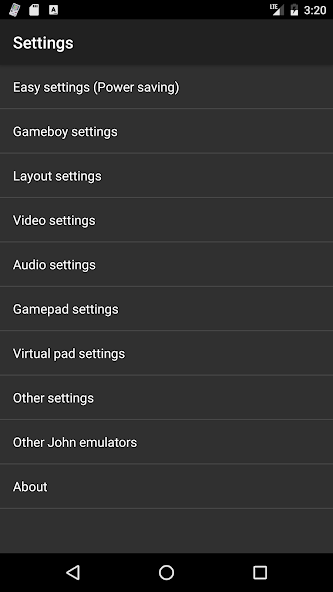
On-screen controls in John GBC are fully customizable: move and resize the keypad to match your hand position, adjust button opacity and sensitivity, enable turbo buttons for rapid-fire actions, and fine-tune touch response for more accurate inputs. External controllers, including Bluetooth gamepads and MOGA devices, are supported and can be mapped to core buttons. These options help accommodate different play styles and accessibility needs, such as larger controls for easier tapping or reduced sensitivity for steadier input.
John GBC supports common cheat formats like Game Genie, GameShark and PAR codes, and it provides a way to create and manage custom cheats. Cheats can be used to explore different parts of a game, unlock content for testing, or practice hard sections. Because cheat use can alter intended progression, save states are particularly helpful when experimenting so you can return to an unmodified run at any time.
Visual options let you balance fidelity and performance: choose how aggressively to filter or scale the image, enable sharpening for clearer text, or preserve the original pixel grid with integer scaling for a retro look. Speed controls range from slow-motion play for careful practice to fast-forward for skipping repetitive segments, and dynamic throttling helps maintain smooth frame rates while minimizing input lag.
John GBC does not bundle game ROMs; you must provide your own backups of titles you legally own. Downloading copyrighted ROMs without permission can be illegal in many jurisdictions, so users should confirm they have the right to use a copy. For best results, keep your ROM files organized in clearly named folders, use zipped archives to save storage space when appropriate, and frequently back up save state directories. If you rely on external controllers, test mappings before starting a timed run to avoid input surprises.
Designed for both newcomers to retro handheld gaming and experienced collectors, John GBC offers a straightforward setup process with options that reward deeper customization. Whether you’re revisiting a favorite platformer, trying a speed-run challenge, or exploring a game you missed as a child, John GBC provides reliable emulation, configurable controls and offline, ad-free operation to make classic Game Boy and Game Boy Color titles enjoyable on modern Android devices.
John GBC
Size:19.90M PuzzleExtreme Dino
Size:47.84M PuzzleIdle Oil Well Mod
Size:72.45M PuzzleStorm Tale 2
Size:216.18M PuzzleCapybara Clicker 2
Size:77.80M PuzzleBdg win - big daddy game v1.0.1
Size:7.57M PuzzleCuphead
Size:237.74M PuzzleBullet Stack
Size:188.11M PuzzleCrowd Evolution! MOD Menu
Size:197.80M PuzzleHello Town MOD Unlimited All Moneys
Size:182.80M PuzzleFractal Combat X (Premium)
Size:93.90M PuzzleUsagi Shima Cute Bunny Game
Size:366.76M PuzzleApril 2024 Clash of Clans Update: Unveiling a Fresh Companion, Enhanced Levels, Chat Tagging, and Be
2024-04-16Arrival of Genshin Impact 4.6 Update: 'Embers of Two Realms, Twilight of Crimson'
2024-04-16V2.2 of the Farlight 84 update introduces an overhauled Season structure, fresh in-game currency, an
2024-04-16Monster Never Cry is now accessible on both Android and iOS mobile devices.
2024-04-18PUBG Mobile Teams Up with Bentley Motors: Luxury Cars, Exclusive Collectibles, and Beyond
2024-04-18March 2024 Free Redemption Codes for Honkai: Star Rail
2024-04-18