
English
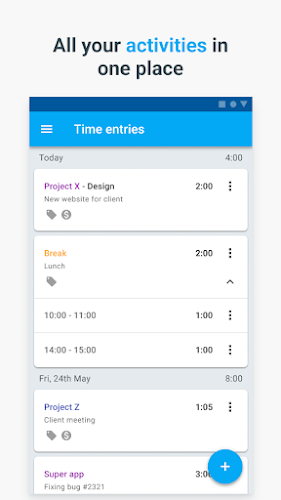
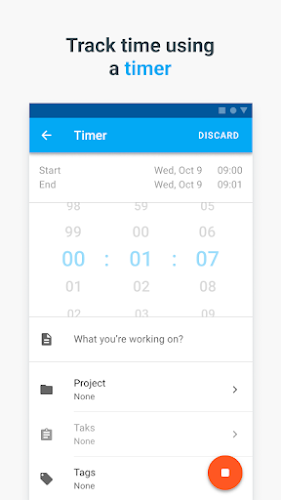
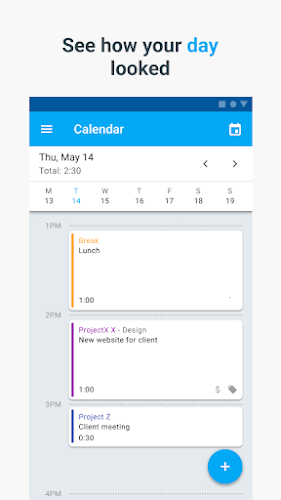
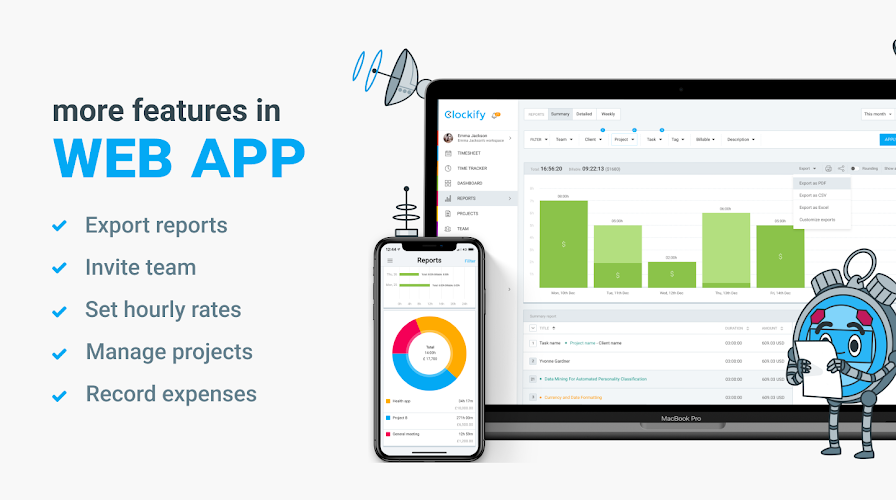
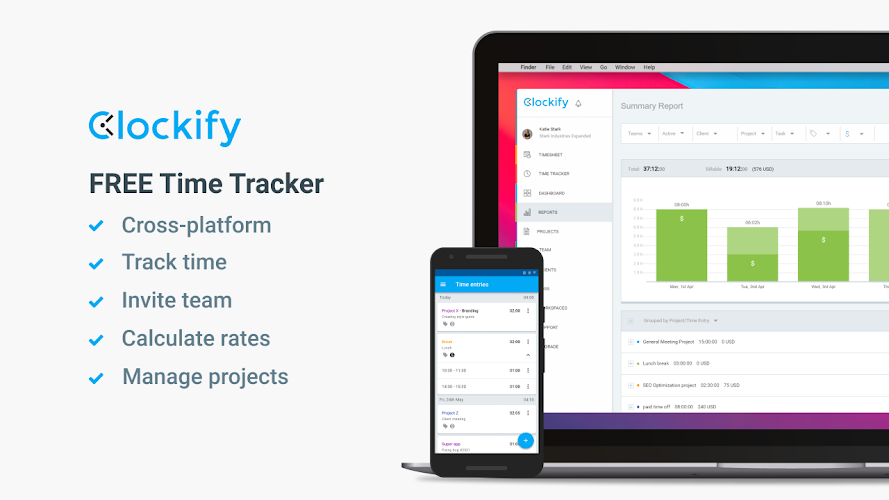
Clockify — Time Tracker is the ultimate tool for maximizing productivity and efficiency in team projects. With just one tap, you can start tracking your time, whether it be in the status bar, widget, or even offline. Easily analyze your productivity with detailed reports and compare tracked vs scheduled time in the calendar. Need to request time off or record expenses? Clockify has got you covered. And the best part? All your tracked data is synced online for easy access. For even more features, like hourly rates and team collaboration, check out https://app.clockify.me. Take control of your time and boost your team's performance with Clockify today!
- **Easy to Use:**
Clockify is designed for convenience, allowing you to start tracking your time with just one tap. Its user-friendly interface makes it easy for individuals and teams to track their productivity effortlessly.
- **Comprehensive Tracking:**
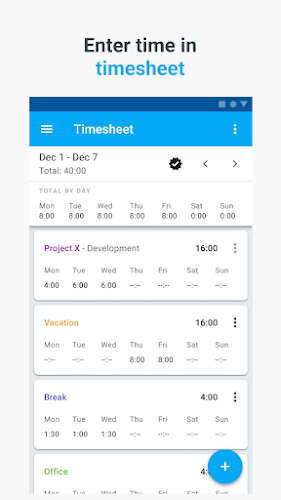
With Clockify, you can track time via the status bar or widget, ensuring that every minute is accounted for. The app also allows you to manually add time you may have forgotten to track, providing a comprehensive view of your work hours.
- **Detailed Reports:**
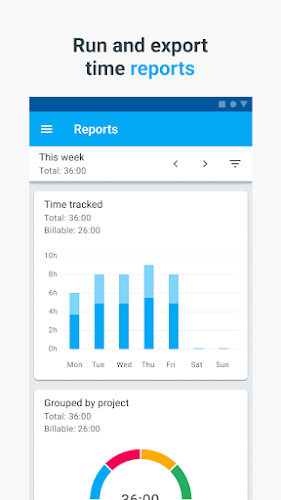
One of the key features of Clockify is its breakdown of all your tracked time in reports. These reports give you valuable insights into how you're spending your time, allowing you to make informed decisions about your work habits.
- **Online Accessibility:**
Clockify allows you to track your time even when you're offline, with all your data synced and available online. This means you can access your time tracking information from anywhere, ensuring that you never miss a beat.
- **Set Reminders:**
To ensure accurate time tracking, set reminders or notifications to prompt you to start and stop timers for different tasks throughout your day.
- **Use Categories:**
Organize your tasks using categories in Clockify to easily track time spent on specific projects or activities. This will help you analyze your productivity in different areas.
- **Review Your Reports:**
Regularly review the detailed reports provided by Clockify to identify patterns in your work habits and make adjustments to improve your efficiency.
Clockify — Time Tracker is a powerful time tracking app that offers a range of attractive features for individuals and teams looking to boost their productivity. Its ease of use, comprehensive tracking options, detailed reports, and online accessibility make it a valuable tool for anyone looking to make the most of their time. By following the playing tips and utilizing the app's features effectively, users can take control of their time management and work towards greater success in their endeavors. Download Clockify — Time Tracker today and start maximizing your productivity.

MEK Zeiterfassung
Size:53.00M ProductivityPython Tutorial (Simplified)
Size:19.00M ProductivityDealerPromoter
Size:152.00M ProductivityV2Text
Size:13.48M ProductivityBrainSpark: Science Quiz
Size:22.58M ProductivityKelgué ia
Size:21.42M ProductivityGoalDigger
Size:9216.00M ProductivityNSB Merchant Etawah
Size:72.00M ProductivityOlhar Quarteira
Size:29.20M ProductivityNöbetÇi
Size:37.76M ProductivityPassport
Size:39.00M ProductivityUrl Shortner & Qr Code
Size:12.18M ProductivityApril 2024 Clash of Clans Update: Unveiling a Fresh Companion, Enhanced Levels, Chat Tagging, and Be
2024-04-16Arrival of Genshin Impact 4.6 Update: 'Embers of Two Realms, Twilight of Crimson'
2024-04-16V2.2 of the Farlight 84 update introduces an overhauled Season structure, fresh in-game currency, an
2024-04-16Monster Never Cry is now accessible on both Android and iOS mobile devices.
2024-04-18PUBG Mobile Teams Up with Bentley Motors: Luxury Cars, Exclusive Collectibles, and Beyond
2024-04-18March 2024 Free Redemption Codes for Honkai: Star Rail
2024-04-18















Comment
Mantas Klimašauskas
The product itself is great for what it is, but I have an issue with the android app giving me a loader/refresh icon every 1-2 seconds, which blocks the whole screen. Edit: issue was fixed, works great now!
Feb 06, 2025 20:44:12
Angel Goetz (Angel Alanis W Goetz)
Cant add my hourly rate. Ill enter it and it doesn't apply / register. I pitched this thing to my coworkers and manager. Disappointed.
Feb 06, 2025 12:50:11
Siamak Salimi
- User friendly environment and beautiful interface - supporting connection from all devices as it is a cloud type system - having advanced interface and options to enter data, time and getting different reports - posibility of exporting reports in all formats - flexibility in settings and options - having reallyfree edition for students and freelancers - team work support Also it has the potential to develop in many ways, but current revision is quite satisfying, thanks to developers
Feb 06, 2025 10:56:41
Mirec Zaťko
cannot open menu... In fact it opens for about 0.01 second and close again. Noone is able to click on any menu item this quickly. It makes it unusable. (it seems that was because of requested location tracking by application but not permitted by phone) Web app looks pretty good
Feb 06, 2025 10:05:25
E Sweet
The app is broken. It now forces me into the browser to login with google and gets stuck on loading screen. Fix it. The whole point is to be able to log my projects on the go. I can't find any option on the desktop account to change my account to a password rather than logging in with google unless I upgrade.
Feb 05, 2025 23:10:15
Francois Bertrand
Great app, but now unusable. Like others reported, the "refresh circle" pops up every 1-2 seconds, circles for a second, disappears, then reappears, etc. I'm running clockify on Chrome on my PC, could that be causing refreshes in the mobile app? Also, using Google login, which might also affect this? Will change review if I can ever use this thing, because Clockify is usually very useful.
Feb 05, 2025 13:35:54