
English
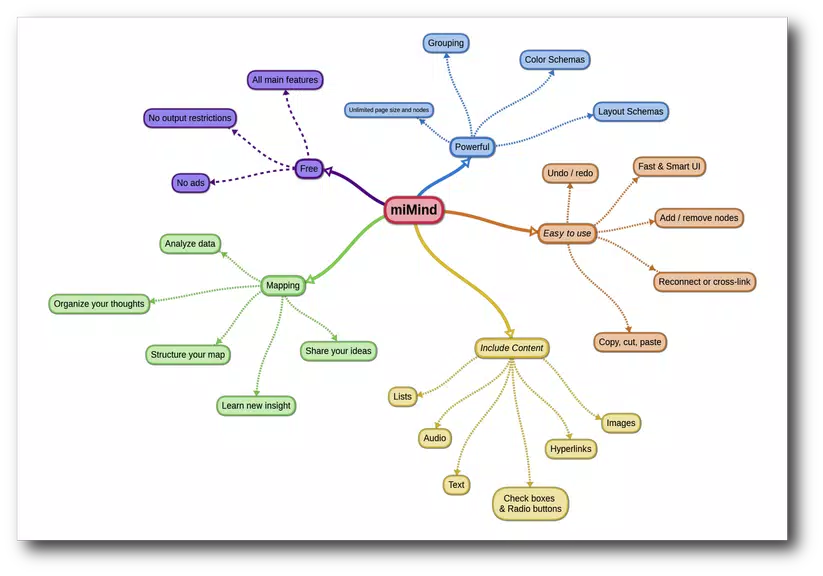
miMind is a versatile mind-mapping app that helps users capture ideas, organize projects, and visualize connections using a clean touch interface. It combines flexible diagramming tools with templates, export options and lightweight collaboration features to turn scattered thoughts into structured plans across mobile and desktop workflows.
miMind focuses on making complex information approachable. Whether you are sketching a project roadmap, planning content, or brainstorming with a team, the app provides a freeform canvas and guided templates so ideas grow into actionable outlines. Its tools emphasize speed: add nodes, link concepts and rearrange structure with simple gestures.
The feature set balances core mind-mapping capabilities with practical export and sharing options to fit different workflows.
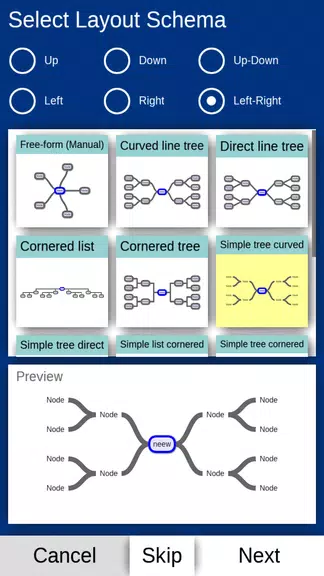
The interface is designed for touch-first navigation while remaining usable with a mouse and keyboard. A minimalist toolbar keeps commonly used actions within reach and contextual menus appear near selected nodes to speed edits. miMind balances simplicity with depth: beginners can rely on templates and presets, while power users can customize every visual element.
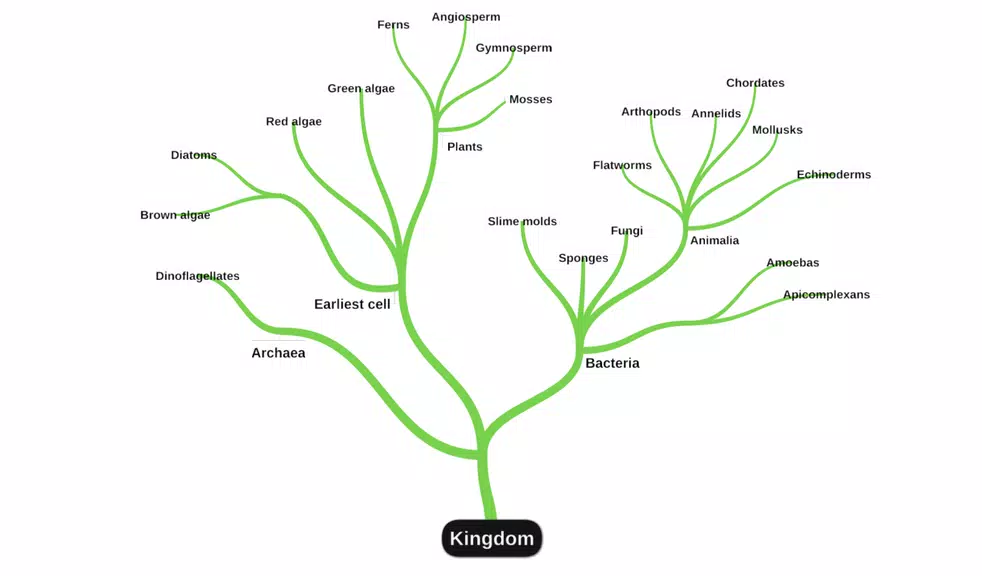
Personalization is one of the strong points. You can assign colors and icons to node types, apply gradients, and group related ideas using background shapes. Color-coding and icons make it easier to scan large diagrams at a glance, and saved style presets let you apply consistent visuals across multiple maps to maintain professional-looking outputs.
miMind supports lightweight collaboration suitable for small teams and individual contributors. Share maps via links or export to common formats for distribution. Exported images and PDFs preserve layout and styling, while outline exports help integrate maps into project management or note-taking apps. Real-time multi-user editing may vary by plan, but the sharing and export abilities cover most practical needs.
Performance is tuned for mobile devices, with smooth panning and zooming even on larger maps. Memory-friendly representations of nodes help prevent slowdowns when maps grow dense. The app works across modern Android versions and offers compatibility with common file types for import and export, making it easy to include mind maps in presentations, reports or collaborative documents.
Begin with a template or a blank canvas. Tap the center node to rename it, then add branches with a single gesture. Use drag-and-drop to rearrange structure and the style panel to set colors and icons. Save frequently and enable cloud sync to access maps on other devices. Tutorials and in-app tips shorten the learning curve for new users.
Professionals use the app for project planning, UX flows and meeting agendas; students create study maps and research outlines; creatives map story arcs, characters and design concepts. The mix of visual tools and export options makes it useful across disciplines where organizing information visually improves clarity and decision-making.
miMind is a focused tool for turning scattered thoughts into organized, shareable diagrams. Its combination of simple controls, visual customization and practical export features makes it a flexible choice for individuals and teams who rely on visual thinking to plan, communicate and iterate.
LifeUp: Gamified To Do List
Size:17.35M ProductivityVPN Proxy Speed
Size:53.00M ProductivityAI Logo Generator (LogoWiz)
Size:41.50M Productivity3D Logo Maker
Size:39.30M ProductivityAI Chat: Ask AI Chat Anything
Size:42.20M ProductivityStars and Planets
Size:116.42M ProductivityImageMeter
Size:119.22M ProductivityHabitKit
Size:56.87M ProductivityMy Passwords Manager
Size:10.60M ProductivitymiMind
Size:48.30M ProductivityCute Note DDay Todo
Size:15.31M ProductivityCleverType AI Keyboard
Size:33.83M ProductivityApril 2024 Clash of Clans Update: Unveiling a Fresh Companion, Enhanced Levels, Chat Tagging, and Be
2024-04-16Arrival of Genshin Impact 4.6 Update: 'Embers of Two Realms, Twilight of Crimson'
2024-04-16V2.2 of the Farlight 84 update introduces an overhauled Season structure, fresh in-game currency, an
2024-04-16Monster Never Cry is now accessible on both Android and iOS mobile devices.
2024-04-18PUBG Mobile Teams Up with Bentley Motors: Luxury Cars, Exclusive Collectibles, and Beyond
2024-04-18March 2024 Free Redemption Codes for Honkai: Star Rail
2024-04-18

















