
English
Download SwiftScan app now and experience the convenience and efficiency it brings to your document scanning needs. With its user-friendly interface, quick processing steps, and multiple format options, SwiftScan is the perfect solution for anyone looking to streamline their document management tasks. Whether you're a busy professional or just looking to stay organized, SwiftScan has got you covered. Say goodbye to tedious scanning processes and hello to the fast and effective performance of SwiftScan. Download it today and discover the ease of scanning and sharing documents straight from your mobile device.
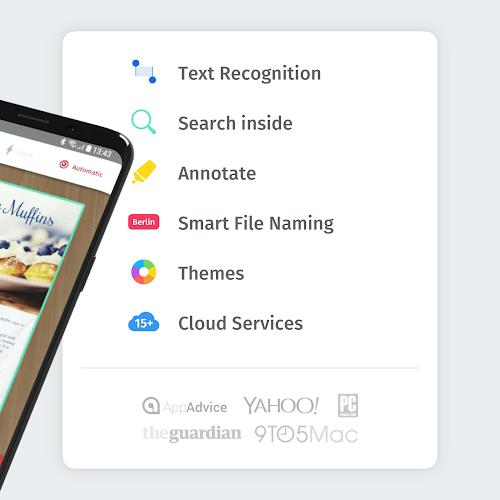
* Convenient Scanning: SwiftScan allows you to easily scan any document you need using your smartphone.
* Multi-Format Options: The app scans documents in both JPG and PDF formats, catering to different user preferences.
* Quick Processing: With SwiftScan, you can process and edit scanned documents swiftly without any hassle.
* User-Friendly Interface: The app offers an intuitive interface with easy-to-use tools for a seamless scanning experience.
* Customize Formats: Choose between JPG and PDF formats according to your needs when scanning documents.
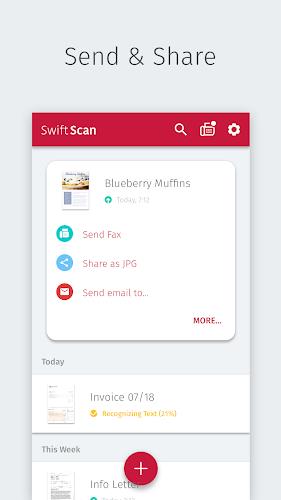
* Save and Share: Easily save and share scanned files with others, making it convenient for both personal and professional use.
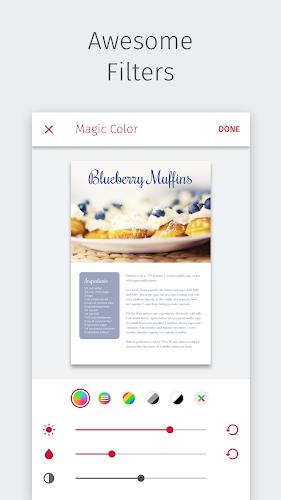
* Quick Editing: Make necessary edits to scanned documents directly on the app for efficient processing.
With its convenient scanning features, multi-format options, quick processing capabilities, and user-friendly interface, SwiftScan is the perfect solution for all your document scanning needs on the go. Download SwiftScan now and experience the ease and efficiency of mobile document scanning.

MEK Zeiterfassung
Size:53.00M ProductivityPython Tutorial (Simplified)
Size:19.00M ProductivityDealerPromoter
Size:152.00M ProductivityV2Text
Size:13.48M ProductivityBrainSpark: Science Quiz
Size:22.58M ProductivityKelgué ia
Size:21.42M ProductivityGoalDigger
Size:9216.00M ProductivityNSB Merchant Etawah
Size:72.00M ProductivityOlhar Quarteira
Size:29.20M ProductivityNöbetÇi
Size:37.76M ProductivityPassport
Size:39.00M ProductivityUrl Shortner & Qr Code
Size:12.18M ProductivityApril 2024 Clash of Clans Update: Unveiling a Fresh Companion, Enhanced Levels, Chat Tagging, and Be
2024-04-16Arrival of Genshin Impact 4.6 Update: 'Embers of Two Realms, Twilight of Crimson'
2024-04-16V2.2 of the Farlight 84 update introduces an overhauled Season structure, fresh in-game currency, an
2024-04-16Monster Never Cry is now accessible on both Android and iOS mobile devices.
2024-04-18PUBG Mobile Teams Up with Bentley Motors: Luxury Cars, Exclusive Collectibles, and Beyond
2024-04-18March 2024 Free Redemption Codes for Honkai: Star Rail
2024-04-18















Comment
A Google user
Scanbot is a great app. It makes it easy to take high-resolution, crisp scans from photos. With a little tweaking, you can make color scans to preserve colorful images; or if legibility of a document is what matters, you can take space-saving black-and-white scans. It's easy to make multi-page documents. I can easily scan and send receipts, which makes travel for work easier. I believe this is the best scanner app available, and definitely worth paying for the Pro version.
Feb 15, 2025 14:46:35
Michael Villarreal
The developers here have made this application a lot more complicated than it needs to be. It's a scanning app! Keep it simple! Your AI sucks! The automatic photo feature never works well. When I turn that off, it begins auto cropping making my photo unusable. Your auto cropping is terrible! Just let me take the photo. It's not that hard!!!
Feb 15, 2025 13:12:06
Peyton Wolf
It worked great for awhile but now it's limited the amount of pages you can have in a document to just 2 & now you have to watch videos before the file will load. This has cost me points in my final exams. If you are willing to pay the $5 of so a month then it works well, but if not then you are much better off finding something more reliable that doesn't limit your productivity without warning.
Feb 15, 2025 08:00:52
A Google user
LOVE IT! I was using CamScanner. What a rip off. After I bought a license. They then discontinued one-time purchase of licenses and said you now have to pay annually of $50.00 This app is way better. Easier to use. More features. Even has NextCloud built into it. And, it's $8.50 for all features. One time fee. Just like the app I have on my iPhone. Great job. I'll NEVER use CamScanner again!
Feb 14, 2025 21:05:00
Michael Jennings
I didn't mind the banner ads or the popup trying to get me to upgrade to the premium version. However, now it has multiple loud VIDEO ads that autoplay when trying to scan a couple documents and email them to myself. Absolutely dropping this app to look for another one that isn't going to start loud online gambling video ads out of nowhere.
Feb 14, 2025 09:09:51
A Google user
Scanbot Pro: The auto detect feature stays active even after the automatic option is disabled. To get a useable image you'd have to retake the photo around 2-3 times. The OCR function is very poor as well. Bought the pro option by mistake and I don't think I'd use the free version because of several issues with the app, very poor function.
Feb 14, 2025 05:44:24