English
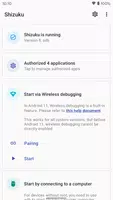
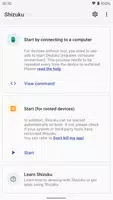
The Shizuku app allows users to start wireless debugging without the need for a computer connection, specifically designed for Android 11 and above. By following the simple steps on the official website, users can enable wireless debugging on their devices, eliminating the hassle of rebooting each time. With the option to pair devices through a unique code, Shizuku ensures a seamless and efficient debugging process. If any issues arise, users can easily troubleshoot by disabling and re-enabling wireless debugging. Say goodbye to cumbersome connections and hello to a more convenient debugging experience with Shizuku.
Easy to Use: With simple step-by-step instructions, enabling wireless debugging and pairing with Shizuku is a breeze for even novice users.
No Connection Required: Users can start wireless debugging without the need to connect to a computer, providing ultimate convenience.
Secure Pairing: The pairing process ensures a secure connection between the device and Shizuku, giving users peace of mind.
Is it compatible with all Android devices?
The app works on Android 11 or above and may not be compatible with devices running on older versions.
Do I need to repeat the startup steps every time I reboot my device?
Yes, due to system limitations, the startup steps need to be performed again after each reboot.
How secure is the pairing process?
The pairing process in Shizuku ensures a secure connection between the device and the app, protecting user data.
In conclusion, Shizuku offers an easy-to-use solution for enabling wireless debugging on Android devices. With secure pairing and no connection required, users can start debugging quickly and conveniently. Don't wait, download Shizuku now and experience seamless wireless debugging on your device.
Status Saver Downloader
Size:4.60M ToolsRecover Deleted Messages
Size:12.53M ToolsFFF FF Skin Tool
Size:29.66M ToolsAI Art Image Generator – GoArt
Size:85.20M ToolsLG ThinQ
Size:202.30M ToolsGuarding Vision
Size:276.84M ToolsCCleaner – Phone Cleaner
Size:38.58M ToolsRemote Desktop Manager
Size:96.00M ToolsGradient: Celebrity Look Like
Size:104.30M ToolsPhoto Map
Size:19.00M ToolsYandex Browser with Protect
Size:363.28M ToolsChromecast built-in
Size:130.00M ToolsApril 2024 Clash of Clans Update: Unveiling a Fresh Companion, Enhanced Levels, Chat Tagging, and Be
2024-04-16Arrival of Genshin Impact 4.6 Update: 'Embers of Two Realms, Twilight of Crimson'
2024-04-16V2.2 of the Farlight 84 update introduces an overhauled Season structure, fresh in-game currency, an
2024-04-16Monster Never Cry is now accessible on both Android and iOS mobile devices.
2024-04-18PUBG Mobile Teams Up with Bentley Motors: Luxury Cars, Exclusive Collectibles, and Beyond
2024-04-18March 2024 Free Redemption Codes for Honkai: Star Rail
2024-04-18