English
3Dcalc+ is a compact utility for makers, hobbyists and small fabrication shops that need quick, reliable estimates for 3D printing projects. 3Dcalc+ places the most commonly required calculations at your fingertips: material usage for filament or resin, a detailed cost breakdown down to the penny, and time and energy projections so you can plan jobs and set realistic budgets before you start printing. The app is designed to fit easily into a hobbyist bench or a small production workflow, giving clear results without requiring a full slicer or CAD workflow.
The core of 3Dcalc+ is a set of transparent calculation routines that combine user inputs and material properties to produce useful outputs. Enter part volume, chosen material density, layer height, infill percentage and print speed and the app estimates filament or resin consumption in grams or milliliters, converts that to cost using your price per spool or bottle, and produces an estimated print duration. Energy use is estimated from printer power draw and print time, producing a simple cost-per-job energy line item so you can compare materials and settings side by side.
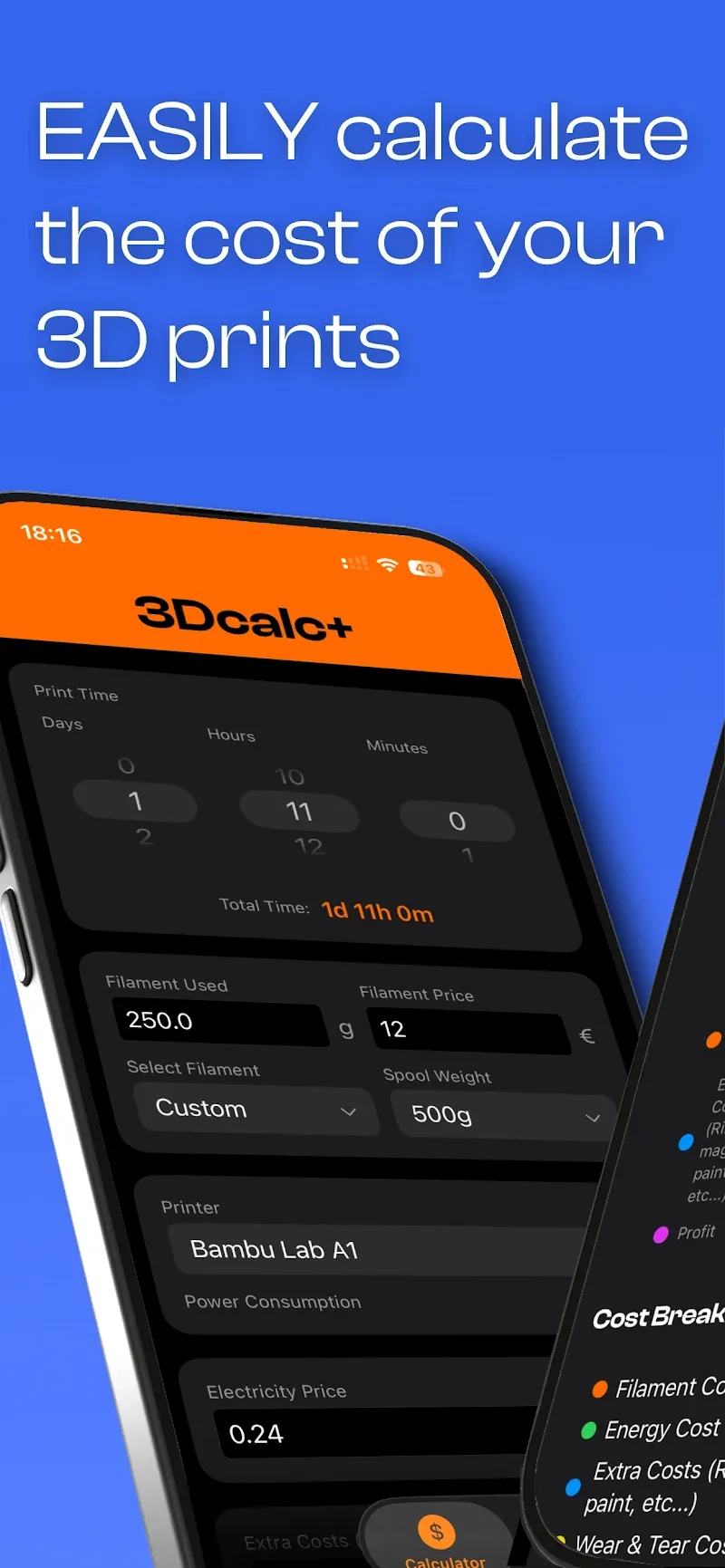
Data entry in 3Dcalc+ is handled with straightforward controls: numeric fields for measurements, dropdown menus for units and materials, and sliders for quick adjustments to infill and layer height. You can switch currencies and units inside the same screen to see immediate impacts on estimates. The interface emphasizes readable labels and inline help so you can understand what each parameter changes; tooltips explain terms like flow rate, effective density and margin allowances for supports or rafts.
Save multiple printer profiles that store nozzle size, nominal power draw, filament diameter and other machine-specific defaults so repetitive jobs require minimal setup. Workflow parameters can be customized to reflect your preferred tolerances and finishing steps, and you can choose to include common overhead items such as post-curing, supports removal or surface finishing in final cost estimates. By keeping profile and workflow settings saved, 3Dcalc+ reduces setup time and helps maintain consistent quoting across similar jobs.
3Dcalc+ is built for iterative improvement: initial estimates are helpful for planning, and as you record actual outcomes you can refine input parameters to better match your printer and materials. Over time users typically improve accuracy by adjusting effective print speed, measured material consumption and actual power draw. The app encourages this calibration approach and makes it easy to update profiles so future estimates more closely reflect real-world performance.
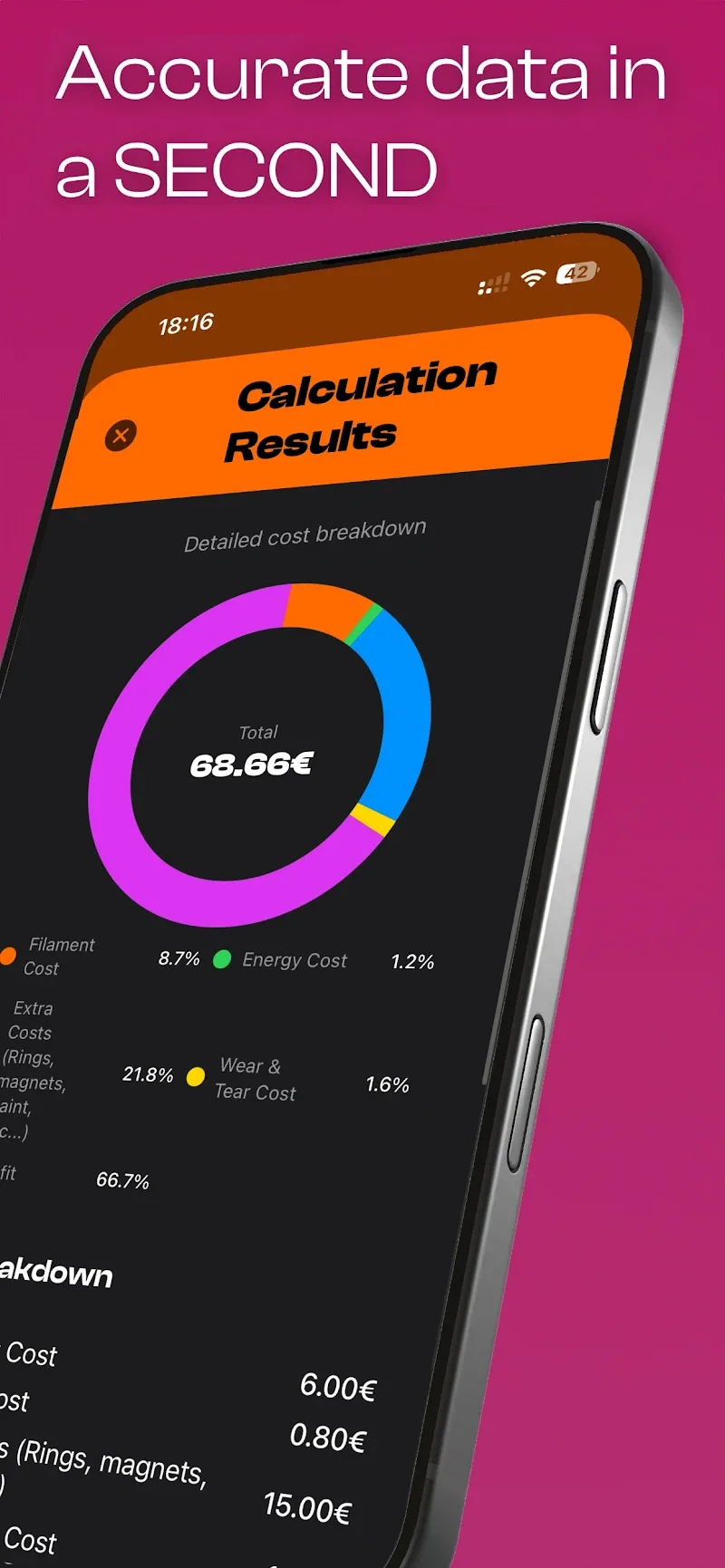
Results are presented in a clear, tabular format with labeled sections for materials, time, energy and total cost, plus concise summaries suitable for quotes or shop planning. Where helpful, the app shows a simple visual breakdown of cost components so you can quickly see how filament, labor-equivalent time and energy contribute to the final price. The UI favors legibility and quick scanning rather than dense reports, which helps when you need to compare multiple scenarios or tweak settings on the fly.
3Dcalc+ supports a range of task types from single prototype parts to small batch runs. You can use the tool to compare settings for a single part—trading speed for material use—or to estimate the cost differences between using resin or filament for a particular design. Because it is fast to use and stores profiles, the app becomes more valuable with repeated use, making it practical to run multiple “what if” scenarios as part of iterative design and production planning.
Designed to be lightweight, 3Dcalc+ works offline and does not require a persistent internet connection for its core features, which keeps sensitive price and profile data local to your device. It is not a slicer or model preparation tool: you still need a slicer to generate G-code and to handle complex support structures, and final print outcomes will vary based on machine calibration and filament/resin quality. Estimates are only as accurate as the inputs you provide, so regular calibration and verification are recommended to reduce variance.
Whether you need quick quotes for client work or better internal budgeting for prototyping, 3Dcalc+ offers a practical, configurable toolkit that helps reduce waste, avoid unexpected expenses and speed up decision-making for 3D prints. If you value clear, adjustable estimates and profile-driven workflows, 3Dcalc+ is a useful addition to your desktop or shop toolset.


3Dcalc+
Size:12.59M ToolsMyScoreTracker
Size:80.28M ToolsPanda Touch Pro
Size:18.13M ToolsDual Space : Multi App
Size:7.23M ToolsSound Recorder Plus: Voice Rec
Size:20.50M ToolsVoice Notebook
Size:2.54M ToolsVPN Australia
Size:18.00M ToolsMulti Parallel
Size:7.00M ToolsRemote for Smart Samsung TV
Size:53.60M ToolsCastDuo
Size:33.39M ToolsMessages iOS 17
Size:9.99M ToolsDesign Keyboard
Size:49.00M ToolsApril 2024 Clash of Clans Update: Unveiling a Fresh Companion, Enhanced Levels, Chat Tagging, and Be
2024-04-16Arrival of Genshin Impact 4.6 Update: 'Embers of Two Realms, Twilight of Crimson'
2024-04-16V2.2 of the Farlight 84 update introduces an overhauled Season structure, fresh in-game currency, an
2024-04-16Monster Never Cry is now accessible on both Android and iOS mobile devices.
2024-04-18PUBG Mobile Teams Up with Bentley Motors: Luxury Cars, Exclusive Collectibles, and Beyond
2024-04-18March 2024 Free Redemption Codes for Honkai: Star Rail
2024-04-18