
English
Streamline the process of transferring data from your old Android device to a new ASUS phone with the ASUS Phone Clone app. Say goodbye to the hassle of using a USB cable or mobile network, as this app allows you to effortlessly migrate contacts, call logs, messages, photos, videos, music, files, and applications with just a few taps. Plus, if your old phone is also an ASUS device, you can transfer application data and system settings too. Keep in mind that compatibility may vary depending on your system version and model. For a seamless data transfer experience, make sure to update to the latest version of ASUS Phone Clone now!
Easy Data Migration:
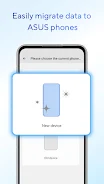
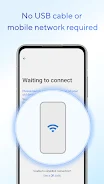
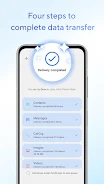
ASUS Phone Clone simplifies the process of transferring data from your old Android device to a new ASUS phone. You can easily migrate contacts, call logs, messages, photos, videos, music, and more without the need for a USB cable or mobile network.
Support for Application Data Transfer:
If your old device is also an ASUS phone, you can transfer not only your files but also application data and system settings. This comprehensive data transfer feature ensures a seamless transition to your new device.
User-Friendly Interface:
The app's intuitive interface makes it easy for users to navigate and initiate the data transfer process. With just a few taps, you can quickly transfer all your important data to your new ASUS phone.
Ensure Both Devices are Connected to the Same Wi-Fi Network:
To effectively transfer data using ASUS Phone Clone, make sure both your old device and new ASUS phone are connected to the same Wi-Fi network. This will allow for a smooth and quick data migration process.
Update to the Latest Version:
To access all the features and functionalities of ASUS Phone Clone, it is recommended to update to the latest version (5). This ensures a seamless experience and compatibility with the latest ASUS phone models.
Check Compatibility:
Before initiating the data transfer process, ensure that your old device is compatible with ASUS Phone Clone. Some ASUS models with stock AOSP operating systems may not be supported, so it's important to check compatibility beforehand.
ASUS Phone Clone is a convenient and efficient app for transferring data to your new ASUS phone. With its easy-to-use interface, support for application data transfer, and compatibility with a wide range of devices, it offers a seamless migration experience for users. By following a few simple tips such as connecting to the same Wi-Fi network and updating to the latest version, you can make the most out of this handy app. Download ASUS Phone Clone now and say goodbye to the hassle of data migration.


PawPrint
Size:95.99M ToolsConnectivity Guru Field Tech
Size:160.00M ToolsFTTHPlanner
Size:14.00M ToolsHiveTrack
Size:49.41M ToolsMME WFM APP
Size:78.78M ToolsPDF Translator
Size:55.42M ToolsShadowGuard VPN
Size:14.30M ToolsInverter Life
Size:75.60M Toolscredib
Size:44.46M ToolsHAUTAU ConfigTool 3
Size:1.60M ToolsCureAppPro
Size:2.20M ToolsTreo
Size:47.80M ToolsApril 2024 Clash of Clans Update: Unveiling a Fresh Companion, Enhanced Levels, Chat Tagging, and Be
2024-04-16Arrival of Genshin Impact 4.6 Update: 'Embers of Two Realms, Twilight of Crimson'
2024-04-16V2.2 of the Farlight 84 update introduces an overhauled Season structure, fresh in-game currency, an
2024-04-16Monster Never Cry is now accessible on both Android and iOS mobile devices.
2024-04-18PUBG Mobile Teams Up with Bentley Motors: Luxury Cars, Exclusive Collectibles, and Beyond
2024-04-18March 2024 Free Redemption Codes for Honkai: Star Rail
2024-04-18











Comment
Richard Prior
Useless, will not transfer from Asus device to other Android devices.
Aug 25, 2025 18:03:34
Dani El Badog
Doesn't work. Scanning screen of death
Aug 25, 2025 12:00:03
Sudip Chanda
Nice apps and all the zone this app clear thank you.
Aug 24, 2025 03:21:35
A Google user
not working with my rogphone 2 unable to stable connection problem
Aug 24, 2025 01:20:16
QuanterSK
Hotspot dies after 1 second
Aug 24, 2025 00:43:18
Daniel Tisoň
Doesn't work. Connecting failure.
Aug 22, 2025 21:18:36